






How to Replace the Mass Air Flow (MAF) Sensor on a 2019 Toyota Camry
Step-by-step DIY MAF sensor replacement with tools, parts list, torque specs, safety tips, and post-repair checks for 2018, 2019, 2020, 2021, 2022, 2023, 2024
How to Replace the Mass Air Flow (MAF) Sensor on a 2019 Toyota Camry
Step-by-step DIY MAF sensor replacement with tools, parts list, torque specs, safety tips, and post-repair checks for 2018, 2019, 2020, 2021, 2022, 2023, 2024


🔧 Camry - Mass Air Flow (MAF) Sensor Replacement
You’ll be removing the MAF sensor from the air intake duct on your Camry and installing a new one. This helps the engine computer measure incoming air correctly, which can fix rough running, poor fuel economy, or MAF-related check engine lights.
Difficulty Level: Beginner | Estimated Time: 0.5–1 hour
⚠️ Safety & Precautions
- ⚠️ Work with the engine off and completely cooled down to avoid burns.
- ⚠️ Disconnecting the battery will erase radio/clock settings but helps avoid accidental shorts.
- ⚠️ Do not touch the tiny sensing element on the MAF; it’s very delicate.
- ⚠️ Keep dirt and debris out of the air intake opening while the MAF is removed.
🔧 Required Tools
You'll need the following tools for this repair:
- 🛠️ 10mm socket
- 🛠️ 1/4" drive ratchet
- 🛠️ 3" ratchet extension
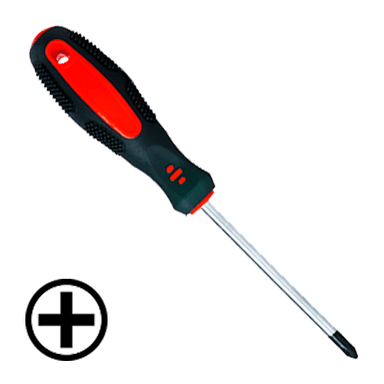
- 🛠️ Phillips #2 screwdriver
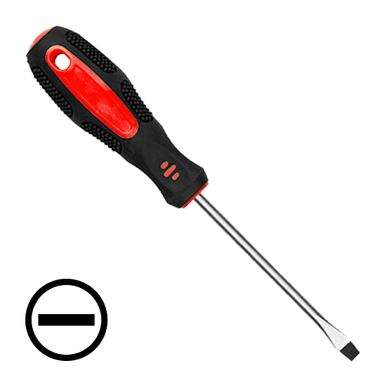
- 🛠️ Flathead screwdriver (6mm tip)
- 🛠️ Torx T20 screwdriver
- 🛠️ Needle-nose pliers
- 🛠️ Digital torque wrench (inch-lb, 20–100 in-lb range)
- 🛠️ Mechanic’s gloves
- 🛠️ Safety glasses
- 🛠️ Clean shop towel
🔩 Required Parts
HowToo sells all the parts you need for this repair:
- 🔩 Mass air flow (MAF) sensor - Qty: 1
- 🔩 MAF sensor gasket or O-ring - Qty: 1
- 🔩 MAF sensor mounting screws (if not included) - Qty: 2
- 🔩 Dielectric grease for electrical connectors - Qty: small tube
- 🔩 Electronic parts cleaner or MAF-safe cleaner - Qty: 1 can
📋 Before You Begin
- Park your Camry on level ground, shift to P, and set the parking brake.
- Open the hood and secure it with the prop rod.
- If you want to avoid any chance of short circuits, disconnect the negative battery cable:
- Use a 10mm socket to loosen the negative terminal nut and remove the cable from the battery.
- Wrap the terminal in a clean shop towel so it can’t accidentally touch the post.
- Have your new MAF sensor unboxed and ready so the intake is open for as little time as possible.
🔨 Step-by-Step Instructions
Follow these steps in order:
Step 1: Locate the MAF sensor
- Open the hood and stand at the front of the car.
- Find the air filter box on the driver’s side near the front corner.
- Trace the big black plastic tube that leaves the air box toward the engine.
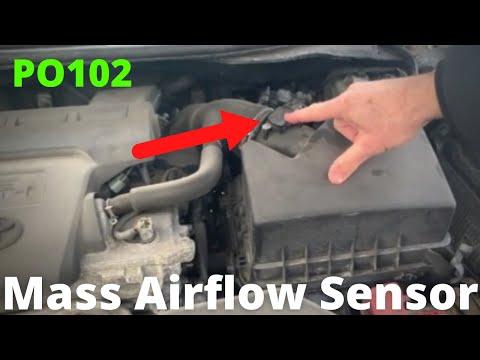
- The MAF sensor is mounted in the housing right on or just after the air box, with a small electrical connector plugged into it.
- Look for a small rectangular sensor with a plug.
Step 2: Disconnect the MAF electrical connector
- Put on your mechanic’s gloves and safety glasses.
- Press the locking tab on the MAF connector with your fingers or use a flathead screwdriver gently if needed.
- While holding the tab down, pull the connector straight back to unplug it.
- If it’s stuck, wiggle it slightly while pulling—do not yank on the wires.
- If the tab feels brittle, press gently to avoid breaking.
Step 3: Free any harness clips
- Check if the wiring harness is clipped to the air duct or air box near the MAF.
- Use needle-nose pliers to gently squeeze and release any plastic clips from their holes so the harness can move freely.
- This gives you more room to remove and install the sensor.
Step 4: Remove the MAF sensor screws
- Look at how the MAF sensor is attached—on your Camry it’s usually two small screws.
- Use a Torx T20 screwdriver or Phillips #2 screwdriver (depending on head type) to loosen and remove both screws.
- Keep a hand under the sensor so it doesn’t drop when the last screw comes out.
- Place the screws in a safe spot so you don’t lose them.
Step 5: Remove the old MAF sensor
- Gently pull the MAF sensor straight out of the housing by hand.
- If it feels stuck, wiggle it slightly side to side while pulling—do not pry on the sensing element.
- Immediately cover the opening in the air duct with a clean shop towel so dust and bugs don’t get in.
- Never poke anything into the opening.
Step 6: Inspect and clean the mounting area
- Remove the shop towel and look inside the MAF opening and the sealing surface.
- If you see dust or oily film on the sealing area, lightly spray electronic parts cleaner on a shop towel and wipe the sealing surface only.
- Do not spray directly into the intake tube and do not spray the old sensor if you plan to keep it.
- Make sure the area is dry and free of debris before installing the new sensor.
Step 7: Prepare the new MAF sensor
- Compare the new sensor with the old one to confirm:
- Same connector shape
- Same mounting holes
- Same direction of airflow markings (often an arrow)
- Install the new MAF sensor gasket or O-ring on the new sensor if it’s separate.
- If you use dielectric grease, put a very small amount on the rubber seal of the connector only, not on the pins.
- Match the airflow arrow with the direction air travels.
Step 8: Install the new MAF sensor
- Remove the shop towel from the intake opening.
- Carefully slide the new MAF sensor into the opening, keeping it straight and not twisting the O-ring.
- Align the screw holes on the sensor with the holes in the housing.
- Start both mounting screws by hand to avoid cross-threading.
- Use the Torx T20 screwdriver or Phillips #2 screwdriver to snug the screws evenly.
- Then use the digital torque wrench with the correct bit to tighten both screws to 9 Nm (80 in-lbs).
- Do not overtighten; the housing is plastic.
Step 9: Reconnect the electrical connector
- Align the MAF connector with the sensor plug.
- Push the connector straight in until you feel or hear a click.
- Lightly tug on the connector to confirm it’s locked in place.
- Reattach any wiring harness clips to their brackets by pushing them back in by hand.
Step 10: Reconnect the battery (if disconnected)
- Place the negative battery cable back onto the battery post.
- Use the 10mm socket and ratchet to tighten the terminal nut snugly—just firm, not overly tight.
- Make sure the cable cannot twist or move by hand.
Step 11: Let the engine relearn (idle relearn)
- Turn the ignition to ON (engine off) for about 10 seconds, then switch it off. This lets modules power up with the new sensor in place.
- Start the engine and let it idle in P for about 5–10 minutes with all accessories off (A/C, lights, radio).
- The engine computer will begin adapting to the new MAF sensor.
- Idle may change slightly while it relearns.
✅ After Repair
- Start the engine and listen for smooth idle. There should be no surging or stalling.
- Check around the MAF area and intake tube for any loose connections or air leaks.
- If you had a check engine light for the MAF, clear the code with a scan tool if available; otherwise, it may clear on its own after a few drive cycles.
- Take a short test drive:
- Gentle acceleration first, then a few stronger accelerations.
- Make sure there is no hesitation, stumbling, or new warning lights.
💰 DIY vs Shop Cost
Shop Cost: $250–$400 (parts + labor)
DIY Cost: $120–$220 (parts only)
You Save: $130–$180 by doing it yourself!
Shop labor rates vary but typically run $100–$150/hour. This repair takes a shop approximately 0.5–1.0 hours.
🎯 Ready to get started?
HowToo makes it easy: same-day/2-day shipping on every part, plus all the tools and specialty tools you need! Check out the parts and tools sections above to add everything to your cart.