

How to Replace the Battery on a 2017-2026 Ford Escape (Engine: Inline 4 2.0L)
Step-by-step 12V AGM battery guide with tools, torque specs, safety tips, and BMS reset for 2017, 2018, 2019
How to Replace the Battery on a 2017-2026 Ford Escape (Engine: Inline 4 2.0L)
Step-by-step 12V AGM battery guide with tools, torque specs, safety tips, and BMS reset for 2017, 2018, 2019


🔧 Escape - 12V Battery Replacement
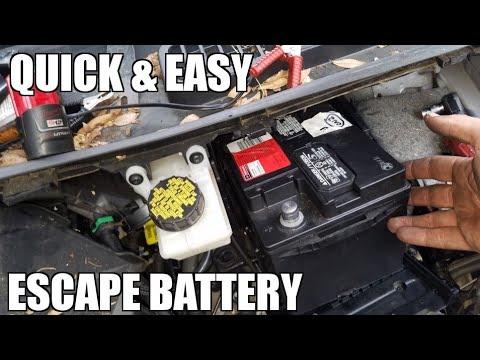
Your Escape uses a 12-volt starting battery mounted under the hood, near the driver-side rear of the engine bay. Replacing it is beginner-friendly, but you must keep the battery cables from touching metal and reset the Battery Monitoring System afterward so charging works correctly.
Difficulty Level: Beginner | Estimated Time: 30-60 minutes
⚠️ Safety & Precautions
- ⚠️ Wear safety glasses and gloves. Car batteries contain acid and can release explosive gas.
- ⚠️ Disconnect the negative cable first and reconnect it last. This helps prevent accidental short circuits.
- ⚠️ Do not let tools bridge the positive battery terminal to body metal.
- ⚠️ The battery is heavy. Lift straight up with two hands.
- ⚠️ Keep the ignition off and the key away from the vehicle while working.
- ⚠️ Battery disconnect is required for this repair.
🔧 Required Tools
You'll need the following tools for this repair:
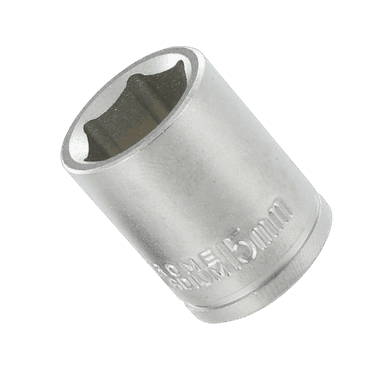
- 10mm socket
- 13mm socket
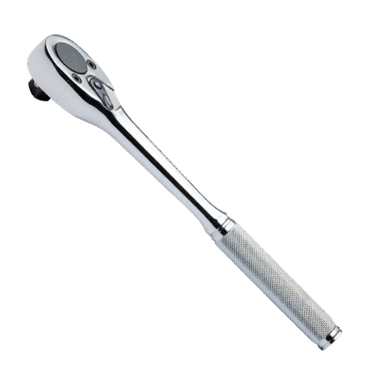
- 3/8-inch ratchet
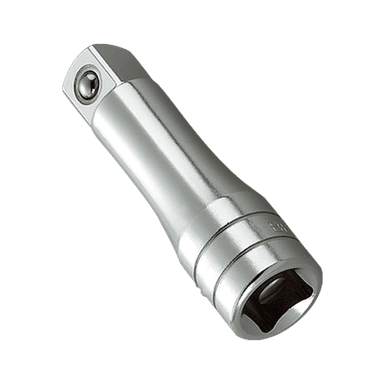
- 6-inch socket extension
- Battery terminal puller (specialty)
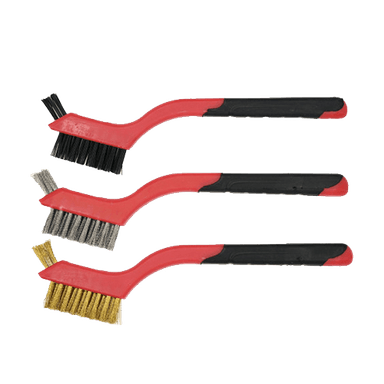
- Battery terminal cleaning brush
- Torque wrench rated 5-50 Nm
- Memory saver OBD-II 12V tool (optional specialty)
- Nitrile gloves
- Safety glasses
🔩 Required Parts
HowToo sells all the parts you need for this repair:
- 12V AGM battery, Group Size 48/H6 - Qty: 1
- Battery terminal protectant - Qty: 1
- Battery hold-down hardware - Qty: 1 if corroded or damaged
📋 Before You Begin
- Park your Escape on level ground, shift to Park, and set the parking brake.
- Turn off the ignition, lights, climate controls, and all accessories.
- Open the hood and support it securely.
- If using a memory saver, plug the Memory saver OBD-II 12V tool into the OBD-II port before disconnecting the battery. A memory saver supplies low power so some settings are not lost.
- Take a quick photo of the battery position and cable routing before removing anything.
🔨 Step-by-Step Instructions
Follow these steps in order:
Step 1: Locate the battery
- Open the hood and stand at the front of your Escape.
- The battery is at the rear driver-side area of the engine compartment, partly under the cowl panel.
- Use your hands to remove any plastic battery cover if equipped.
- Take a photo first.
Step 2: Disconnect the negative cable
- Find the negative terminal marked with a minus symbol.
- Use a 10mm socket, 3/8-inch ratchet, and 6-inch socket extension to loosen the negative cable clamp nut.
- Twist the cable clamp gently by hand and lift it off the battery post.
- If stuck, use the Battery terminal puller (specialty). A terminal puller safely lifts the clamp without bending or cracking it.
- Move the negative cable aside so it cannot spring back onto the battery post.
Step 3: Disconnect the positive cable
- Open the red protective cover on the positive terminal marked with a plus symbol.
- Use a 10mm socket, 3/8-inch ratchet, and 6-inch socket extension to loosen the positive cable clamp nut.
- Lift the positive cable clamp off the battery post.
- Move it aside carefully and do not let it touch metal body parts.
Step 4: Remove the battery hold-down
- Look at the base of the battery for the hold-down clamp. The hold-down keeps the battery from moving while driving.
- Use a 13mm socket, 3/8-inch ratchet, and 6-inch socket extension to remove the hold-down fastener.
- Lift the hold-down clamp out and set it aside.
Step 5: Remove the old battery
- Put on nitrile gloves and safety glasses.
- Lift the battery straight up and out of the tray using both hands.
- Keep the battery level to avoid acid leakage.
- Place it upright on the ground away from sparks, flames, and children.
Step 6: Clean the battery terminals and tray
- Use the Battery terminal cleaning brush to clean the inside of both cable clamps.
- Use the Battery terminal cleaning brush to clean any light corrosion from the battery tray area.
- If you see heavy white or green crusty corrosion, avoid touching it with bare hands.
- Clean metal helps charging.
Step 7: Install the new battery
- Lower the new 12V AGM battery, Group Size 48/H6 into the tray with the terminals facing the same way as the old battery.
- Make sure the battery sits flat in the tray.
- Reinstall the hold-down clamp using the 13mm socket, 3/8-inch ratchet, and torque wrench rated 5-50 Nm.
- Torque to 8 Nm (71 in-lbs).
Step 8: Reconnect the positive cable
- Place the positive cable clamp fully onto the positive battery post.
- Use a 10mm socket and torque wrench rated 5-50 Nm to tighten the clamp nut.
- Torque to 5 Nm (44 in-lbs).
- Close the red positive terminal cover.
Step 9: Reconnect the negative cable
- Place the negative cable clamp fully onto the negative battery post.
- Use a 10mm socket and torque wrench rated 5-50 Nm to tighten the clamp nut.
- Torque to 5 Nm (44 in-lbs).
- Apply a light coat of battery terminal protectant to both terminals after the clamps are tight.
Step 10: Reset the Battery Monitoring System
- Sit in the driver seat and close all doors.
- Turn the ignition to ON without starting the engine. For push-button start, press the start button without pressing the brake pedal.
- Use the headlight switch and brake pedal sequence below:
- Flash the high beams 5 times using the turn-signal stalk.
- Press and release the brake pedal 3 times.
- Watch for the battery warning light to flash. This indicates the Battery Monitoring System reset was accepted.
- If the light does not flash, repeat the sequence slowly from the beginning.
Step 11: Start and check operation
- Start the engine normally.
- Use your eyes to confirm the battery is secure and the cables are not loose.
- Use your hands to gently wiggle each cable clamp. They should not move.
- Reinstall the battery cover by hand if equipped.
✅ After Repair
- ✅ Let your Escape idle for 2-3 minutes so the engine computer can stabilize idle speed.
- ✅ Reset the clock and radio presets if they were lost.
- ✅ One-touch window operation may need relearning: fully lower the window, then fully raise it and hold the switch up for 2 seconds.
- ✅ Drive normally for 10-15 minutes. Some systems may relearn after a short drive.
- ✅ Recycle the old battery at an auto parts store, repair shop, or local battery recycler.
💰 DIY vs Shop Cost
Shop Cost: $250-$430 (parts + labor)
DIY Cost: $170-$280 (parts only)
You Save: $80-$150 by doing it yourself!
Shop labor rates vary but typically run $100-$150/hour. This repair takes a shop approximately 0.5-1.0 hours.
🎯 Ready to get started?
HowToo makes it easy: same-day/2-day shipping on every part, plus all the tools and specialty tools you need! Check out the parts and tools sections below to add everything to your cart.