







How to Replace the Battery on a 2005-2023 Ford Mustang (Trim: GT | Engine: V8 5.0L)
Step-by-step DIY guide with tools, parts, torque specs, safety tips, and BMS reset for 2005, 2006, 2007, 2008, 2009, 2010
How to Replace the Battery on a 2005-2023 Ford Mustang (Trim: GT | Engine: V8 5.0L)
Step-by-step DIY guide with tools, parts, torque specs, safety tips, and BMS reset for 2005, 2006, 2007, 2008, 2009, 2010


🔧 Mustang - Battery Replacement
Replacing the battery on your Mustang is a beginner-friendly job. The battery is located under the hood, and the main goal is to safely disconnect the old battery, install the new one securely, and reset the Battery Monitoring System if needed.
Difficulty Level: Beginner | Estimated Time: 30-60 minutes
⚠️ Safety & Precautions
- ⚠️ Wear safety glasses and gloves because car batteries contain acid and can release explosive gas.
- ⚠️ Always disconnect the negative cable first and reconnect it last to reduce spark risk.
- ⚠️ Keep metal tools away from both battery terminals at the same time.
- ⚠️ Do not smoke or create sparks near the battery.
- ⚠️ Battery disconnect is required for this repair.
- ⚠️ Your Mustang may lose clock, window auto-up memory, and some learned settings after battery replacement.
🔧 Required Tools
You'll need the following tools for this repair:
- 10mm socket
- 8mm socket
- Ratchet wrench 1/4-inch drive
- Socket extension 6-inch
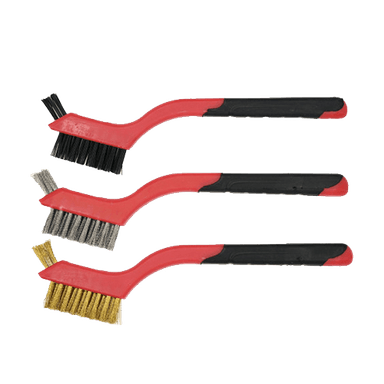
- Battery terminal cleaner brush
- Battery carrying strap
- Torque wrench 1/4-inch drive
- Memory saver OBD-II 12V tool
- Battery charger 12V
- Safety glasses
- Nitrile gloves
🔩 Required Parts
HowToo sells all the parts you need for this repair:
- 12V AGM battery - Qty: 1
- Battery terminal anti-corrosion protectant - Qty: 1
- Battery terminal felt washers - Qty: 2
📋 Before You Begin
- Park your Mustang on level ground, shift into 1st gear, and set the parking brake.
- Turn off the ignition, headlights, interior lights, radio, and all accessories.
- Open the hood and let the car sit for at least 5 minutes so control modules can go to sleep.
- If using a memory saver, plug the Memory saver OBD-II 12V tool into the diagnostic port under the driver side dash. A memory saver is a small backup power source that helps keep radio, clock, and module memory alive while the battery is disconnected.
- Confirm the replacement battery is fully charged before installing it. Use a Battery charger 12V if needed.
🔨 Step-by-Step Instructions
Follow these steps in order:
Step 1: Open the Hood and Locate the Battery
- Use the interior hood release, then open the hood fully.
- The battery is located under the hood on the passenger side near the rear of the engine bay.
- Put on Safety glasses and Nitrile gloves.
- Take a photo before disconnecting anything.
Step 2: Disconnect the Negative Battery Cable
- Use a 10mm socket, Ratchet wrench 1/4-inch drive, and Socket extension 6-inch to loosen the negative terminal clamp.
- The negative terminal usually has a minus symbol and a black cable.
- Lift the negative cable off the battery post and move it aside so it cannot spring back and touch the terminal.
- Do not allow the wrench to touch the positive terminal while working.
Step 3: Disconnect the Positive Battery Cable
- Open the red protective cover over the positive terminal.
- Use a 10mm socket, Ratchet wrench 1/4-inch drive, and Socket extension 6-inch to loosen the positive terminal clamp.
- Lift the positive cable off the battery post and move it aside.
- The positive terminal usually has a plus symbol and a red cable.
Step 4: Remove the Battery Hold-Down
- Use an 8mm socket, Ratchet wrench 1/4-inch drive, and Socket extension 6-inch to remove the battery hold-down fastener.
- The hold-down is the bracket that locks the battery in place so it cannot move while driving.
- Remove the hold-down bracket and set it aside.
Step 5: Remove the Old Battery
- Attach the Battery carrying strap to the battery if the battery has no built-in handle.
- Lift the battery straight up and out of the tray. Batteries are heavy, so keep your back straight and lift with both hands.
- Set the old battery upright on cardboard or a stable surface.
- Do not tip the battery sideways.
Step 6: Clean the Battery Tray and Cable Ends
- Use a Battery terminal cleaner brush to clean the inside of each cable clamp.
- Clean the new battery posts with the Battery terminal cleaner brush if they look dull or dirty.
- Make sure the battery tray is dry and free of loose debris.
Step 7: Install the New Battery
- Use the Battery carrying strap to lower the new 12V AGM battery into the tray.
- Make sure the positive and negative posts are in the same positions as the old battery.
- Install the battery hold-down bracket.
- Use an 8mm socket and Torque wrench 1/4-inch drive to tighten the hold-down fastener to Torque to 6 Nm (53 in-lbs).
- The battery must not slide or rock in the tray.
Step 8: Reconnect the Positive Battery Cable
- Place one Battery terminal felt washer over the positive battery post.
- Install the positive cable clamp onto the positive battery post.
- Push the clamp fully down on the post.
- Use a 10mm socket and Torque wrench 1/4-inch drive to tighten the positive terminal clamp to Torque to 5 Nm (44 in-lbs).
- Close the red protective cover.
Step 9: Reconnect the Negative Battery Cable
- Place one Battery terminal felt washer over the negative battery post.
- Install the negative cable clamp onto the negative battery post.
- Push the clamp fully down on the post.
- Use a 10mm socket and Torque wrench 1/4-inch drive to tighten the negative terminal clamp to Torque to 5 Nm (44 in-lbs).
- A small spark during final connection can be normal, but a large spark means something may be switched on.
Step 10: Apply Terminal Protection
- Use Battery terminal anti-corrosion protectant on both battery terminals after the clamps are tight.
- Do not spray protectant between the battery post and clamp before tightening, because it can reduce electrical contact.
Step 11: Reset the Battery Monitoring System
- Sit in the driver seat and close all doors.
- Turn the ignition to ON without starting the engine.
- Use the headlight switch and brake pedal sequence below:
- Pull the high-beam flash-to-pass lever 5 times, then press and release the brake pedal 3 times within 10 seconds.
- Watch the battery warning light. It should flash several times to confirm the Battery Monitoring System reset.
- If it does not flash, repeat the sequence once more from the beginning.
- The Battery Monitoring System tracks battery age and charging behavior, so resetting it helps the alternator charge the new battery correctly.
Step 12: Start the Engine and Check Operation
- Start your Mustang and let it idle.
- Use your eyes and hands only near the battery area. Do not touch moving belts or fans.
- Check that the battery is secure and that both cable clamps are tight.
- If you used a Memory saver OBD-II 12V tool, unplug it after the engine starts normally.
✅ After Repair
- ✅ Confirm the engine starts strongly with no slow cranking.
- ✅ Reset the clock and radio presets if needed.
- ✅ Relearn the power windows if auto-up/down does not work: fully lower the window, then fully raise it and hold the switch up for 2 seconds.
- ✅ Drive normally for a short trip so the vehicle can relearn idle and charging behavior.
- ✅ Recycle the old battery at a parts store or battery recycler. Do not throw it in household trash.
💰 DIY vs Shop Cost
Shop Cost: $250-$420 (parts + labor)
DIY Cost: $170-$280 (parts only)
You Save: $80-$140 by doing it yourself!
Shop labor rates vary but typically run $100-$150/hour. This repair takes a shop approximately 0.3-0.6 hours.
🎯 Ready to get started?
HowToo makes it easy: same-day/2-day shipping on every part, plus all the tools and specialty tools you need! Check out the parts and tools sections below to add everything to your cart.