

![How to [EASILY] Replace the Battery - Hyundai Tucson (2010-2015)](/_next/image?url=https%3A%2F%2Fimg.youtube.com%2Fvi%2FXZo6KaUgAGQ%2Fhqdefault.jpg&w=3840&q=75)





How to Replace the Battery on a 2005-2015 Hyundai Tucson (Engine: Inline 4 2.0L)
Step-by-step DIY guide with tools, parts, torque specs, safety tips, and reset checks for 2005, 2006, 2007, 2008, 2009, 2011, 2012, 2013, 2014, 2015
How to Replace the Battery on a 2005-2015 Hyundai Tucson (Engine: Inline 4 2.0L)
Step-by-step DIY guide with tools, parts, torque specs, safety tips, and reset checks for 2005, 2006, 2007, 2008, 2009, 2011, 2012, 2013, 2014, 2015


🔧 Tucson - Battery Replacement
Replacing the battery in your Tucson is a beginner-friendly job. The battery sits under the hood, and the main goal is to remove the old battery safely, clean the terminals, and install the new one securely.
Difficulty Level: Beginner | Estimated Time: 20-40 minutes
⚠️ Safety & Precautions
- ⚠️ Always remove the negative battery cable first to reduce the chance of sparks.
- ⚠️ Do not let metal tools touch both battery terminals at the same time.
- ⚠️ Wear safety glasses and gloves because batteries can leak acid.
- ⚠️ Keep the ignition off and the key away from the vehicle while working.
- ⚠️ Battery disconnect is required for this repair.
🔧 Required Tools
You'll need the following tools for this repair:
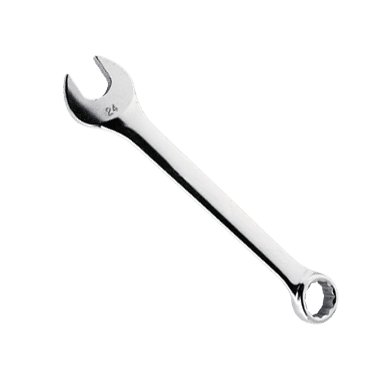
- 10mm wrench
- 10mm socket
- 3/8-inch ratchet
- 6-inch extension
- Battery terminal puller (specialty)
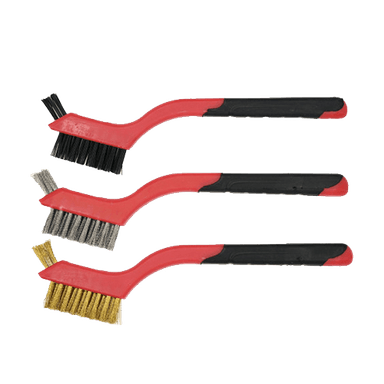
- Battery terminal cleaning brush
- Battery carrier strap
- Memory saver 12V OBD-II tool (optional specialty)
- Safety glasses
- Nitrile gloves
🔩 Required Parts
HowToo sells all the parts you need for this repair:
- 12V starting battery - Qty: 1
- Battery terminal protectant spray - Qty: 1
- Battery anti-corrosion washers - Qty: 2
📋 Before You Begin
- 🅿️ Park your Tucson on level ground, shift to Park, and apply the parking brake.
- 🔑 Turn the ignition off and remove the key from the vehicle.
- ⏱️ Wait at least 2 minutes before disconnecting the battery so vehicle modules can go to sleep.
- 💾 A memory saver is a small backup power tool that plugs into the OBD-II port to help keep radio presets and learned settings. It is optional for this Tucson.
- 📍 If using a memory saver, plug the memory saver 12V OBD-II tool into the OBD-II port under the driver side dash before disconnecting the battery.
🔨 Step-by-Step Instructions
Follow these steps in order:
Step 1: Open the Hood and Locate the Battery
- Use your hand to pull the hood release inside the cabin.
- Use your hand to release the hood safety latch and raise the hood.
- Use the hood prop rod if equipped to hold the hood open securely.
- The battery is located in the engine bay near the driver-side front area.
Step 2: Identify the Battery Terminals
- Look for the negative terminal marked with a minus sign -.
- Look for the positive terminal marked with a plus sign +.
- The negative cable is usually black, and the positive cable is usually red or has a red cover.
- Take a photo before removal.
Step 3: Disconnect the Negative Cable First
- Use a 10mm wrench or 10mm socket with a 3/8-inch ratchet to loosen the negative terminal clamp nut.
- Twist the negative cable clamp gently and lift it off the battery post.
- If it is stuck, use the battery terminal puller. A terminal puller safely lifts a stuck cable clamp without damaging the battery post.
- Move the negative cable aside so it cannot spring back and touch the battery.
Step 4: Disconnect the Positive Cable
- Lift the red positive terminal cover by hand if equipped.
- Use a 10mm wrench or 10mm socket with a 3/8-inch ratchet to loosen the positive terminal clamp nut.
- Twist the positive cable clamp gently and lift it off the battery post.
- Move the positive cable aside carefully.
Step 5: Remove the Battery Hold-Down Clamp
- Locate the battery hold-down clamp at the base of the battery.
- Use a 10mm socket, 3/8-inch ratchet, and 6-inch extension to remove the hold-down bolt.
- Remove the hold-down clamp and set it aside.
- Do not drop the bolt.
Step 6: Remove the Old Battery
- Use a battery carrier strap to lift the battery straight up and out of the tray. A battery carrier strap gives you a safer grip because car batteries are heavy.
- Keep the battery upright while removing it.
- Place the old battery on a stable surface away from sparks or flames.
Step 7: Clean the Battery Tray and Cable Ends
- Use a battery terminal cleaning brush to clean the inside of both cable clamps.
- Use the battery terminal cleaning brush to clean any corrosion from the battery tray area.
- If you see white or green crusty buildup, clean it thoroughly before installing the new battery.
- Clean metal makes better contact.
Step 8: Install the New Battery
- Use the battery carrier strap to lower the new battery into the tray.
- Make sure the positive and negative posts are in the same position as the old battery.
- Make sure the battery sits flat in the tray.
Step 9: Reinstall the Battery Hold-Down Clamp
- Install the hold-down clamp by hand first.
- Use a 10mm socket, 3/8-inch ratchet, and 6-inch extension to tighten the hold-down bolt.
- Torque to 8-10 Nm (71-89 in-lbs).
- Try to gently move the battery by hand. It should not slide or tip.
Step 10: Connect the Positive Cable First
- Install one battery anti-corrosion washer onto the positive post.
- Push the positive cable clamp fully down onto the positive battery post.
- Use a 10mm wrench or 10mm socket with a 3/8-inch ratchet to tighten the terminal clamp nut.
- Torque to 4-6 Nm (35-53 in-lbs).
- Close the red positive terminal cover if equipped.
Step 11: Connect the Negative Cable Last
- Install one battery anti-corrosion washer onto the negative post.
- Push the negative cable clamp fully down onto the negative battery post.
- Use a 10mm wrench or 10mm socket with a 3/8-inch ratchet to tighten the terminal clamp nut.
- Torque to 4-6 Nm (35-53 in-lbs).
- A small spark when connecting the negative cable can be normal.
Step 12: Protect the Terminals
- Use battery terminal protectant spray on both connected terminals.
- Apply a light coating only.
- Do not soak the battery or nearby wiring.
✅ After Repair
- ✅ Start your Tucson and confirm the engine cranks normally.
- ✅ Check that the battery warning light turns off after the engine starts.
- ✅ Set the clock and radio presets if they were lost.
- ✅ Auto-up/down window memory may need relearning: fully close the driver window and hold the switch up for about 2 seconds.
- ✅ Turn the steering wheel fully left, then fully right, then center it if the stability control or steering light appears after reconnecting the battery.
- ✅ Recycle the old battery at a parts store or battery recycler. Do not throw it in household trash.
💰 DIY vs Shop Cost
Shop Cost: $180-$320 (parts + labor)
DIY Cost: $120-$220 (parts only)
You Save: $60-$100 by doing it yourself!
Shop labor rates vary but typically run $100-$150/hour. This repair takes a shop approximately 0.3-0.5 hours.
🎯 Ready to get started?
HowToo makes it easy: same-day/2-day shipping on every part, plus all the tools and specialty tools you need! Check out the parts and tools sections below to add everything to your cart.