

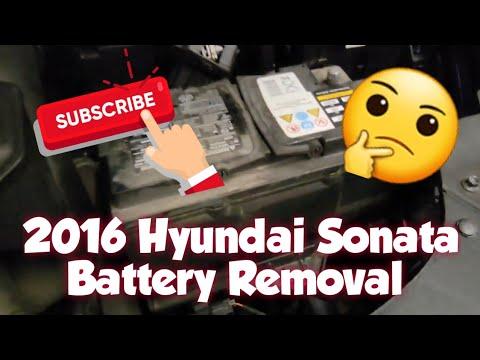





How to Replace the 12V Battery on a 2016 Hyundai Sonata (Step-by-Step Guide)
Tools, parts, safety tips, and torque specs for removing, installing, and reconnecting the battery correctly for 2015, 2016, 2017
How to Replace the 12V Battery on a 2016 Hyundai Sonata (Step-by-Step Guide)
Tools, parts, safety tips, and torque specs for removing, installing, and reconnecting the battery correctly for 2015, 2016, 2017


🔧 Sonata - 12V Battery Replacement
Replacing the 12V battery restores reliable starting and prevents random electrical issues (slow crank, warning lights, no-start). On your Sonata, the battery sits in the engine bay and is held down by a bracket, then connected with two terminal clamps.
Difficulty Level: Beginner | Estimated Time: 0.5-1.0 hours
Assumption: Stock 12V battery in engine bay (not trunk-mounted).
⚠️ Safety & Precautions
- ⚠️ Turn ignition OFF, remove key, and keep it away from the car.
- ⚠️ Wear eye protection and gloves—battery acid is corrosive.
- ⚠️ Never short the battery: keep tools from touching both terminals at once.
- ⚠️ Disconnect negative (-) first, reconnect it last (reduces short-circuit risk).
- ⚠️ Do not lean over the battery while loosening terminals.
- ⚠️ Battery disconnect is recommended for this job; you may lose radio presets/clock.
🔧 Required Tools
You'll need the following tools for this repair:
- 10mm socket
- 10mm wrench
- 12mm socket
- Ratchet (3/8")
- 3" extension (3/8")
- Torque wrench (5–50 Nm range)
- Battery terminal brush
- Small flathead screwdriver
- Nitrile gloves
- Safety glasses
- Fender cover
🔩 Required Parts
HowToo sells all the parts you need for this repair:
- 12V car battery (correct fitment for Sonata 2.4L) - Qty: 1
- Battery terminal anti-corrosion pads - Qty: 2
- Battery terminal protectant spray - Qty: 1
📋 Before You Begin
- 🅿️ Park on level ground, shift to P, and set the parking brake.
- 🧊 If you just drove, wait 10–15 minutes so under-hood parts cool down.
- 🧼 Note/photograph which cable goes to which terminal (negative is usually black and marked “-”).
- 🧠 Expect resets: clock, radio presets, and one-touch windows may need re-initialization.
🔨 Step-by-Step Instructions
Follow these steps in order:
Step 1: Open the hood and locate the battery
- Lay a fender cover over the painted edge to prevent scratches.
- The battery is a rectangular box with two cable clamps on top (+ and -).
Step 2: Disconnect the negative (-) terminal first
- Use a 10mm wrench (or 10mm socket with ratchet) to loosen the negative clamp nut.
- Wiggle the clamp upward to remove it from the post. If it’s stuck, gently pry at the clamp split with a small flathead screwdriver (don’t pry on the battery case).
- Tuck the negative cable to the side so it cannot spring back onto the battery post.
- Tip: Negative first prevents accidental sparks.
Step 3: Disconnect the positive (+) terminal
- Use a 10mm wrench (or 10mm socket with ratchet) to loosen the positive clamp nut.
- Remove the clamp from the post and position the cable safely aside.
Step 4: Remove the battery hold-down bracket
- Use a 12mm socket, ratchet, and 3" extension to remove the hold-down bolt(s).
- Lift out the hold-down bracket and set it aside where it won’t fall into the engine bay.
Step 5: Lift out the old battery
- Wearing nitrile gloves, lift the battery straight up and out (it’s heavy—use your legs, not your back).
- Set it on the ground upright (never tip it).
Step 6: Clean the tray and cable clamps
- Inspect the tray for corrosion or debris; wipe it clean.
- Use a battery terminal brush to clean the inside of both cable clamps until shiny metal is visible. (A terminal brush is a stiff brush made for cleaning battery connections.)
Step 7: Install the new battery and secure it
- Place the new battery into the tray in the same orientation as the old one (terminals positioned the same).
- Reinstall the hold-down bracket using the 12mm socket, ratchet, and extension.
- Tighten with a torque wrench: Torque to 18–24 Nm (13–18 ft-lbs).
- Tip: A loose battery can damage cables.
Step 8: Reconnect terminals (positive first, negative last)
- Install anti-corrosion pads (if using) on the posts.
- Reconnect the positive (+) clamp first; use a 10mm socket and ratchet to snug it.
- Reconnect the negative (-) clamp last; use a 10mm socket and ratchet to snug it.
- Tighten with a torque wrench: Torque to 5–7 Nm (44–62 in-lbs) for each terminal clamp nut.
- Lightly spray terminals with battery terminal protectant spray after tightening.
- Tip: Don’t overtighten—clamps can crack.
Step 9: Final check under the hood
- Verify both clamps are fully seated and cannot rotate by hand.
- Confirm the hold-down bracket is tight and the battery does not move.
- Remove all tools from the engine bay and close the hood.
✅ After Repair
- ✅ Start the engine and confirm it cranks normally (strong, steady crank).
- ✅ Check for warning lights; some may take a short drive to clear.
- ✅ Reset the clock and radio presets if needed.
- ✅ Re-initialize auto-up windows: with the engine running, fully raise each window and hold the switch “up” for ~2 seconds.
- ✅ If you notice flickering lights or a battery light, recheck terminal tightness and cleanliness.
💰 DIY vs Shop Cost
Shop Cost: $250-$450 (parts + labor)
DIY Cost: $140-$260 (parts only)
You Save: $110-$190 by doing it yourself!
Shop labor rates vary but typically run $100-$150/hour. This repair takes a shop approximately 0.5-1.0 hours.
🎯 Ready to get started?
HowToo makes it easy: same-day/2-day shipping on every part, plus all the tools and specialty tools you need! Check out the parts and tools sections below to add everything to your cart.