

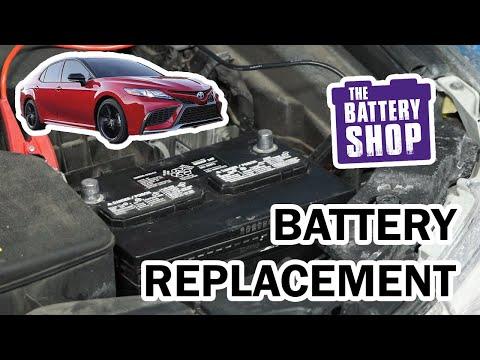





How to Replace the 12V Battery on a 2013 Toyota Camry
Step-by-step DIY battery change with tools, parts list, torque specs, safety tips, and cost savings
How to Replace the 12V Battery on a 2013 Toyota Camry
Step-by-step DIY battery change with tools, parts list, torque specs, safety tips, and cost savings


🔧 Camry - Battery Replacement
You’ll remove the old 12V battery from your Camry’s engine bay and install a new one. This restores reliable starting and protects sensitive electronics from low-voltage issues.
Difficulty Level: Beginner | Estimated Time: 30-45 minutes
⚠️ Safety & Precautions
- ⚠️ Always turn the engine off, remove the key, and make sure all lights and accessories are off before starting.
- ⚠️ Wear safety glasses and gloves. Car batteries contain acid and can spark.
- ⚠️ Never let metal tools touch both battery terminals at the same time.
- ⚠️ Always disconnect the negative (−) cable first and reconnect it last to reduce the chance of a short circuit.
- ⚠️ Keep flames, cigarettes, and sparks away from the battery area.
- ⚠️ No high-voltage hybrid battery steps here—this is only for the regular 12V battery under the hood.
- ⚠️ Battery disconnect will reset clock and radio presets but not immobilizer; the car will still start normally.
🔧 Required Tools
You'll need the following tools for this repair:
- 10mm socket
- 12mm socket
- 1/4" drive ratchet
- 3/8" drive ratchet
- 3" socket extension
- Battery terminal brush (cleaner)
- Flathead screwdriver (medium)
- Work gloves
- Safety glasses
- Shop towels or clean rags
- Baking soda
- Small plastic cup or bowl
🔩 Required Parts
HowToo sells all the parts you need for this repair:
- 12V battery (Group 24F, correct for Camry) - Qty: 1
- Anti-corrosion battery terminal pads - Qty: 1 set (2 pads)
- Battery hold-down J-bolt and nut set - Qty: 1 set (optional, if old hardware is rusty)
- Battery tray - Qty: 1 (optional, if original is cracked or badly corroded)
- Dielectric grease or battery terminal protectant spray - Qty: 1
📋 Before You Begin
- Park your Camry on a flat surface, shift to Park, and set the parking brake.
- Turn off all lights, blower fan, and infotainment system; remove the key from the ignition.
- Open the hood using the interior release lever, then the secondary latch at the front edge of the hood.
- Note your radio presets and clock if you want to re-enter them later.
- Prepare a small mix of baking soda and water in a plastic cup to neutralize any corrosion on the battery tray or terminals (baking soda neutralizes battery acid).
🔨 Step-by-Step Instructions
Follow these steps in order:
Step 1: Locate the battery and inspect the area
- Open the hood and secure it with the prop rod.
- The 12V battery is on the driver’s side, near the front corner of the engine bay.
- Check for heavy white/green corrosion on terminals or tray. Corrosion looks crusty and powdery.
Step 2: Remove any battery cover
- Some Camry SE trims have a plastic battery top cover.
- Use the flathead screwdriver to gently pry any small tabs or clips if needed, then lift the cover off and set aside.
Step 3: Identify positive and negative terminals
- The negative (−) terminal usually has a black cable and may have a “−” mark on the battery case or clamp.
- The positive (+) terminal usually has a red cover and a “+” mark.
- Remember: negative off first, on last.
Step 4: Disconnect the negative (−) battery cable
- Use the 10mm socket and 1/4" ratchet to loosen the nut on the negative terminal clamp.
- Do not remove the nut completely; just loosen enough so the clamp can move.
- Wiggle the clamp side to side and lift it off the battery post.
- Move the cable away from the battery and tuck it to the side so it cannot spring back and touch the terminal.
Step 5: Disconnect the positive (+) battery cable
- Flip open or pull back the red plastic cover on the positive terminal.
- Use the 10mm socket and 1/4" ratchet to loosen the nut on the positive terminal clamp.
- Wiggle and lift the clamp off the post; move it aside so it cannot touch the battery.
- Do not let your tool bridge between the positive terminal and any metal on the car.
Step 6: Remove the battery hold-down bracket
- Your Camry uses a metal bracket across the top front edge of the battery with two “J-bolts” down the sides.
- Use a 12mm socket, 3" extension, and 3/8" ratchet to remove the nuts on the hold-down J-bolts.
- Lift the metal bracket off and remove the J-bolts from their holes. Remember how they hook into the tray.
- Set the bracket and hardware aside.
Step 7: Remove the old battery
- Grab the battery by the built-in handle if it has one. If not, hold it firmly at the sides.
- Lift the battery straight up and out of the engine bay. It is heavy, so lift with your legs, not your back.
- Set the old battery upright on the ground, away from children and pets.
Step 8: Clean the battery tray and terminal clamps
- Inspect the battery tray for rust or cracks. Replace if badly damaged.
- Dip a shop towel in your baking-soda-and-water mix and wipe any corrosion on the tray. It may fizz—this is normal.
- Use the battery terminal brush to clean the inside of both cable clamps until shiny metal is visible.
- Wipe everything dry with clean shop towels.
Step 9: Place the new battery in the tray
- Check that the new battery terminals match the original layout (positive and negative on the same sides).
- Carefully lower the new battery into the tray with the positive (+) post on the same side as before (toward the engine side on the Camry).
- Make sure it sits flat and does not rock.
- Place the anti-corrosion pads around the battery posts if you are using them.
Step 10: Reinstall the hold-down bracket
- Re-hook the J-bolts into the tray holes at the front and rear of the battery (same as they came out).
- Set the metal bracket on top of the battery and slip the J-bolt threads through the bracket holes.
- Thread the nuts by hand first, then use the 12mm socket, extension, and 3/8" ratchet to tighten.
- Tighten until the battery is secure and does not move, but do not crush the case: Torque to about 20 Nm (15 ft-lbs).
Step 11: Connect the positive (+) cable
- Slide the positive cable clamp straight down onto the positive battery post.
- Make sure the clamp sits low on the post and is evenly seated.
- Use the 10mm socket and 1/4" ratchet to tighten the clamp nut.
- Do not over-tighten; you want snug, not stripped: Torque to about 5 Nm (44 in-lbs).
- Close the red plastic cover over the terminal if equipped.
Step 12: Connect the negative (−) cable
- Slide the negative cable clamp down onto the negative battery post.
- Use the 10mm socket and 1/4" ratchet to tighten the clamp nut to a snug fit: Torque to about 5 Nm (44 in-lbs).
- Again, do not over-tighten. Clamp should not rotate by hand.
Step 13: Apply corrosion protection and reinstall any covers
- Lightly coat the exposed metal around both terminals with dielectric grease or spray with battery terminal protectant.
- Reinstall any plastic battery cover you removed earlier, pressing it onto its tabs or clips.
- Make sure no tools or loose parts are left in the engine bay.
✅ After Repair
- Turn the ignition to ON (without starting) and check that the dash lights up normally.
- Start the engine and make sure it cranks quickly and runs smoothly.
- Check that the battery is secure and does not move if you push it gently.
- Reset your clock and radio presets using the head unit buttons.
- If any warning lights stay on, turn the engine off, recheck battery terminals for tightness and correct polarity (+ to +, − to −).
- Return the old battery to a parts store or recycling center; do not throw it in the trash.
💰 DIY vs Shop Cost
Shop Cost: $220-$320 (parts + labor)
DIY Cost: $120-$180 (parts only)
You Save: $100-$140 by doing it yourself!
Shop labor rates typically run $100-$150/hour. This repair takes a shop approximately 0.5-0.7 hours.
🎯 Ready to get started?
HowToo makes it easy: same-day/2-day shipping on every part, plus all the tools and specialty tools you need! Check out the parts and tools sections above to add everything to your cart.