







How to Replace Rear Brake Pads & Rotors on a 2009 Ford F-150 (DIY Guide)
Step-by-step rear brake job with tools, parts list, torque specs, safety tips, and pad break-in for 2009, 2010
How to Replace Rear Brake Pads & Rotors on a 2009 Ford F-150 (DIY Guide)
Step-by-step rear brake job with tools, parts list, torque specs, safety tips, and pad break-in for 2009, 2010


🔧 F-150 - Rear Brake Pads & Rotor Replacement
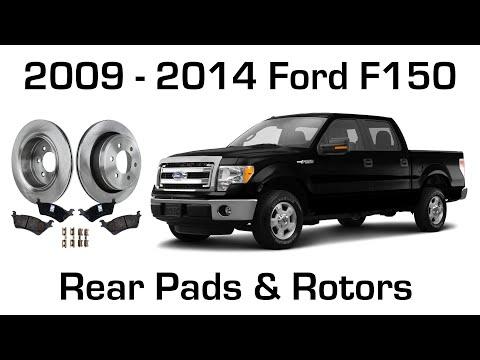
This job replaces the rear brake pads and rotors on your F-150 to restore safe stopping power and eliminate grinding, pulsation, or squealing from worn parts. You’ll remove the rear calipers, swap the rotors, install new pads/hardware, then torque everything correctly.
Difficulty Level: Intermediate | Estimated Time: 2-4 hours
⚠️ Safety & Precautions
- 🛑 Support the truck with jack stands before working underneath.
- 🛑 Chock the front wheels and keep the transmission in Park.
- 🛑 Brake dust is harmful—wear a mask and use brake cleaner, not compressed air.
- 🛑 Do not let the caliper hang by the brake hose—support it with a hanger.
- 🛑 Do not press the brake pedal while the caliper is off the rotor.
🔧 Required Tools
You'll need the following tools for this repair:
- Floor jack (rated 3-ton minimum)
- Jack stands (rated 3-ton minimum)
- Wheel chocks
- Lug wrench or 21mm socket
- 3/8" drive ratchet
- 1/2" drive breaker bar
- 13mm socket
- 18mm socket
- Torque wrench (30-250 ft-lbs range)
- C-clamp (6" minimum)
- Flathead screwdriver
- Pry bar
- Wire brush
- Bungee cord or mechanics wire
- M8 x 1.25 bolts (pair, 1.5"-2" long)
- Brake cleaner spray
- Nitrile gloves
- Safety glasses
- Dust mask
🔩 Required Parts
HowToo sells all the parts you need for this repair:
- Rear brake pad set (with hardware/clips) - Qty: 1
- Rear brake rotors - Qty: 2
- Brake caliper grease (silicone) - Qty: 1
- Brake parts cleaner - Qty: 1
- DOT 3 brake fluid - Qty: 1 quart
- Anti-seize compound - Qty: 1
📋 Before You Begin
- Park on level ground, set the parking brake, and place wheel chocks in front of both front tires.
- Loosen the rear lug nuts 1/2 turn before lifting the truck.
- Open the hood and remove the brake fluid reservoir cap (leave it sitting on top). This helps fluid move back when you compress the caliper piston.
- “Caliper bracket” = the heavy mount behind the caliper.
- “C-clamp” squeezes the piston back into the caliper.
🔨 Step-by-Step Instructions
Follow these steps in order:
Step 1: Lift and secure the rear of the truck
- Use the floor jack to lift the rear axle (center section) high enough to remove both rear wheels.
- Place jack stands under the axle tubes (one per side) and lower the truck onto them.
- Give the truck a firm shake to confirm it’s stable.
Step 2: Remove the rear wheels
- Use a lug wrench or 21mm socket to remove the lug nuts and wheels.
- Set the wheels aside flat so they can’t roll.
Step 3: Remove the rear brake caliper
- Turn the steering wheel is not applicable here—just position yourself for access.
- Use a 13mm socket and 3/8" drive ratchet to remove the two caliper slide/guide bolts.
- Use a flathead screwdriver to gently pry the caliper off the pads if it’s tight.
- Hang the caliper from the suspension using a bungee cord or mechanics wire (do not hang it by the hose).
Step 4: Remove the brake pads and caliper bracket
- Remove the inner and outer pads from the bracket by hand (use a flathead screwdriver if needed).
- Use an 18mm socket with a breaker bar to remove the two caliper bracket bolts.
- Remove the caliper bracket and set it aside.
- Torque spec (reinstall later): Torque to 203 Nm (150 ft-lbs) for the caliper bracket bolts.
Step 5: Remove the rotor (and deal with a stuck rotor)
- Pull the rotor straight off the wheel studs.
- If the rotor is stuck to the hub, spray the center hub area with brake cleaner spray and scrub with a wire brush.
- If it’s still stuck, thread two M8 x 1.25 bolts into the rotor “push-off” holes evenly and tighten them with a ratchet to press the rotor off.
- If the rotor won’t come off due to the parking brake (drum-in-hat), release the parking brake and tap the rotor hat lightly while pulling (use a pry bar carefully).
- If it fights you, the parking brake shoes may be rust-lipped.
Step 6: Prep the hub and install the new rotor
- Clean the hub face with a wire brush so the rotor sits flat.
- Apply a very thin film of anti-seize compound to the hub center (avoid the wheel studs and braking surfaces).
- Clean both sides of the new rotor using brake cleaner spray (removes protective oil).
- Install the new rotor onto the studs.
Step 7: Service the caliper bracket hardware
- Remove the old pad hardware/clips from the bracket using a flathead screwdriver.
- Clean the bracket pad contact areas with brake cleaner spray and a wire brush.
- Install the new hardware/clips from your pad kit.
- Apply a light coat of brake caliper grease (silicone) where the pad ears slide on the clips (keep grease off pad/rotor surfaces).
Step 8: Reinstall the caliper bracket
- Position the bracket over the rotor.
- Install the bracket bolts by hand first, then tighten using an 18mm socket and breaker bar.
- Torque to 203 Nm (150 ft-lbs) using a torque wrench.
Step 9: Compress the caliper piston
- Position the old inner pad against the piston face.
- Use a C-clamp to slowly push the piston fully back into the caliper.
- Watch the brake fluid reservoir while compressing—if it gets too full, remove a little fluid (don’t overflow).
Step 10: Install new brake pads and reinstall the caliper
- Install the new inner and outer pads into the bracket.
- Apply a small amount of brake caliper grease (silicone) to the caliper slide pin boots/areas if they are dry (do not grease the pad friction surface).
- Set the caliper over the pads and align the slide bolt holes.
- Install the slide/guide bolts using a 13mm socket.
- Torque to 26 Nm (19 ft-lbs) using a torque wrench.
Step 11: Repeat on the other rear side
- Repeat Steps 3 through 10 on the opposite rear wheel.
- Do one side at a time to avoid mix-ups.
Step 12: Reinstall wheels and lower the truck
- Install the wheels and hand-tighten lug nuts using a 21mm socket.
- Raise slightly with the floor jack, remove the jack stands, then lower to the ground.
- Torque the lug nuts to 203 Nm (150 ft-lbs) in a star pattern using a torque wrench.
✅ After Repair
- With the engine off, pump the brake pedal slowly 10-15 times until it feels firm (this seats the pads against the rotors).
- Check the brake fluid level and top off with DOT 3 brake fluid if needed.
- Do a cautious test drive: verify no pulling, grinding, or abnormal noises.
- Bed-in the pads (break-in): make 8-10 moderate stops from ~40 mph to ~10 mph, allowing short cool-down between stops. Avoid hard panic stops for the first 200 miles if possible.
- Recheck lug nut torque after 25-50 miles.
💰 DIY vs Shop Cost
Shop Cost: $450-$850 (parts + labor)
DIY Cost: $180-$400 (parts only)
You Save: $270-$450 by doing it yourself!
Shop labor rates vary but typically run $100-$150/hour. This repair takes a shop approximately 2-3 hours.
🎯 Ready to get started?
HowToo makes it easy: same-day/2-day shipping on every part, plus all the tools and specialty tools you need! Check out the parts and tools sections below to add everything to your cart.