

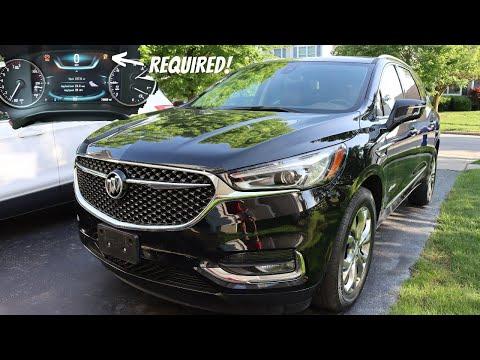






How to Replace Rear Brake Pads on a 2018-2019 Chevrolet Traverse
Step-by-step DIY guide with EPB service mode, tools, parts, torque specs, and safety tips for 2018, 2019
How to Replace Rear Brake Pads on a 2018-2019 Chevrolet Traverse
Step-by-step DIY guide with EPB service mode, tools, parts, torque specs, and safety tips for 2018, 2019


🔧 Traverse - Rear Brake Pad Replacement
Replacing the rear brake pads on your Traverse means removing the rear wheels, retracting the electronic parking brake, removing the caliper, swapping the pads, and bedding the brakes afterward. Your Traverse uses an electronic parking brake, so the rear calipers must be placed into service mode before pushing the pistons back.
Difficulty Level: Intermediate | Estimated Time: 1.5-2.5 hours
⚠️ Safety & Precautions
- ⚠️ Work on a flat, solid surface only, and support your Traverse with jack stands before getting under or near the wheel area.
- ⚠️ Do not rely on a floor jack alone. A floor jack lifts the vehicle; jack stands safely hold it up.
- ⚠️ The rear electronic parking brake must be put into service mode before the caliper piston is pushed back.
- ⚠️ Do not open the brake hydraulic system for a pad-only replacement.
- ⚠️ Avoid breathing brake dust. Use brake cleaner, not compressed air.
- ⚠️ Battery disconnect is not normally required for this repair.
🔧 Required Tools
You'll need the following tools for this repair:
- Floor jack (rated 3-ton minimum)
- Jack stands (rated 3-ton minimum)
- Wheel chocks
- 22mm lug nut socket
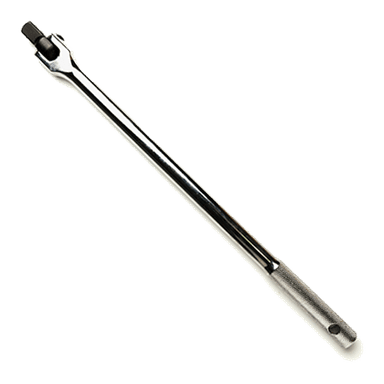
- 1/2-inch drive breaker bar
- 1/2-inch drive torque wrench
- 3/8-inch drive ratchet
- 13mm socket
- 15mm wrench
- 18mm socket
- Brake caliper piston compressor tool (specialty)
- Brake caliper hanger hook
- Flathead screwdriver
- Small wire brush
- Brake cleaner spray
- Shop towels
- OBD-II scan tool with electronic parking brake service mode (specialty)
- Nitrile gloves
- Safety glasses
🔩 Required Parts
HowToo sells all the parts you need for this repair:
- Rear brake pad set - Qty: 1
- Rear brake pad hardware kit - Qty: 1
- Brake lubricant - Qty: 1
- Brake cleaner spray - Qty: 1
📋 Before You Begin
- Park your Traverse on level ground and leave the transmission in Park.
- Release the parking brake before starting the service mode procedure.
- Use wheel chocks at the front wheels to stop the vehicle from rolling.
- Check the brake fluid reservoir before compressing the calipers. If it is full, remove a small amount with a clean suction tool to prevent overflow.
- Use an OBD-II scan tool with electronic parking brake service mode. This tool communicates with the parking brake module and retracts the rear parking brake motors safely.
🔨 Step-by-Step Instructions
Follow these steps in order:
Step 1: Put the Rear Parking Brake in Service Mode
- Plug the OBD-II scan tool with electronic parking brake service mode into the diagnostic port under the driver side dash.
- Turn the ignition on without starting the engine.
- Use the scan tool menu for Electronic Parking Brake > Service Mode > Retract.
- Wait until the scan tool confirms the rear parking brake motors are fully retracted.
- Listen for the rear motors.
Step 2: Loosen the Rear Lug Nuts
- Use the 22mm lug nut socket and 1/2-inch drive breaker bar to loosen each rear lug nut about half a turn.
- Do this while the tires are still touching the ground so the wheels do not spin.
Step 3: Lift and Support the Rear of the Vehicle
- Place the floor jack (rated 3-ton minimum) under the rear lift point.
- Raise the rear of your Traverse high enough for both rear wheels to clear the ground.
- Place the jack stands (rated 3-ton minimum) under the proper rear support points.
- Gently lower the vehicle onto the jack stands and give the vehicle a light shake to confirm it is stable.
Step 4: Remove the Rear Wheels
- Use the 22mm lug nut socket to remove the loosened lug nuts.
- Remove both rear wheels and place them flat under the side of the vehicle as an extra safety backup.
Step 5: Remove the Rear Caliper Bolts
- Use the 13mm socket and 3/8-inch drive ratchet to remove the rear caliper guide pin bolts.
- If the guide pin spins, hold it steady with the 15mm wrench.
- A guide pin is the smooth sliding pin that lets the caliper move evenly as the brake pads wear.
Step 6: Lift Off the Rear Caliper
- Use the flathead screwdriver to gently wiggle the caliper loose if it is stuck.
- Lift the caliper off the bracket.
- Hang it from the suspension with the brake caliper hanger hook.
- Do not let the caliper hang by the rubber brake hose.
Step 7: Remove the Old Rear Brake Pads
- Pull the old pads out of the caliper bracket by hand.
- Use the flathead screwdriver only if the pads are stuck in the hardware clips.
- Compare the old pads to the new pads to confirm the shape and wear sensor position match.
Step 8: Remove and Clean the Pad Hardware Area
- Use the flathead screwdriver to remove the old stainless pad clips from the caliper bracket.
- Use the small wire brush to clean rust and debris from the bracket contact areas.
- Spray the bracket area with brake cleaner spray and wipe it dry with shop towels.
- Install the new clips from the rear brake pad hardware kit.
- Clean clips prevent brake drag.
Step 9: Compress the Rear Caliper Piston
- Use the brake caliper piston compressor tool to slowly push the caliper piston straight back into the caliper.
- The piston is the round metal piece inside the caliper that pushes the pad against the rotor.
- Watch the brake fluid reservoir while compressing the piston. Stop if fluid rises near the top.
- Do not twist the piston unless your specific compressor tool requires alignment pressure. Your Traverse parking brake motor should already be retracted by the scan tool.
Step 10: Lubricate the Pad Contact Points
- Apply a thin layer of brake lubricant to the pad ears where they slide in the new hardware clips.
- Do not put lubricant on the pad friction surface or rotor face.
- The pad ears are the small metal tabs on each end of the brake pad backing plate.
Step 11: Install the New Rear Brake Pads
- Slide the new rear brake pads into the caliper bracket by hand.
- Make sure each pad moves freely in the hardware clips.
- If a pad is tight, remove it and clean the bracket again with the small wire brush.
Step 12: Reinstall the Rear Caliper
- Lower the caliper over the new pads.
- Install the caliper guide pin bolts by hand first to avoid cross-threading.
- Use the 13mm socket, 15mm wrench, and 3/8-inch drive ratchet to snug the bolts.
- Use the 1/2-inch drive torque wrench with the correct adapter if needed and Torque to 35 Nm (26 ft-lbs).
Step 13: Repeat on the Other Rear Side
- Repeat Steps 5 through 12 on the opposite rear brake.
- Always replace rear brake pads as a left-and-right set.
Step 14: Reinstall the Rear Wheels
- Place each rear wheel back onto the hub.
- Thread the lug nuts by hand first.
- Use the 22mm lug nut socket and 3/8-inch drive ratchet to lightly snug the lug nuts in a star pattern.
Step 15: Lower the Vehicle and Torque the Lug Nuts
- Use the floor jack (rated 3-ton minimum) to raise the rear slightly and remove the jack stands (rated 3-ton minimum).
- Lower your Traverse until the tires touch the ground.
- Use the 22mm lug nut socket and 1/2-inch drive torque wrench to tighten the lug nuts in a star pattern.
- Torque to 190 Nm (140 ft-lbs).
Step 16: Exit Parking Brake Service Mode
- Use the OBD-II scan tool with electronic parking brake service mode and select Electronic Parking Brake > Service Mode > Apply/Exit.
- Wait until the scan tool confirms the electronic parking brake has returned to normal operation.
- Turn the ignition off, then remove the scan tool.
Step 17: Pump the Brake Pedal
- Before driving, press the brake pedal slowly 5-10 times until it feels firm.
- This moves the caliper pistons back out against the new pads.
- Check the brake fluid level and top off only if needed with the correct brake fluid listed on the reservoir cap.
✅ After Repair
- ✅ Start your Traverse and confirm the brake pedal feels firm before shifting out of Park.
- ✅ Apply and release the electronic parking brake several times to confirm normal operation.
- ✅ Check behind both rear wheels for any fluid leaks or loose parts.
- ✅ Perform a slow test drive in a safe area and make several gentle stops.
- ✅ Bed in the new pads with 8-10 moderate stops from about 30 mph to 5 mph, allowing time between stops for cooling.
- ✅ Avoid hard braking for the first 200 miles unless it is an emergency.
- ✅ Recheck lug nut torque after 25-50 miles: Torque to 190 Nm (140 ft-lbs).
💰 DIY vs Shop Cost
Shop Cost: $250-$450 (parts + labor)
DIY Cost: $45-$120 (parts only)
You Save: $200-$330 by doing it yourself!
Shop labor rates vary but typically run $100-$150/hour. This repair takes a shop approximately 1.0-1.5 hours.
🎯 Ready to get started?
HowToo makes it easy: same-day/2-day shipping on every part, plus all the tools and specialty tools you need! Check out the parts and tools sections below to add everything to your cart.