
How to Replace Front Brake Pads and Rotors on a 2016 Ford F-150
Step-by-step instructions with tools, parts, torque specs, safety tips, and troubleshooting for 2013, 2014, 2015, 2016, 2017, 2018, 2019, 2020
How to Replace Front Brake Pads and Rotors on a 2016 Ford F-150
Step-by-step instructions with tools, parts, torque specs, safety tips, and troubleshooting for 2013, 2014, 2015, 2016, 2017, 2018, 2019, 2020


F-150 - Front Brake Pads & Rotor Replacement 🛠️
Great choice tackling this yourself. I’ll walk you through it step by step, safely. Two quick questions before we start:
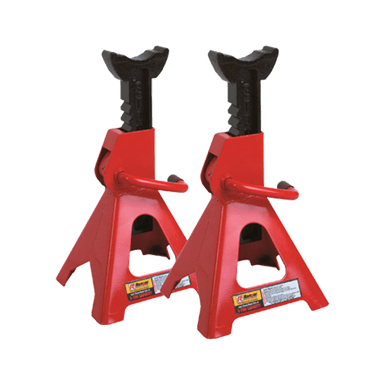
- 🔧 Do you have a sturdy floor jack and a pair of jack stands rated for trucks?
- 🧰 Will you be replacing pads and rotors on both front wheels today? Brakes should be done in axle pairs.
Tools & Supplies
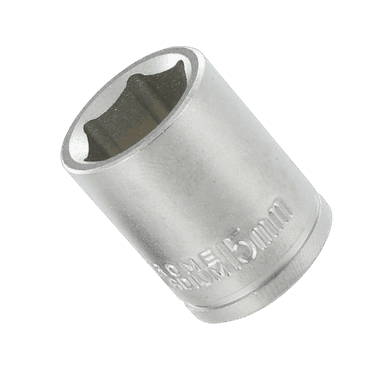
- 🧰 Socket set: 13 mm (caliper slide pin), 21 mm (lug nuts), 18 mm (caliper bracket bolts)
- 🧰 Wrenches: 13 mm, 18 mm
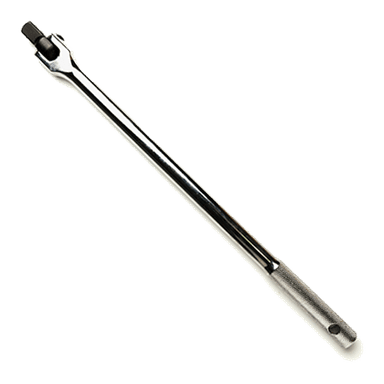
- 🧰 Breaker bar (long handle for stubborn bolts)
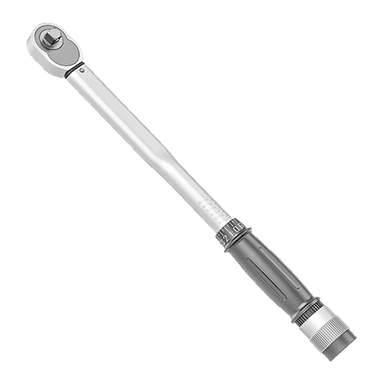
- 🧰 Torque wrench (click-type tool that tightens to a specific torque)
- 🧰 C-clamp or disc brake piston tool (compresses the caliper piston)
- 🧰 Bungee cord or wire hanger (hang the caliper; don’t let it dangle by hose)
- 🧰 Large flat screwdriver or small pry bar
- 🧰 Rubber mallet or dead blow hammer
- 🧰 Wire brush and brake cleaner
- 🧰 High-temp brake grease (for slide pins and pad ears)
- 🧰 Anti-seize (thin coat on hub face only)
- 🧰 Catch pan, shop towels, nitrile gloves, eye protection
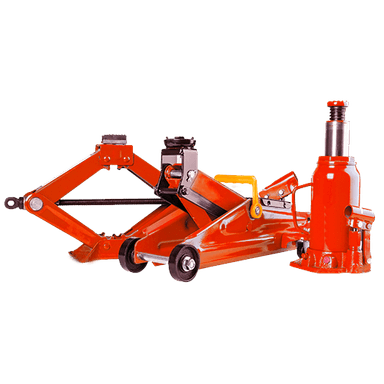
- 🧰 Floor jack + jack stands (support the truck safely)
- 🧰 Wheel chocks (blocks that keep tires from rolling)
Parts (Front Axle)
- 🧩 Front brake pads (2016 Lariat w/ 5.0L typically uses the heavy-duty pad set; match by build date or bring old pads to compare)
- 🧩 Front rotors (pair). Common sizes: ~13.78 in (350 mm) or 13.03 in (331 mm). Measure old rotor or match by VIN in catalog.
- 🧩 New abutment/anti-rattle clips (often included with pads)
Safety First
- ⚠️ Work on a flat surface, Park, engine off, parking brake set. Chock the rear wheels.
- ⚠️ Never support by the jack alone. Use jack stands under the frame.
- ⚠️ Brake cleaner is harsh; wear eye protection and gloves.
Prep
- 🛑 If your truck has an Electronic Parking Brake (EPB) on the rear, it does not affect the front job. Leave it engaged to hold the truck.
- 🔌 No special scan-tool needed for the fronts on your F-150.
Step-by-Step Procedure
- 🧷 Loosen lug nuts: Slightly crack all 6 lug nuts on the front wheel with a 21 mm socket while on the ground.
- 🧷 Lift and support: Jack at the front crossmember or frame rail, place jack stands at the frame behind the front control arms. Remove wheel.
- 🧷 Inspect hose and sensor: Note the brake hose routing and front wheel-speed sensor wire. Don’t tug or twist.
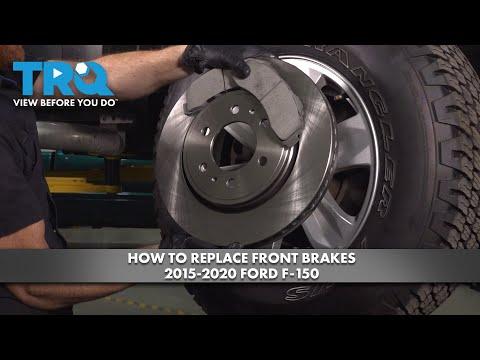
- 🧷 Remove caliper:
- Turn steering to expose the inner side.
- Remove the two 13 mm caliper slide pin bolts.
- Gently pry the caliper off. Hang it with a bungee—do not hang by the hose.
- 🧷 Remove pads and bracket:
- Slide out the pads.
- Remove the two 18 mm caliper bracket bolts and lift off the bracket.
- 🧷 Remove rotor:
- If a retaining clip is on a stud, cut it off (discard).
- Pull the rotor off. If stuck, strike the hat (not braking surface) with a rubber mallet.
- 🧷 Prepare hub and hardware:
- Wire-brush the hub face until clean and flat.
- Apply a thin film of anti-seize to the hub face only.
- Clean new rotor with brake cleaner (shipping oil removal).
- 🧷 Install rotor: Place rotor on hub; hold with a lug nut finger-tight to keep it seated.
- 🧷 Service caliper bracket:
- Clean bracket channels.
- Install new abutment clips.
- Remove slide pins, clean, and apply high-temp brake grease to pins and boots. Pins should move freely.
- 🧷 Install bracket: Refit with the two bolts. Torque to 184 lb-ft (250 N·m).
- 🧷 Compress piston:
- Use a C-clamp across the old inner pad to slowly push the piston back flush with the caliper.
- Watch the brake fluid reservoir; if near full, remove a little with a turkey baster to prevent overflow.
- 🧷 Install pads:
- Apply a light coat of brake grease to the pad ears and backing plate contact points only (not the friction surface).
- Install inner pad with any shim/noise-damper facing the piston. Outer pad on the outside.
- 🧷 Refit caliper: Slide over pads and rotor. Install 13 mm slide pin bolts and torque to 27 lb-ft (37 N·m).
- 🧷 Reinstall wheel: Hand-tighten lugs. Lower truck. Torque lugs in a star pattern to 150 lb-ft (203 N·m).
- 🧷 Repeat on the other side.
After Installation
- 🧪 Pump the brake pedal until firm before moving the truck.
- 🧪 Check brake fluid level; set to MAX line.
- 🧪 Bed-in pads (follow your pad maker’s procedure). Typical: 5 moderate stops 40→10 mph, then 5 light stops 30→10 mph, allow cool-down.
- 🧪 Recheck lug torque after 25–50 miles.
Troubleshooting Tips
- 🔧 Rotor won’t come off: Soak center bore with penetrating oil, tap the rotor hat, apply light heat if needed.
- 🔧 Uneven pad wear: Seized slide pin; clean and relube until it glides smoothly.
- 🔧 Pulsation after install: Rotor or hub not clean/flat; remove, clean hub better, and re-seat rotor.
Torque Specs Summary
- 🔩 Caliper bracket bolts: 184 lb-ft
- 🔩 Caliper slide pin bolts: 27 lb-ft
- 🔩 Wheel lug nuts: 150 lb-ft
Helpful Notes
- 📝 Your F-150 doesn’t require scan-tool functions for front brakes.
- 📝 Replace rotors in pairs and pads in pairs for even braking.
- 📝 If your steering wheel shakes during braking before this job, new rotors will usually fix it provided the hub is cleaned well.
Parts & Tools from HowToo
I’ll show pads, rotors, grease, cleaner, torque wrench, and a piston tool below. You can add items to your cart from the Parts section. HowToo makes it easy: same-day/2-day shipping on every part, plus all the tools and specialty tools you need!