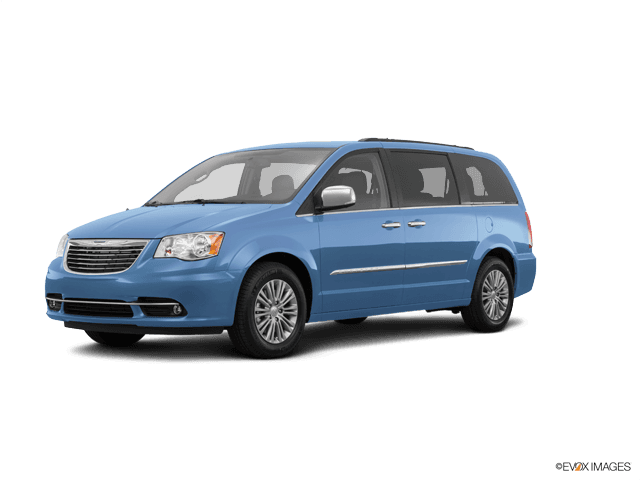















How to Replace the Rear Sliding Door Lock Actuator on a 2001-2016 Chrysler Town & Country
Step-by-step latch/actuator swap with tools, parts list, safety tips, and 105 in-lb (12 Nm) torque spec
How to Replace the Rear Sliding Door Lock Actuator on a 2001-2016 Chrysler Town & Country
Step-by-step latch/actuator swap with tools, parts list, safety tips, and 105 in-lb (12 Nm) torque spec for 2001, 2002, 2003, 2004, 2005, 2008, 2009, 2010, 2011, 2012, 2013, 2014, 2015, 2016


🔧 Town & Country - Rear Sliding Door Lock Actuator Replacement
The rear sliding door lock actuator is the electric motor/gear unit that locks and unlocks the sliding door. On your Town & Country, it’s typically built into (or attached to) the sliding door latch inside the door, so replacement usually means removing the interior trim panel and swapping the latch/actuator assembly.
Assumption: “Rear door” = one of the power sliding doors (not the liftgate).
Difficulty Level: Intermediate | Estimated Time: 1.5-3.0 hours
⚠️ Safety & Precautions
- ⚠️ Turn OFF power sliding doors before starting to prevent unexpected movement.
- ⚠️ Disconnect the negative battery cable to avoid accidental lock cycling and to protect electronics.
- ⚠️ Keep fingers clear of latch/door edge while testing (pinch hazard).
- ⚠️ Work on a level surface with the door fully open and stable.
🔧 Required Tools
You'll need the following tools for this repair:
- 10mm socket
- 1/4" drive ratchet
- 6" 1/4" drive extension
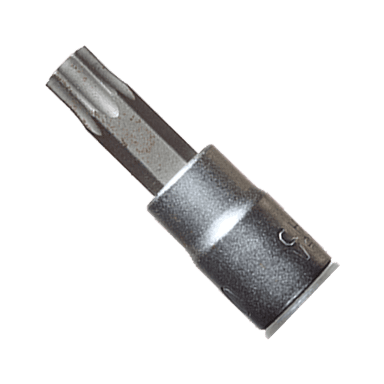
- Torx T30 bit
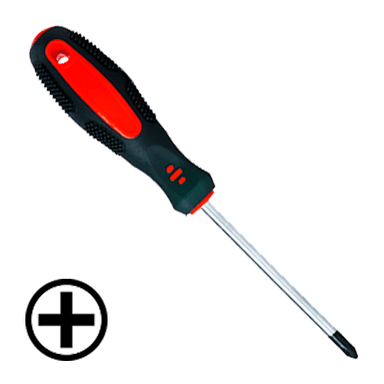
- Phillips #2 screwdriver
- Small flat trim screwdriver
- Trim clip removal tool
- Pick tool
- Needle-nose pliers
- Inch-pound torque wrench (specialty)
- Work light
- Painters tape
- Mechanic gloves
- Safety glasses
🔩 Required Parts
HowToo sells all the parts you need for this repair:
- Rear sliding door lock actuator/latch assembly - Left or Right side as needed - Qty: 1
- Door trim panel clips - Qty: 6-12
- Butyl tape for vapor barrier - Qty: 1
📋 Before You Begin
- 🧰 Park on level ground, shift to Park, and set the parking brake.
- 🧰 Turn OFF the power sliding doors using the overhead console power door button.
- 🧰 Disconnect the battery negative terminal using a 10mm socket, then wait 2 minutes.
- 🧰 Put painters tape along the door edge to protect paint.
🔨 Step-by-Step Instructions
Follow these steps in order:
Step 1: Remove the sliding door interior trim panel
- Use a small flat trim screwdriver to gently pop off any small screw covers (work slowly to avoid marring).
- Remove visible screws using a Phillips #2 screwdriver.
- Use a trim clip removal tool (a forked pry tool that pops plastic clips) to release the trim panel clips around the edges.
- Lift the panel upward to unhook it from the window channel, then set it aside.
- Tip: Pop clips close to each clip point.
Step 2: Disconnect switches and remove the moisture barrier
- Disconnect electrical connectors using a pick tool to lift the lock tab if needed (don’t pull on wires).
- Peel back the vapor barrier (the plastic sheet) carefully by hand.
- If the butyl adhesive is stubborn, use the small flat trim screwdriver to help separate it without tearing the plastic.
- Plan to reseal it later with butyl tape for vapor barrier.
Step 3: Remove the latch/actuator assembly from the door edge
- At the rear edge of the sliding door, remove the latch mounting screws using a Torx T30 bit with a 1/4" drive ratchet and 6" extension.
- Support the latch from inside the door so it doesn’t drop when the last screw comes out.
Step 4: Disconnect the actuator electrical connector and linkage rods
- Unplug the latch/actuator connector inside the door using needle-nose pliers only if needed for grip (do not crush the connector).
- Disconnect the lock/unlock rod(s) and handle rod(s): use a pick tool to flip the small plastic retaining clip open, then lift the rod out.
- Tip: Take a photo before removing rods.
Step 5: Remove the latch/actuator assembly
- Work the latch out through the access opening in the door.
- If a cable is attached (some builds use a cable instead of a rod), release it by opening the cable retainer with a pick tool, then lift the cable end out.
Step 6: Install the new latch/actuator assembly
- Place the new latch/actuator into the door the same way the old one came out.
- Reconnect the linkage rods/cable first (use your photo as a guide), then plug in the electrical connector until it clicks.
- Reinstall the door-edge latch screws using a Torx T30 bit.
- Tighten using an inch-pound torque wrench (specialty): Torque to 105 in-lb (12 Nm).
Step 7: Reinstall the vapor barrier and trim panel
- Reseal the vapor barrier all the way around using butyl tape for vapor barrier (this helps prevent water leaks and wind noise).
- Reconnect any trim-panel electrical connectors.
- Hang the trim panel on the top edge first, then press clips in by hand around the perimeter.
- Reinstall screws using a Phillips #2 screwdriver, then snap screw covers back on using a small flat trim screwdriver.
Step 8: Reconnect the battery and restore power door operation
- Reconnect the negative battery terminal using a 10mm socket.
- Turn the overhead console power sliding door button back ON.
✅ After Repair
- ✅ Test from the key fob: lock/unlock several times and confirm the sliding door locks consistently.
- ✅ Test from inside: use the door lock switch and confirm the knob/indicator moves normally.
- ✅ Open/close the sliding door and confirm it latches securely every time (no bounce-back).
- ✅ Check the vapor barrier seal area for gaps (helps prevent future water intrusion).
💰 DIY vs Shop Cost
Shop Cost: $300-$650 (parts + labor)
DIY Cost: $90-$250 (parts only)
You Save: $210-$400 by doing it yourself!
Shop labor rates vary but typically run $100-$150/hour. This repair takes a shop approximately 1.5-3.0 hours.
🎯 Ready to get started?
HowToo makes it easy: same-day/2-day shipping on every part, plus all the tools and specialty tools you need! Check out the parts and tools sections below to add everything to your cart.
Guide for Door Lock Actuator replace for these Chrysler vehicles
| Year Make Model | Sub Model | Engine | Body Style |
|---|---|---|---|
| 2016 Chrysler Town & Country | - | - | - |
| 2015 Chrysler Town & Country | - | - | - |
| 2014 Chrysler Town & Country | - | - | - |
| 2013 Chrysler Town & Country | - | - | - |
| 2012 Chrysler Town & Country | - | - | - |
| 2011 Chrysler Town & Country | - | - | - |
| 2010 Chrysler Town & Country | - | - | - |
| 2009 Chrysler Town & Country | - | - | - |
| 2008 Chrysler Town & Country | - | - | - |
| 2005 Chrysler Town & Country | - | - | - |
| 2004 Chrysler Town & Country | - | - | - |
| 2003 Chrysler Town & Country | - | - | - |
| 2002 Chrysler Town & Country | - | - | - |
| 2001 Chrysler Town & Country | - | - | - |