









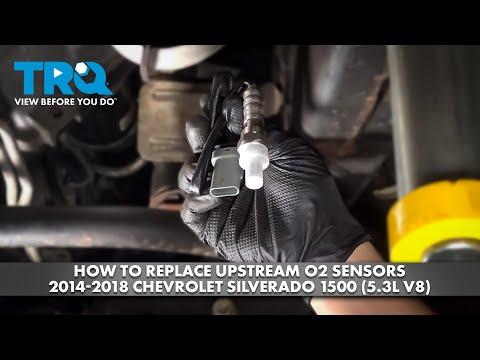






How to Replace the Oxygen (O2) Sensors on a 2019 GMC Sierra 1500 5.3L
Step-by-step DIY O2 sensor replacement with tools, parts list, torque specs, safety tips, and testing advice
How to Replace the Oxygen (O2) Sensors on a 2019 GMC Sierra 1500 5.3L
Step-by-step DIY O2 sensor replacement with tools, parts list, torque specs, safety tips, and testing advice


🔧 Sierra 1500 - Oxygen Sensor Replacement
This guide will walk you through replacing the oxygen sensors (O2 sensors) on your Sierra 1500 5.3L, both the ones before the catalytic converters (upstream, Sensor 1) and after (downstream, Sensor 2). These sensors help the engine computer control fuel mixture and emissions; bad ones can cause poor mileage, rough running, or a check engine light.
Difficulty Level: Intermediate | Estimated Time: 1–2 hours for one sensor, 2–3 hours for all four
⚠️ Safety & Precautions
- 🔥 Work only on a completely cold exhaust; hot exhaust parts can cause severe burns.
- 🛞 If you raise the truck, always support it with jack stands, never trust the floor jack alone.
- 🔌 Disconnect the negative battery cable before unplugging sensors near the exhaust to reduce risk of short circuits.
- 💨 Work in a well-ventilated area; do not run the engine in a closed garage.
- 🧤 Wear safety glasses and gloves; rust and dirt often fall when loosening exhaust parts.
🔧 Required Tools
You'll need the following tools for this repair:
- 🧰 Floor jack (rated 3-ton minimum)
- 🧰 Jack stands (rated 3-ton minimum, set of 2)
- 🧰 Wheel chocks
- 🧰 3/8" drive ratchet
- 🧰 1/2" drive ratchet
- 🧰 3/8" drive extension 6"
- 🧰 1/2" drive breaker bar 18"
- 🧰 22mm oxygen sensor socket (slotted) (specialty)
- 🧰 22mm combination wrench
- 🧰 10mm socket
- 🧰 Torque wrench 3/8" drive (5–80 ft-lbs range)
- 🧰 Flat trim tool or small flathead screwdriver
- 🧰 Penetrating oil spray
- 🧰 Anti-seize compound (sensor-safe)
- 🧰 Work light or flashlight
- 🧰 Mechanic’s creeper or piece of cardboard
- 🧰 Safety glasses
- 🧰 Mechanic gloves
🔩 Required Parts
HowToo sells all the parts you need for this repair:
- 🔩 Upstream oxygen sensor (Bank 1 Sensor 1, left side before catalytic converter) - Qty: 1
- 🔩 Upstream oxygen sensor (Bank 2 Sensor 1, right side before catalytic converter) - Qty: 1
- 🔩 Downstream oxygen sensor (Bank 1 Sensor 2, left side after catalytic converter) - Qty: 1
- 🔩 Downstream oxygen sensor (Bank 2 Sensor 2, right side after catalytic converter) - Qty: 1
- 🔩 Dielectric grease (for electrical connectors) - Qty: 1
- 🔩 Anti-seize compound (if not pre-applied to new sensors) - Qty: 1
- 🔩 Cable ties - Qty: 1 pack
On many new sensors, threads come pre-coated—do not add extra anti-seize.
📋 Before You Begin
- Park the Sierra 1500 on level ground, shift to PARK, and set the parking brake.
- Let the engine and exhaust cool for at least 1–2 hours if it has been running.
- Open the hood and locate the battery on the driver side front of the engine bay.
- Use a 10mm socket to loosen the negative (-) battery terminal and remove it from the post; tuck it aside so it cannot spring back.
- Place wheel chocks behind the rear wheels if you will raise the front of the truck.
- If you plan to replace more than one sensor, plan to do one side at a time to avoid mixing connectors.
🔨 Step-by-Step Instructions
Follow these steps in order:
Step 1: Identify which sensor is which
- On the 5.3L V8, Bank 1 is the side with cylinder 1 (driver side), and Bank 2 is the passenger side.
- Sensor 1 (upstream) is screwed into the exhaust pipe just before the catalytic converter on each side.
- Sensor 2 (downstream) is screwed into the exhaust pipe just after the catalytic converter on each side.
- If you have a scan tool and a code (like P0131, P0157), match the bank and sensor number to the physical location using the description above.
- Take a quick picture of each sensor and harness routing.
Step 2: Safely raise and support the truck (if needed)
- Use the floor jack to lift the front of the Sierra 1500 at the front frame crossmember under the engine.
- Place jack stands under the frame rails on both sides and gently lower the truck onto them using the floor jack.
- Ensure the truck is stable by gently rocking it by hand before getting underneath.
- If you can reach sensors without lifting, you may skip raising.
Step 3: Locate and unplug the sensor connector
- Slide under the truck with your work light and locate the first sensor you want to replace (for example, Bank 1 Sensor 1: driver side before the catalytic converter).
- Follow the sensor wire from the sensor body to its plastic connector, usually clipped to a bracket or the transmission/engine.
- Use a flat trim tool or small flathead screwdriver to release any retaining clips holding the harness to metal brackets. This prevents breaking the tabs.
- On the connector itself, press the locking tab and gently pull the two halves apart by hand (do not pull on the wires).
- If the connector is dirty, wipe it off with a clean rag before disconnecting.
Step 4: Pre-treat the old sensor threads
- Spray a small amount of penetrating oil spray where the sensor threads meet the exhaust bung.
- Let it soak for 5–10 minutes to help loosen rust or carbon.
- Penetrating oil makes old sensors much easier to remove.
Step 5: Remove the old oxygen sensor
- Place the 22mm oxygen sensor socket over the sensor body, aligning the slot with the wire harness.
- Attach a 3/8" drive ratchet or, if very tight, a 1/2" drive breaker bar to the sensor socket.
- Turn counterclockwise to break the sensor loose. Use steady force; avoid sudden jerks that can round the sensor.
- Once loose, unscrew the sensor by hand and remove it from the exhaust bung.
- If the sensor is extremely stuck, carefully heat the bung area with engine heat (run and cool slightly) or repeat penetrating oil and try again. Do not twist the wire excessively.
Step 6: Prepare the new oxygen sensor
- Inspect the new sensor threads; many GM-style sensors come with a silver or grey anti-seize coating from the factory.
- If the threads are already coated, do not add extra anti-seize.
- If the threads are bare metal, apply a very thin film of anti-seize compound only on the threads, keeping it off the sensor tip and vents.
- Too much anti-seize can affect sensor readings.
Step 7: Install the new sensor into the exhaust
- Thread the new sensor into the exhaust bung by hand, turning it clockwise. Make sure it starts easily and is not cross-threaded.
- Once finger tight, place the 22mm oxygen sensor socket over the sensor.
- Use a 3/8" drive torque wrench to tighten the sensor to 35 Nm (26 ft-lbs).
- If you don’t have space for the socket, you can use a 22mm combination wrench and tighten snugly plus about 1/8–1/4 turn, but torque wrench is better.
- Route the sensor wire away from hot exhaust surfaces and moving parts, following the original path.
Step 8: Reconnect the sensor harness
- Lightly apply a tiny dab of dielectric grease inside the connector seal if available (this helps keep moisture out).
- Push the sensor connector firmly into its mating connector until you hear or feel a click.
- Reattach the harness to its clips or brackets using original clips or cable ties, keeping the wire away from the exhaust pipe and driveshaft.
- Leave a little slack so the wire is not tight at full engine/transmission movement.
Step 9: Repeat for the remaining sensors (if needed)
- Repeat Steps 3–8 for any other sensors you are replacing:
- Bank 1 Sensor 1 – driver side, before catalytic converter.
- Bank 1 Sensor 2 – driver side, after catalytic converter.
- Bank 2 Sensor 1 – passenger side, before catalytic converter.
- Bank 2 Sensor 2 – passenger side, after catalytic converter.
- Do one sensor at a time to avoid mixing connectors and routing.
Step 10: Lower the truck and reconnect the battery
- Use the floor jack to raise the Sierra 1500 slightly, remove the jack stands, and gently lower the truck to the ground.
- Under the hood, reinstall the negative (-) battery cable on the battery post.
- Use a 10mm socket to tighten the clamp nut snugly; do not over-tighten.
Step 11: Clear codes and test
- If you have a scan tool, use it to clear any stored oxygen sensor or fuel trim codes.
- Start the engine and let it idle. Check under the truck to ensure no wires are touching the exhaust or rotating parts.
- Watch for the check engine light; it should remain off after a short drive if the issue is fixed.
- Take a 10–15 minute drive with mixed speeds so the engine computer can relearn fuel trims.
✅ After Repair
- Verify there are no exhaust leaks or rattling wires under the truck.
- Use a scan tool (if available) to confirm live O2 sensor readings are switching normally between lean and rich at idle and cruise.
- Monitor fuel economy over the next few days; it should be stable or improved if bad sensors were replaced.
- If the check engine light returns with the same code, double-check you replaced the correct bank/sensor and that connectors are fully seated.
💰 DIY vs Shop Cost
Shop Cost: $450–$850 (parts + labor) for multiple sensors, $200–$350 for a single sensor
DIY Cost: $80–$180 per sensor (parts only)
You Save: About $150–$500 by doing it yourself!
Shop labor rates typically run $100–$150/hour. This repair takes a shop approximately 1.0–1.5 hours for one sensor, 2.0–2.5 hours for all four.
🎯 Ready to get started?
HowToo makes it easy: same-day/2-day shipping on every part, plus all the tools and specialty tools you need! Check out the parts and tools sections above to add everything to your cart.