













How to Replace the Mass Air Flow (MAF) Sensor on a 2019 Mazda CX-5
Step-by-step DIY instructions with required tools, parts list, safety tips, and MAF screw torque specs for 2013, 2014, 2015, 2016
How to Replace the Mass Air Flow (MAF) Sensor on a 2019 Mazda CX-5
Step-by-step DIY instructions with required tools, parts list, safety tips, and MAF screw torque specs for 2013, 2014, 2015, 2016


🔧 CX-5 - Mass Air Flow (MAF) Sensor Replacement
The MAF sensor measures how much air your CX-5 engine is breathing so the computer can add the right amount of fuel. If it’s failing, you may get a check-engine light, rough idle, hesitation, or poor fuel economy.
Difficulty Level: Beginner | Estimated Time: 0.5-1.0 hours
⚠️ Safety & Precautions
- ⚠️ Work on a cool engine to avoid burns from hot parts.
- ⚠️ Disconnect the negative battery cable before unplugging sensors to reduce the chance of setting faults.
- ⚠️ Do not touch the MAF sensing element (delicate wire/film inside).
- ⚠️ Keep dirt out of the intake tube; don’t drop screws inside.
🔧 Required Tools
You'll need the following tools for this repair:
- 10mm socket
- 1/4" ratchet
- 1/4" extension (3"-6")
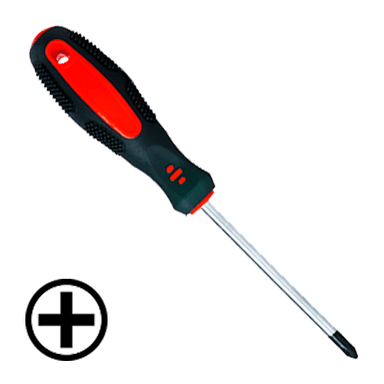
- Phillips #2 screwdriver
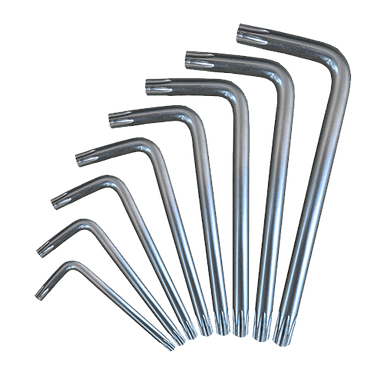
- Torx T20 driver
- Pick tool
- Flashlight
- Nitrile gloves
- Safety glasses
🔩 Required Parts
HowToo sells all the parts you need for this repair:
- Mass air flow (MAF) sensor - Qty: 1
- MAF sensor O-ring/seal (if not included with sensor) - Qty: 1
- Engine air filter (optional, if dirty) - Qty: 1
📋 Before You Begin
- Park on level ground and switch the ignition OFF.
- Open the hood and locate the air box and intake tube leading to the engine.
- Disconnect the battery negative terminal: use a 10mm socket to loosen the clamp and move the cable aside so it can’t spring back.
🔨 Step-by-Step Instructions
Follow these steps in order:
Step 1: Locate the MAF sensor on the intake
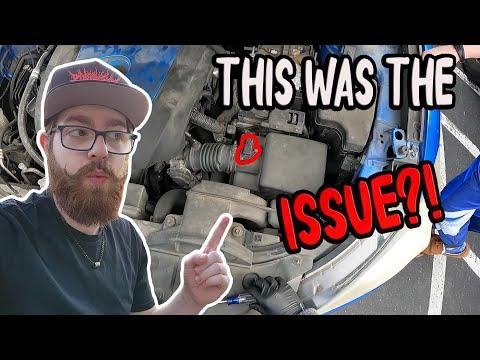
- Use a flashlight to find the sensor mounted in the intake tube/air cleaner outlet (it will have an electrical connector and two small screws).
Step 2: Unplug the electrical connector
- Press the connector lock tab and pull the plug straight off.
- If it’s stuck, gently help the tab with a pick tool (don’t pry hard). Wiggle the plug; don’t pull wires.
Step 3: Remove the MAF mounting screws
- Look at the screw head style and use the matching tool:
- If they are Phillips-head, remove them with a Phillips #2 screwdriver.
- If they are Torx-head, remove them with a Torx T20 driver. (A Torx bit is a star-shaped driver.)
- Set the screws somewhere safe so they don’t fall into the engine bay.
Step 4: Remove the old MAF sensor
- Pull the sensor straight out of the housing by hand.
- Inspect the sealing O-ring; if it stayed in the housing, remove it carefully with the pick tool.
- Do not touch the sensing element inside the sensor opening.
Step 5: Install the new MAF sensor
- Install a new O-ring/seal (if separate) and make sure it sits flat (not twisted).
- Slide the new sensor straight into place (same orientation as the old one).
- Install and tighten the two screws using the same tool you removed them with: Torque to 3.0 N·m (27 in-lbs).
Step 6: Reconnect the connector and battery
- Push the connector on until it clicks.
- Reconnect the negative battery cable using the 10mm socket.
✅ After Repair
- Start the engine and let it idle for 2-3 minutes with all accessories OFF. Idle may be slightly high at first.
- Turn the A/C ON and let it idle another 1-2 minutes to help the computer relearn load.
- Test drive 10-15 minutes with mixed city speeds and a few gentle accelerations.
- If the check-engine light stays on, you may need a scan tool to clear stored codes after the repair.
💰 DIY vs Shop Cost
Shop Cost: $200-$450 (parts + labor)
DIY Cost: $80-$250 (parts only)
You Save: $120-$200 by doing it yourself!
Shop labor rates vary but typically run $100-$150/hour. This repair takes a shop approximately 0.5-1.0 hours.
🎯 Ready to get started?
HowToo makes it easy: same-day/2-day shipping on every part, plus all the tools and specialty tools you need! Check out the parts and tools sections below to add everything to your cart.