












How to Replace the Mass Air Flow (MAF) Sensor on a 2014-2018 GMC Sierra 1500 (Engine: V8 6.2L)
Step-by-step DIY instructions with tools, parts list, safety precautions, and torque specs
How to Replace the Mass Air Flow (MAF) Sensor on a 2014-2018 GMC Sierra 1500 (Engine: V8 6.2L)
Step-by-step DIY instructions with tools, parts list, safety precautions, and torque specs for 2014, 2015, 2016, 2017, 2018


🔧 Sierra 1500 - Mass Air Flow (MAF) Sensor Replacement
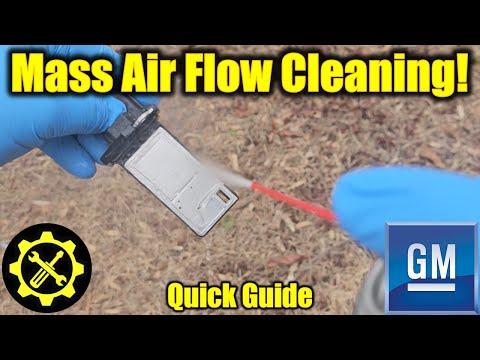
Your Sierra 1500’s MAF sensor measures how much air enters the engine so the computer can add the right amount of fuel. If it fails, you can get a check engine light, rough idle, poor MPG, or sluggish power. Replacement is straightforward because it sits in the intake tube near the air filter box.
Difficulty Level: Beginner | Estimated Time: 0.5-1.0 hours
⚠️ Safety & Precautions
- ⚠️ Let the engine cool before working near the intake and radiator area.
- ⚠️ Disconnect the 12V negative battery cable before unplugging sensors.
- ⚠️ Because your Sierra 1500 is mild-hybrid (eAssist), disable the high-voltage system per GM procedure (service disconnect) before working in the engine bay.
- ⚠️ Do not touch the sensing elements inside the MAF—skin oils and impact can damage it.
🔧 Required Tools
You'll need the following tools for this repair:
- Safety glasses
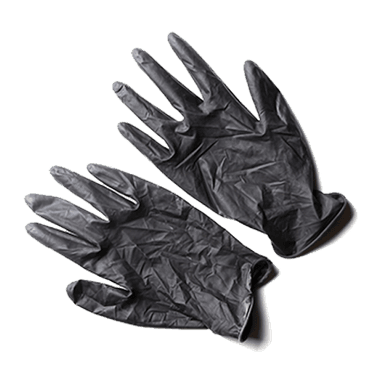
- Nitrile gloves
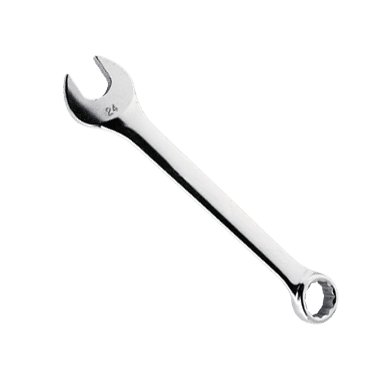
- 10mm wrench
- 10mm socket
- 1/4" drive ratchet
- 6" 1/4" drive extension
- Torx T20 bit
- Flat-blade screwdriver
- Flashlight
🔩 Required Parts
HowToo sells all the parts you need for this repair:
- Mass air flow (MAF) sensor - Qty: 1
- MAF sensor O-ring / seal (if not included with sensor) - Qty: 1
📋 Before You Begin
- 🅿️ Park on level ground, shift to Park, and set the parking brake.
- 🔑 Turn the ignition fully OFF and keep the key/fob at least 10 feet away from the truck.
- 🔌 Disable the eAssist high-voltage system using the OEM service disconnect (follow the label on the disconnect; wait at least 2 minutes after disconnecting).
- 🔋 Disconnect the 12V battery negative cable using a 10mm wrench.
🔨 Step-by-Step Instructions
Follow these steps in order:
Step 1: Locate the MAF sensor
- Open the hood and use a flashlight to find the air filter box on the passenger side of the engine bay.
- Follow the large intake tube leaving the air box toward the engine—on your Sierra 1500, the MAF sensor is mounted in/at that tube near the air box and has an electrical connector.
Step 2: Unplug the MAF electrical connector
- Use your fingers (or gently help with a flat-blade screwdriver) to lift the connector lock/tab, then pull the connector straight off.
- Pull on the connector, not the wires.
Step 3: Loosen the intake tube (only if needed for access)
- If the sensor screws are tight to reach, loosen the intake tube clamp at the air box using a flat-blade screwdriver.
- Move the tube just enough to comfortably access the MAF screws.
Step 4: Remove the MAF sensor
- Remove the two MAF mounting screws using a Torx T20 bit with a 1/4" drive ratchet and 6" extension.
- (A Torx bit is a star-shaped driver that fits star-shaped screws.)
- Carefully pull the MAF sensor straight out of the housing.
- Check whether an O-ring/seal stayed on the sensor or remained in the housing.
Step 5: Install the new MAF sensor
- Compare the old and new sensor (connector and shape should match).
- Install the O-ring/seal on the new sensor if it’s separate.
- Slide the new sensor straight into the housing—do not force it.
- Install the screws by hand first, then tighten with the Torx T20 bit.
- Torque to 3 Nm (27 in-lbs)
Step 6: Reassemble the intake tube and reconnect the connector
- If you loosened the clamp, reposition the intake tube and tighten the clamp using a flat-blade screwdriver.
- Reconnect the MAF electrical connector until it clicks/locks.
Step 7: Restore power (12V and eAssist)
- Reconnect the 12V negative battery cable using a 10mm wrench and snug it firmly.
- Reinstall/enable the eAssist service disconnect exactly as removed (follow the disconnect label).
✅ After Repair
- 🔍 Visually check that the intake tube is fully seated and clamps are tight (an air leak can cause a rough idle).
- 🛠️ If you had a check engine light, clear codes with a scan tool, or it may clear after a few drive cycles if the repair fixed the issue.
- 🚗 Start the engine and let it idle for 2-3 minutes; confirm the idle is smooth and there are no warning lights/messages.
- 🧪 Take a short test drive and re-check for any new lights or intake hiss (air leak sound).
💰 DIY vs Shop Cost
Shop Cost: $180-$400 (parts + labor)
DIY Cost: $80-$250 (parts only)
You Save: $100-$200 by doing it yourself!
Shop labor rates vary but typically run $100-$150/hour. This repair takes a shop approximately 0.5-1.0 hours.
🎯 Ready to get started?
HowToo makes it easy: same-day/2-day shipping on every part, plus all the tools and specialty tools you need! Check out the parts and tools sections below to add everything to your cart.
Guide for Mass Air Flow Sensor replace for these GMC vehicles
| Year Make Model | Sub Model | Engine | Body Style |
|---|---|---|---|
| 2018 GMC Sierra 1500 | - | V6 4.3L | - |
| 2018 GMC Sierra 1500 | - | V8 5.3L | - |
| 2018 GMC Sierra 1500 | - | V8 6.2L | - |
| 2017 GMC Sierra 1500 | - | V6 4.3L | - |
| 2017 GMC Sierra 1500 | - | V8 5.3L | - |
| 2017 GMC Sierra 1500 | - | V8 6.2L | - |
| 2016 GMC Sierra 1500 | - | V6 4.3L | - |
| 2016 GMC Sierra 1500 | - | V8 5.3L | - |
| 2016 GMC Sierra 1500 | - | V8 6.2L | - |
| 2015 GMC Sierra 1500 | - | V6 4.3L | - |
| 2015 GMC Sierra 1500 | - | V8 5.3L | - |
| 2015 GMC Sierra 1500 | - | V8 6.2L | - |
| 2014 GMC Sierra 1500 | - | V6 4.3L | - |
| 2014 GMC Sierra 1500 | - | V8 5.3L | - |
| 2014 GMC Sierra 1500 | - | V8 6.2L | - |