









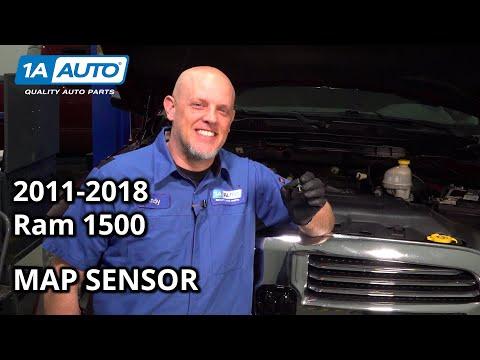





How to Replace the MAP/IAT (MAF) Sensor on a 2015 Ram 1500 3.6L
Step-by-step DIY guide with tools, location, torque specs, safety tips, and post-install checks
How to Replace the MAP/IAT (MAF) Sensor on a 2015 Ram 1500 3.6L
Step-by-step DIY guide with tools, location, torque specs, safety tips, and post-install checks


1500 - Mass Air Flow (MAF) Sensor Replacement 🔧
On your 2015 1500 3.6L, the “MAF” function is handled by the intake air temperature / manifold pressure sensor (MAP/IAT) in the intake, not a separate hot‑wire MAF in the intake tube like many other vehicles.
I’ll walk you through replacing the intake air temperature / MAP sensor, which is what people usually mean when they say “MAF” on this engine.
Quick questions before we start ❓
- ✅ Are you getting a specific check-engine code (like P0106, P0113, P0112, P0101)?
- ✅ Do you want to replace just the sensor, or are you also changing the air filter/cleaning the throttle body at the same time?
If you’re not sure about the code, we can still proceed with the sensor replacement.
Tools & Supplies Needed 🧰
- 🔧 Basic tools
- 1/4" ratchet (small hand wrench for sockets).
- 8 mm socket (for intake tube clamps and cover screws).
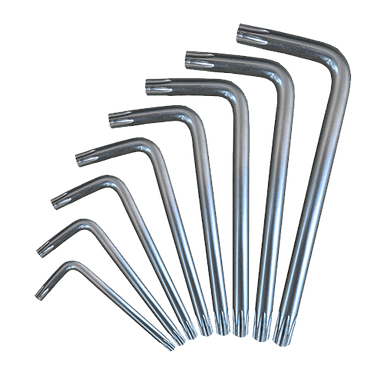
- T20 Torx bit (for the sensor screws, common star-shaped bit).
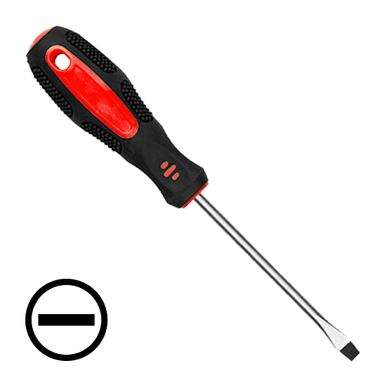
- Flat-blade screwdriver (to help loosen hose clamps and clips).
- 🧤 Safety gear
- Gloves (keeps hands safe and clean).
- Safety glasses (protects eyes from dust and debris).
- 🧴 Optional
- Electronics/contact cleaner (for the connector only, never soak the new sensor).
- Shop towel (to keep dirt out of the intake).
Part Identification 🧩
- 📍 On the 3.6L in your 1500, the MAP/IAT sensor is:
- Mounted on the top of the plastic intake manifold, near the center/rear of the engine.
- Small black sensor with a 2- or 3-wire electrical connector and held by one or two Torx screws or a clip.
- 📝 The air intake tube from the airbox to the throttle body does not have a separate MAF sensor on this engine.
Safety & Prep ⚠️
- 🔌 Ignition OFF: Turn the key off and remove it. If push-button, make sure it’s fully off (no dash lights).
- 🔋 Battery disconnect (recommended):
- Use a 10 mm wrench to loosen the negative (-) battery terminal and remove it.
- This prevents accidental shorts and can help clear learned values.
- 🌬️ Cool engine: Let the engine cool so you don’t burn your hands leaning over it.
Accessing the Sensor 🛠️
You usually don’t need to remove the whole intake, just move a few things for space.
- 🔎 Remove engine cover (if equipped):
- Most 3.6L covers just pull up; they are held by rubber grommets.
- Grab the cover at the corners and pull straight up.
- 👀 Locate the MAP/IAT sensor:
- Look at the plastic intake manifold (the big black plastic piece on top of the engine).
- The sensor is usually near the middle or slightly toward the driver side, pointing upward or at an angle.
Removing the Old Sensor 🔄
- 🔌 Unplug the connector:
- Press the locking tab on the connector (small plastic tab you push in).
- While holding the tab, pull the connector straight off. Do not pull on the wires.
- If stuck, gently wiggle while pulling; use a small flat screwdriver to lift the tab if needed.
- 🧽 Clean around the sensor:
- Use a dry cloth or compressed air to remove dust around the sensor base.
- This prevents dirt from falling into the intake manifold.
- 🪛 Remove sensor fasteners:
- Use the T20 Torx bit and ratchet (or screwdriver handle) to remove the screw(s).
- Keep the screws safe; you’ll reuse them unless the new sensor includes new ones.
- 📤 Pull out the sensor:
- Gently twist the sensor back and forth while pulling up.
- There is an O-ring (rubber seal) that may make it feel stuck; don’t pry hard with metal tools on the plastic manifold.
- Inspect the O-ring and sensor tip; note any oil or heavy dirt (this can indicate other issues like PCV or oil mist).
Installing the New Sensor ✅
- 🧼 Check the bore (hole) in the manifold:
- Make sure no pieces of the old O-ring are left behind.
- Wipe lightly with a clean cloth if dirty; do not push debris inside.
- 🧩 Prepare the new sensor:
- Confirm it matches the old one: same connector, same mounting, same tip shape.
- Ensure the new O-ring is installed and lightly lubricated with a tiny bit of clean engine oil or silicone-safe grease (optional but helps sealing).
- 📥 Install the sensor:
- Align the sensor with the hole and push it straight in until it seats fully.
- It should sit flat against the manifold; no gap.
- 🔩 Install and tighten screws:
- Start screws by hand to avoid cross-threading.
- Use the T20 Torx to snug them down.
- Torque spec (typical for this sensor): 35–44 in‑lb (4–5 N·m) – that’s just snug, not hard. Do not overtighten; the manifold is plastic.
- 🔌 Reconnect the electrical connector:
- Push the connector on until you hear/feel a click.
- Gently tug to confirm it’s locked.
- 🛡️ Reinstall engine cover:
- Line up the cover with the mounting posts and push down until it snaps in.
Reconnect Battery & Reset 🔁
- 🔋 Reconnect negative battery terminal:
- Place the cable back on the negative post and tighten the 10 mm nut snugly.
- 💡 Clear codes (if you have a scanner):
- Use an OBD-II scanner to clear any stored codes related to the sensor.
- This helps the engine computer learn the new sensor faster.
First Start & Check 🧪
- 🚗 Start the engine:
- It may idle slightly rough for a few seconds while the computer adjusts.
- Let it idle for 3–5 minutes with no A/C or accessories.
- 👂 Listen and observe:
- No check-engine light should appear after a short drive.
- Idle should be smooth, throttle response normal.
- 🧭 Short test drive:
- Drive 5–10 minutes with a mix of light and moderate acceleration.
- If the light returns, note the exact code; it may point to wiring, vacuum leaks, or another sensor.
Tips & Common Beginner Mistakes 💡
- ⚙️ Don’t spray cleaners on the new sensor: Modern MAP/IAT sensors are delicate; only use cleaner on the connector if needed.
- 🧵 Don’t overtighten screws: The plastic manifold can crack; just snug is enough.
- 🧩 Use the correct sensor: 3.6L sensors differ from HEMI V8 sensors; always match by engine and year.
Want to double-check the part? 🛒
I can help you confirm the exact MAP/IAT sensor and any tools you’ll need. HowToo will show you the matching parts and tools below this answer, and you can add them to your cart from the parts section.
If you tell me the code you’re getting (like P0106, P0113, etc.), I can also confirm that replacing this sensor is the right move before you spend money.
HowToo makes it easy: same-day/2-day shipping on every part, plus all the tools and specialty tools you need! 🚚