













How to replace the maf sensor on a 2020 Ram 1500 classic 5 7l hemi
Step-by-step MAF/IAT sensor replacement with tools, torque specs, safety tips, and post-install checks for 2019, 2020, 2021, 2022, 2023
How to replace the maf sensor on a 2020 Ram 1500 classic 5 7l hemi
Step-by-step MAF/IAT sensor replacement with tools, torque specs, safety tips, and post-install checks for 2019, 2020, 2021, 2022, 2023


🔧 1500 Classic - Mass Air Flow Sensor Replacement
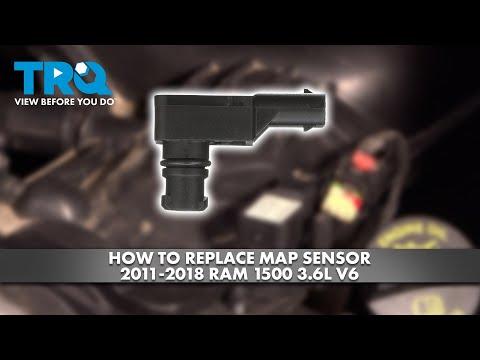
Your 1500 Classic with the 3.6L V6 does not use a standalone MAF sensor from the factory. Air metering is handled by the intake air pressure/temp sensing system, so the part people often call the “MAF” is usually the sensor mounted in the intake tube or air inlet assembly. Replacing it is a quick job once the air intake duct is open.
Difficulty Level: Beginner | Estimated Time: 0.5-1 hours
⚠️ Safety & Precautions
- Park on level ground and set the parking brake.
- Let the engine cool before working around the intake tube.
- Disconnect the negative battery cable before unplugging the sensor.
- Do not touch the sensor element with your fingers.
🔧 Required Tools
You'll need the following tools for this repair:
- 10mm socket
- Ratchet
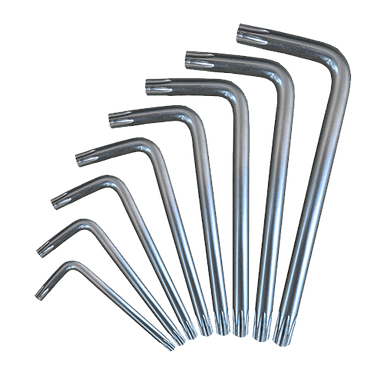
- Torx T20 screwdriver
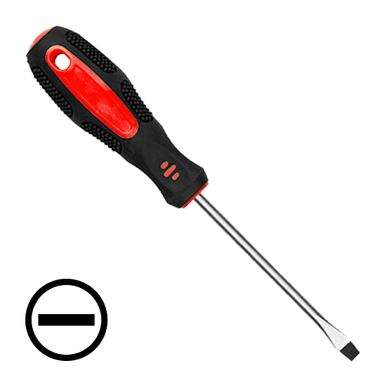
- Small flathead screwdriver
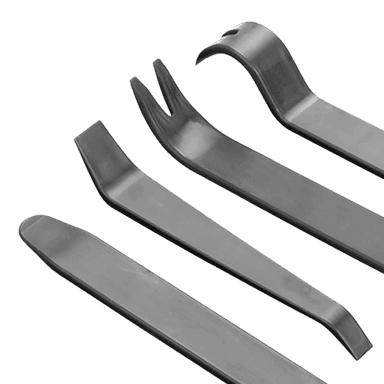
- Trim tool
- Safety glasses
- Gloves
🔩 Required Parts
HowToo sells all the parts you need for this repair:
- Intake air sensor - Qty: 1
- Sensor O-ring seal - Qty: 1
📋 Before You Begin
- Turn the ignition off and remove the key fob from the vehicle.
- Open the hood and support it securely.
- Disconnect the negative battery cable with the 10mm socket.
🔨 Step-by-Step Instructions
Follow these steps in order:
Step 1: Locate the sensor
- Open the hood and find the air intake tube between the air filter box and the throttle body.
- Look for the sensor mounted in the tube with one electrical connector and two small screws.
Step 2: Disconnect the electrical connector
- Use a small flathead screwdriver or your fingers to release the connector lock.
- Pull the connector straight off the sensor.
Step 3: Remove the sensor
- Use the Torx T20 screwdriver to remove the sensor screws.
- Lift the sensor straight out of the intake tube.
- Check that the O-ring comes out with the old sensor.
Step 4: Install the new sensor
- Compare the new sensor to the old one before installing.
- Lightly seat the O-ring if needed.
- Set the sensor in place and start both screws by hand.
- Tighten the screws snugly with the Torx T20 screwdriver. Torque to 2-3 N·m (18-27 in-lb).
Step 5: Reconnect the plug and battery
- Push the connector onto the sensor until it clicks.
- Reconnect the negative battery cable with the 10mm socket.
Step 6: Verify the repair
- Start the engine and let it idle.
- Check that the engine runs smoothly and the check engine light stays off.
- If the light was on before, clear codes with a scan tool if needed.
✅ After Repair
- Test drive the vehicle for 10-15 minutes.
- Watch for rough idle, hesitation, or warning lights.
- If drivability issues remain, inspect the intake boot for cracks or loose clamps.
💰 DIY vs Shop Cost
Shop Cost: $150-$300 (parts + labor)
DIY Cost: $40-$120 (parts only)
You Save: $110-$180 by doing it yourself!
Shop labor rates vary but typically run $100-$150/hour. This repair takes a shop approximately 0.5-1 hours.
🎯 Ready to get started?
HowToo makes it easy: same-day/2-day shipping on every part, plus all the tools and specialty tools you need! Check out the parts and tools sections below to add everything to your cart.