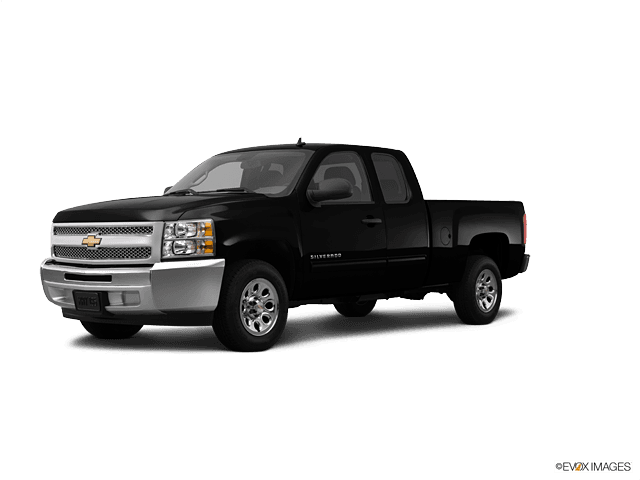









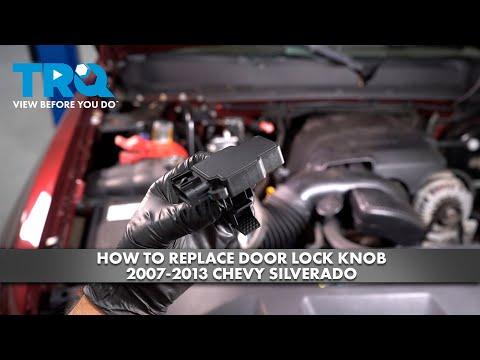




How to Replace the MAF Sensor on a 2009-2013 Chevrolet Silverado 1500 (Engine: V8 5.3L)
Step-by-step instructions with tools, parts, torque specs, and safety tips
How to Replace the MAF Sensor on a 2009-2013 Chevrolet Silverado 1500 (Engine: V8 5.3L)
Step-by-step instructions with tools, parts, torque specs, and safety tips for 2009, 2010, 2011, 2012, 2013


🔧 Mass Air Flow Sensor - Replacement
The MAF sensor on your Silverado reads incoming air so the engine computer can set fuel delivery correctly. If it’s faulty or contaminated, you may see rough idle, poor fuel mileage, hesitation, or a check engine light.
Difficulty Level: Beginner | Estimated Time: 0.5-1 hour
⚠️ Safety & Precautions
- Turn the key off and remove it before starting.
- Let the engine cool if it has been running. The air intake area can be warm.
- Do not touch the new sensor element with your fingers. The sensing wire or film is delicate.
- Use only MAF-safe cleaner on the air duct if needed. Do not spray brake cleaner on the sensor.
- Battery disconnect is not required for this repair.
🔧 Required Tools
You'll need the following tools for this repair:
- 8mm socket
- Ratchet
- Extension bar
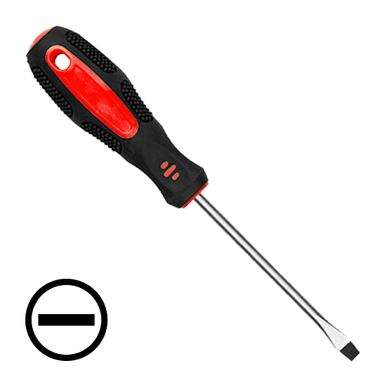
- Flat-blade screwdriver
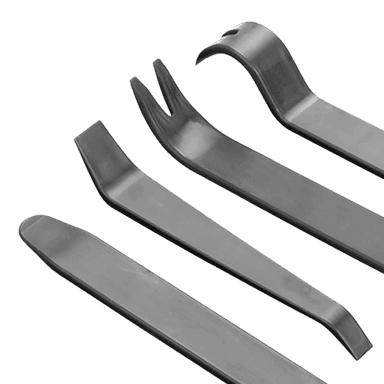
- Trim tool
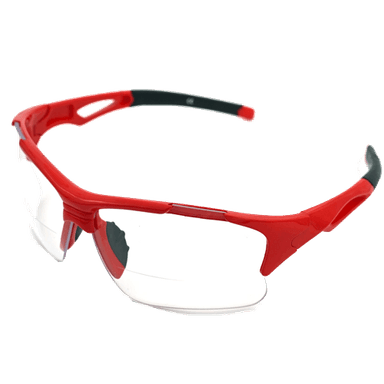
- Safety glasses
- Gloves
🔩 Required Parts
HowToo sells all the parts you need for this repair:
- Mass air flow sensor - Qty: 1
- Air intake duct seal or O-ring - Qty: 1
📋 Before You Begin
- Park on level ground and set the parking brake.
- Turn the ignition off and remove the key.
- Open the hood and locate the air intake tube between the air filter box and throttle body.
- Work carefully around the intake duct so you do not crack the plastic housing.
🔨 Step-by-Step Instructions
Follow these steps in order:
Step 1: Locate the MAF sensor
- Find the MAF sensor in the intake tube, just after the air filter box.
- It is a small sensor body with an electrical connector attached.
- Trace the intake tube from the air box.
Step 2: Disconnect the electrical connector
- Use your fingers to release the connector lock.
- If the lock is tight, use a flat-blade screwdriver very gently to help release it.
- Pull the connector straight off the sensor.
- Do not pull on the wires.
Step 3: Remove the sensor from the intake tube
- Use an 8mm socket and ratchet to remove the sensor screws.
- If your truck uses small Torx screws instead, remove them with the correct Torx driver.
- Lift the sensor straight out of the housing.
- Keep the sensor level while removing it.
Step 4: Inspect the housing and seal
- Check the sensor opening and the intake tube for dirt, cracks, or a damaged seal.
- If the O-ring is hard, torn, or flattened, replace it.
- Make sure no debris falls into the intake tube.
Step 5: Install the new sensor
- Place the new MAF sensor into the housing in the same orientation as the old one.
- Start the screws by hand first.
- Use the 8mm socket and ratchet to tighten the screws evenly.
- Torque to 2-3 Nm (18-27 in-lbs).
Step 6: Reconnect the wiring
- Push the electrical connector onto the sensor until it clicks.
- Give it a light tug to confirm it is locked in place.
Step 7: Final inspection
- Check that the intake duct is fully seated and all clamps are tight.
- Make sure the air filter box is closed properly.
- Look around the sensor area for any loose parts.
✅ After Repair
- Start the engine and let it idle for a minute.
- Check for a smooth idle and normal engine response.
- If the check engine light was on, clear codes with a scan tool if needed.
- Take a short test drive and watch for hesitation or rough running.
💰 DIY vs Shop Cost
Shop Cost: $220-$420 (parts + labor)
DIY Cost: $45-$180 (parts only)
You Save: $175-$240 by doing it yourself!
Shop labor rates vary but typically run $100-$150/hour. This repair takes a shop approximately 0.5-1 hour.
🎯 Ready to get started?
HowToo makes it easy: same-day/2-day shipping on every part, plus all the tools and specialty tools you need! Check out the parts and tools sections below to add everything to your cart.
Guide for Mass Air Flow Sensor replace for these Chevrolet vehicles
| Year Make Model | Sub Model | Engine | Body Style |
|---|---|---|---|
| 2013 Chevrolet Silverado 1500 | - | V8 6.0L | - |
| 2013 Chevrolet Silverado 1500 | - | V8 4.8L | - |
| 2013 Chevrolet Silverado 1500 | - | V8 5.3L | - |
| 2013 Chevrolet Silverado 1500 | - | V8 6.2L | - |
| 2013 Chevrolet Silverado 1500 | - | V6 4.3L | - |
| 2012 Chevrolet Silverado 1500 | - | V8 6.0L | - |
| 2012 Chevrolet Silverado 1500 | - | V8 4.8L | - |
| 2012 Chevrolet Silverado 1500 | - | V8 5.3L | - |
| 2012 Chevrolet Silverado 1500 | - | V8 6.2L | - |
| 2012 Chevrolet Silverado 1500 | - | V6 4.3L | - |
| 2011 Chevrolet Silverado 1500 | - | V8 6.0L | - |
| 2011 Chevrolet Silverado 1500 | - | V8 4.8L | - |
| 2011 Chevrolet Silverado 1500 | - | V8 5.3L | - |
| 2011 Chevrolet Silverado 1500 | - | V8 6.2L | - |
| 2011 Chevrolet Silverado 1500 | - | V6 4.3L | - |
| 2010 Chevrolet Silverado 1500 | - | V8 6.0L | - |
| 2010 Chevrolet Silverado 1500 | - | V8 4.8L | - |
| 2010 Chevrolet Silverado 1500 | - | V8 5.3L | - |
| 2010 Chevrolet Silverado 1500 | - | V8 6.2L | - |
| 2010 Chevrolet Silverado 1500 | - | V6 4.3L | - |
| 2009 Chevrolet Silverado 1500 | - | V8 6.0L | - |
| 2009 Chevrolet Silverado 1500 | - | V8 4.8L | - |
| 2009 Chevrolet Silverado 1500 | - | V8 5.3L | - |
| 2009 Chevrolet Silverado 1500 | - | V8 6.2L | - |
| 2009 Chevrolet Silverado 1500 | - | V6 4.3L | - |