









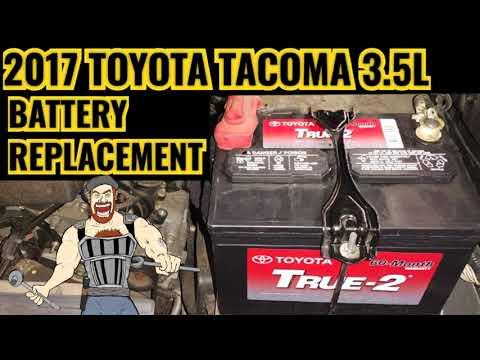





How to Replace the Battery on a 2022 Toyota Tacoma (Step-by-Step)
Detailed DIY Tacoma battery change guide with tools, parts list, torque specs, safety tips, and after-repair checks
How to Replace the Battery on a 2022 Toyota Tacoma (Step-by-Step)
Detailed DIY Tacoma battery change guide with tools, parts list, torque specs, safety tips, and after-repair checks


🔧 Tacoma - Battery Replacement
You’ll be replacing the main 12‑volt battery under the hood of your Tacoma. This restores reliable starting and protects the truck’s electronics from low-voltage issues.
Difficulty Level: Beginner | Estimated Time: 30-45 minutes
⚠️ Safety & Precautions
- ⚠️ Always work with the engine off, ignition in the OFF position, and key fob away from the truck.
- ⚠️ Do not touch the two battery terminals with the same tool at once. That can cause a short circuit and sparks.
- ⚠️ Remove the negative (–) cable first and reconnect it last to reduce the chance of sparks.
- ⚠️ Wear safety glasses and gloves; batteries can leak acid and produce explosive gas.
- ⚠️ Keep all metal tools and jewelry away from the battery terminals.
- Battery disconnect is safe on your Tacoma; you may lose clock, radio presets, and trip data.
🔧 Required Tools
You'll need the following tools for this repair:
- 🧰 10mm socket
- 🧰 12mm socket
- 🧰 1/4" or 3/8" drive ratchet
- 🧰 3" socket extension
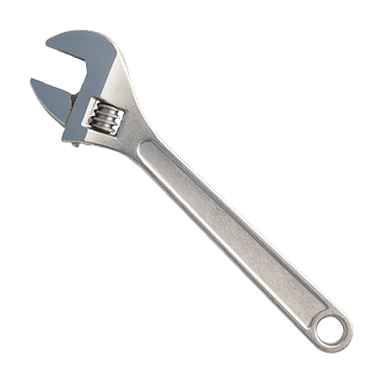
- 🧰 Small adjustable wrench
- 🧰 Battery terminal brush
- 🧰 Shop rag or paper towels
- 🧰 Baking soda and water mix
- 🧰 Safety glasses
- 🧰 Mechanic gloves
- 🧰 Memory saver device (OBD or 12V socket, optional) (specialty)
- 🧰 Small plastic trim tool or flat plastic pry tool
🔩 Required Parts
HowToo sells all the parts you need for this repair:
- 🔩 12V starting battery (correct size for Tacoma, typically Group 27F) - Qty: 1
- 🔩 Battery terminal anti-corrosion washers - Qty: 2
- 🔩 Battery terminal protectant spray - Qty: 1
- 🔩 Battery hold-down hardware kit - Qty: 1 (only if your existing hardware is rusty or damaged)
📋 Before You Begin
- Park the Tacoma on level ground, shift to P, and set the parking brake.
- Turn off all lights and accessories, and remove the key fob from the cab.
- If using a memory saver (a small device that keeps power to electronics while changing the battery), plug it into the OBD port under the dash or 12V socket and follow its instructions.
- Open the hood using the release inside the cab, then the safety catch under the hood front edge.
🔨 Step-by-Step Instructions
Follow these steps in order:
Step 1: Locate the battery and clear the area
- Open the hood and prop it securely.
- The battery is on the right (passenger) side near the front corner.
- Remove any plastic covers on top of the battery by gently lifting them; use the plastic trim tool if they feel stuck.
- Keep bolts and covers in a small container.
Step 2: Identify positive and negative terminals
- Find the positive (+) terminal: it usually has a red cover and/or a "+" symbol.
- Find the negative (–) terminal: usually has a black cable going to the body or frame and a "–" marking.
- Remember: off order is negative first, on order is negative last.
Step 3: Disconnect the negative (–) cable
- Use the 10mm socket and ratchet to loosen the nut on the negative battery clamp. You only need to loosen, not remove, the nut.
- Once loose, twist the clamp gently and lift it off the terminal. If stuck, wiggle it side to side while pulling up, or use the plastic trim tool to help lift.
- Move the cable end away from the battery and tuck it to the side so it cannot spring back and touch the terminal.
Step 4: Disconnect the positive (+) cable
- Lift or unclip the red plastic cover over the positive terminal.
- Use the 10mm socket and ratchet to loosen the nut on the positive clamp.
- Twist and lift the clamp off the terminal and move it slightly aside, making sure it does not touch any bare metal on the battery.
Step 5: Remove the battery hold-down clamp
- The battery is held by a metal or plastic clamp at the base or on top.
- Use the 12mm socket, extension, and ratchet to remove the hold-down bolt(s).
- Lift off the hold-down bracket and set it aside.
- Tightening spec on reassembly: Torque to 5–7 Nm (44–62 in-lbs).
Step 6: Lift out the old battery
- Batteries are heavy; use both hands and keep your back straight.
- Grab the built-in battery handle (if present) or hold each end of the case and carefully lift it straight up and out.
- Keep the battery upright so no acid can spill.
- Set old battery on cardboard or concrete, not on paint.
Step 7: Clean the battery tray and cables
- Check the battery tray for dirt or corrosion (white/green crust).
- Mix a little baking soda with water and dip a shop rag into it, then wipe the tray and cable ends. This neutralizes acid.
- Use the battery terminal brush to clean the inside of both cable clamps until the metal is shiny.
- Dry the area with a clean shop rag.
Step 8: Place the new battery in the tray
- Check the label on the new battery so the terminals are in the same position as the old one (positive and negative on the correct sides).
- Lower the new battery carefully into the tray, keeping it upright.
- Make sure it sits flat and fully in the tray’s lower lip or locator grooves.
- Slide on the anti-corrosion washers over the posts now, if you’re using them.
Step 9: Reinstall the hold-down clamp
- Reinstall the battery hold-down bracket over the battery.
- Thread the hold-down bolt(s) by hand first to avoid cross-threading.
- Use the 12mm socket, extension, and ratchet to tighten the bolts.
- Torque to 5–7 Nm (44–62 in-lbs) – snug, not overly tight.
- If you don’t have a torque wrench, tighten until firm, then just a small extra turn.
Step 10: Connect the positive (+) cable
- Place the positive clamp straight down over the positive (+) terminal.
- Press it fully down so it sits low on the terminal.
- Use the 10mm socket and ratchet to tighten the clamp nut.
- Torque to 5 Nm (44 in-lbs) – just tight enough that the clamp does not rotate on the post.
- Close the red plastic cover over the positive terminal when done.
Step 11: Connect the negative (–) cable
- Place the negative clamp down over the negative (–) terminal.
- Use the 10mm socket and ratchet to tighten the clamp nut.
- Torque to 5 Nm (44 in-lbs).
- Check that neither clamp can twist by hand; if it moves, tighten slightly more.
Step 12: Protect terminals and reinstall covers
- Spray a light coat of battery terminal protectant on both terminals and clamps.
- Reinstall any plastic covers or shields you removed earlier.
- Make sure no tools or rags are left in the engine bay.
✅ After Repair
- Start the engine and confirm it cranks quickly and runs smoothly.
- Check that the battery light on the dash is off.
- Turn on headlights, blower fan, and a few accessories to be sure everything works.
- Reset the clock, radio presets, and any trip meters if they were lost.
- Some driver-assist or window auto-down features may need to relearn; follow prompts on the cluster if any appear.
- Within the first drive, open the hood and visually confirm the battery is secure and clamps are still tight.
💰 DIY vs Shop Cost
Shop Cost: $250-$350 (parts + labor)
DIY Cost: $140-$220 (parts only, depending on battery brand)
You Save: $110-$210 by doing it yourself!
Shop labor rates vary but typically run $100-$150/hour. This repair takes a shop approximately 0.5-1.0 hours.
🎯 Ready to get started?
HowToo makes it easy: same-day/2-day shipping on the correct battery for your Tacoma, plus any tools and accessories you need! Check out the parts and tools sections above to add everything to your cart.