














How to Replace the Battery on a 2020 Ram 1500 Classic
Step-by-step 2020 Ram 1500 Classic battery change guide with tools, safety tips, and installation instructions for 2019, 2020, 2021, 2022, 2023
How to Replace the Battery on a 2020 Ram 1500 Classic
Step-by-step 2020 Ram 1500 Classic battery change guide with tools, safety tips, and installation instructions for 2019, 2020, 2021, 2022, 2023


1500 Classic - Battery Replacement 🔋
Got it—you want to change the main engine battery on your 1500 Classic.
Safety First ⚠️
- 🧤 Park safe: Flat ground, in Park, parking brake on, engine off, key out.
- 🔌 No sparks: Do not smoke or create sparks near the battery.
- 🕶️ Protect yourself: Wear safety glasses and gloves; battery acid is corrosive.
Tools & Parts You’ll Need 🧰
- 🔧 Ratchet and sockets: 10 mm (battery terminals), 13 mm (hold-down clamp; size can vary slightly, try 12–13 mm if 13 is loose).
- 🔧 Extension bar: For your ratchet, to reach the hold-down bolt.
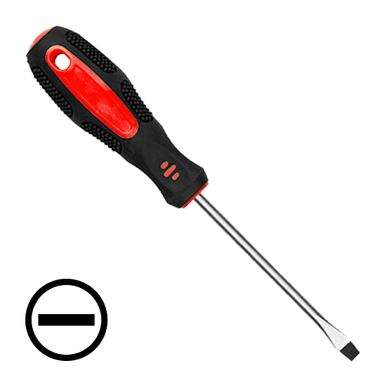
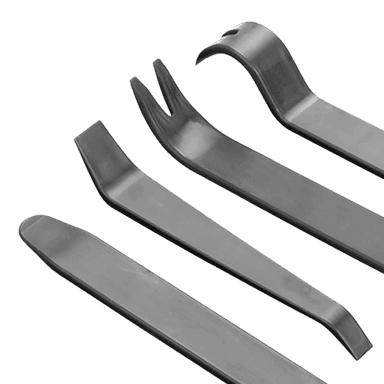
- 🪛 Flat screwdriver or trim tool: To help lift covers or clips.
- 🧼 Battery terminal brush: A small brush made to clean battery posts and clamps.
- 🧴 Baking soda + water mix: For neutralizing any white/green corrosion (1 tablespoon baking soda in 1 cup water).
- 🪫 New battery: Group size typically H7 / 94R (check label on your old battery to match size, CCA, and terminals).
- 🧴 Dielectric grease or battery terminal protectant: Helps prevent future corrosion.
Battery Location 📍
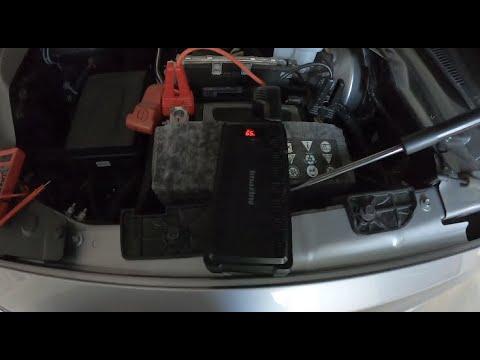
- 🔋 The main battery is under the hood on the right (passenger) side, near the fender, in a plastic tray with a hold-down clamp.
Prep Before Disconnecting 🧠
- 📻 Infotainment settings: Your radio presets, clock, and some settings may reset. Take a quick photo of your radio presets and any custom settings you care about.
- 🔑 Make sure all doors are unlocked before you disconnect the battery.
Step-by-Step: Remove the Old Battery 🪫
- 1️⃣ Open the hood 🚗
- Pull the hood release inside the cab.
- Release the safety latch under the front edge of the hood and raise it fully.
- 2️⃣ Identify the terminals 🔍
- Positive (+) usually has a red cover and more cables.
- Negative (−) usually has a black cable going to the body/engine.
- 3️⃣ Remove any plastic covers 🧩
- Pop off the terminal covers and any top cover over the battery by lifting gently with your fingers or a flat screwdriver.
- 4️⃣ Disconnect the negative (−) terminal first 🔌
- Use your 10 mm socket to loosen the nut on the negative clamp.
- Twist the clamp gently and lift it off the battery post.
- Very important: Move the cable aside so it cannot spring back and touch the terminal (tuck it to the side).
- 5️⃣ Disconnect the positive (+) terminal ➕
- Use the 10 mm socket again to loosen the nut on the positive clamp.
- Lift the clamp off and move it aside carefully. Avoid touching metal with your tool across the positive and any ground.
- 6️⃣ Remove the battery hold-down clamp 🔩
- At the base of the battery, there is a metal or plastic clamp held by a bolt (usually 13 mm).
- Use ratchet + extension + 13 mm socket to remove the bolt and clamp.
- Set the clamp and bolt aside where you won’t lose them.
- 7️⃣ Lift out the battery 🏋️
- Batteries are heavy (20–25 kg). Use both hands and lift straight up.
- If there is a handle, use it; if not, grab the sides carefully.
- If it feels too heavy, ask for help—don’t strain your back.
Clean & Inspect the Tray and Cables 🧽
- 🧼 Clean corrosion:
- If you see white/green powder on the terminals or tray, mix baking soda with water and dab it on with a brush or rag.
- Wipe clean and dry thoroughly.
- 🔍 Check cables:
- Make sure the cable ends are not cracked or badly corroded.
- Use the battery terminal brush to clean the inside of the clamps until shiny metal shows.
Install the New Battery 🔋
- 1️⃣ Place the new battery in the tray
- Match the orientation of the old battery: positive and negative posts in the same positions.
- Make sure it sits flat in the tray and doesn’t rock.
- 2️⃣ Reinstall the hold-down clamp 🔩
- Install the clamp at the base of the battery.
- Install the bolt and tighten snugly with the 13 mm socket.
- Tighten to about 13–18 ft-lb (firm, but don’t overdo it; you’re just holding the battery, not crushing it).
- 3️⃣ Connect the positive (+) terminal first ➕
- Slide the positive clamp fully down onto the positive post.
- Apply a thin smear of dielectric grease if you have it.
- Tighten the 10 mm nut until the clamp does not move when you twist it by hand.
- 4️⃣ Connect the negative (−) terminal ➖
- Slide the negative clamp onto the negative post.
- Apply a thin smear of dielectric grease if available.
- Tighten the 10 mm nut until the clamp is snug and does not rotate.
- 5️⃣ Reinstall covers 🧩
- Snap the plastic covers back over the terminals and any top cover over the battery.
After Installation ✅
- 🔁 Start the engine:
- Turn the key or push start. It may crank slightly longer the first time as modules “wake up.”
- 📻 Reset infotainment:
- Set the clock and re-enter your radio presets using your photos.
- 🚨 Check for warning lights:
- A few lights may appear briefly and then clear as the truck relearns. If anything stays on, tell me which light and I’ll walk you through it.
Tips & Tricks 💡
- 🧲 Keep hardware together: Put the clamp and bolt in a small container while you work so nothing gets lost.
- 🧪 Match specs: When buying the new battery, match group size, CCA (cold cranking amps), and terminal layout to the original label.
- 🔋 Memory saver (optional): A “memory saver” plugs into the OBD port or a power outlet to keep settings while you swap the battery, but it’s not required if you don’t mind resetting presets.
If you tell me what’s printed on your current battery label (group size and CCA), I can confirm the exact spec you should buy.
HowToo makes it easy: below this answer you’ll see recommended batteries, terminal brushes, and tools. You can add them to your cart right from the parts section for fast shipping!