














How to Replace the Battery on a 2020-2025 Toyota Highlander (Key Fob & 12V) (Engine: V6 3.5L)
Step-by-step guide to changing the key fob coin cell and main 12‑volt battery with tools, parts, safety tips, and torque specs
How to Replace the Battery on a 2020-2025 Toyota Highlander (Key Fob & 12V) (Engine: V6 3.5L)
Step-by-step guide to changing the key fob coin cell and main 12‑volt battery with tools, parts, safety tips, and torque specs for 2020, 2021, 2022


🔧 Highlander - Battery Replacement
We need to figure out if you want to change the big 12‑volt battery under the hood (that starts the engine) or the small battery inside the key fob. The steps, tools, and safety are very different.
Difficulty Level: Beginner | Estimated Time: 10–45 minutes (depending on which battery)
⚠️ Safety & Precautions
- 🔋 Always turn the engine off and remove the key fob from the vehicle before working on any battery.
- ⚡ For the big 12‑volt battery: never touch the positive and negative terminals with the same tool at the same time.
- 🧯 Keep sparks, flames, and smoking materials away from the engine bay battery.
- 🧤 Wear gloves and safety glasses; battery acid can irritate skin and eyes.
- ⚠️ On your Highlander, disconnect the negative (–) cable first and reconnect it last to reduce the risk of short circuits.
🔧 Required Tools
You'll need the following tools for this repair (we’ll only use the set that matches the battery you’re changing):
- 🧰 10mm socket
- 🧰 3/8" drive ratchet
- 🧰 6" socket extension
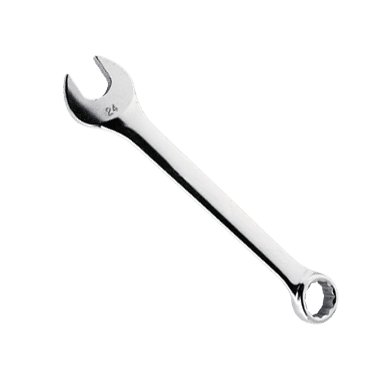
- 🧰 10mm combination wrench
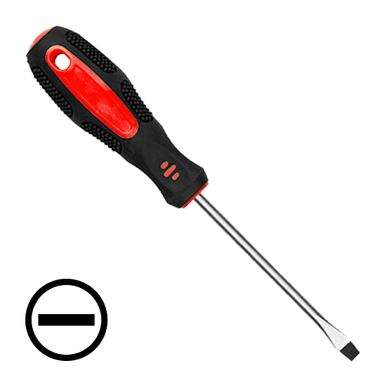
- 🧰 Flathead screwdriver (small)
- 🧰 Trim removal tool plastic (specialty)
- 🧰 Battery terminal cleaning brush
- 🧰 Digital memory saver tool 12V OBD (specialty)
- 🧰 Work gloves
- 🧰 Safety glasses
- 🧰 Shop towel
🔩 Required Parts
HowToo sells all the parts you need for this repair:
- 🔩 12‑volt AGM starting battery (Toyota‑spec size) - Qty: 1
- 🔩 Battery terminal anti‑corrosion pads - Qty: 1 set
- 🔩 Dielectric grease small pack - Qty: 1
- 🔩 Key fob coin cell battery CR2032 - Qty: 1–2 (per fob)
📋 Before You Begin
- Park the Highlander on level ground, select P, and set the parking brake.
- Turn off lights, accessories, and then switch the ignition fully off.
- Remove the key fob from the cabin, or keep it at least a few meters away.
- If using a digital memory saver tool (a small device that keeps radio and window settings alive), plug it into the OBD port under the dash before disconnecting the 12‑volt battery.
🔨 Step-by-Step Instructions
Follow these steps in order:
Step 1: Confirm which battery you’re changing
- 🧭 Decide if you are changing the key fob battery (symptom: key not detected, weak range) or the 12‑volt under‑hood battery (symptom: slow crank, clicking, dead car).
- If you tell me which one, I can tailor this more, but below are both procedures labeled separately.
Key Fob Battery Replacement (Small Coin Cell)
Step 2: Open the key fob case
- Remove the mechanical key by sliding the small lock tab and pulling the metal key out.
- Use the flathead screwdriver (small) and gently twist in the slot where the metal key came out to separate the two halves of the fob case. Twist gently to avoid cracking plastic
Step 3: Replace the coin cell
- Note the orientation of the old battery: which side is facing up (usually the side with writing).
- Use the flathead screwdriver (small) to carefully pop the coin cell out.
- Install the new CR2032 coin cell in the same orientation. Press it in with your fingers until it clicks flat.
Step 4: Reassemble the key fob
- Snap the two halves of the cover back together by hand until you hear clicks all around.
- Slide the metal key back into its slot until it locks.
Under‑Hood 12‑Volt Battery Replacement (Main Vehicle Battery)
Step 5: Open the hood and locate the battery
- Pull the hood release handle inside the cabin, then release the safety latch under the front edge of the hood.
- Prop the hood open with the hood support rod.
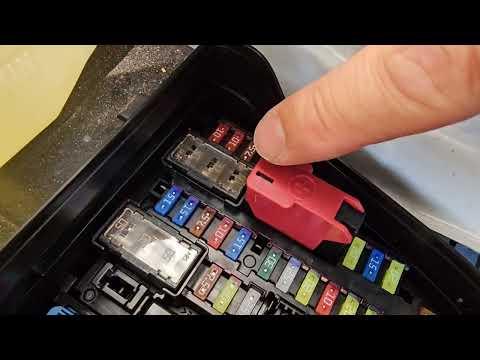
- The battery is on the driver’s side of the engine bay under a plastic cover.
Step 6: Remove the battery cover
- Use your hands or the trim removal tool plastic (specialty) to unclip and lift off the plastic battery cover.
- Set the cover aside where it won’t fall.
Step 7: Disconnect the negative (–) cable first
- Identify the terminals: negative (–) is usually black and marked “–”; positive (+) is usually red and marked “+”.
- Use the 10mm socket and ratchet to loosen the nut on the negative clamp only a few turns.
- Twist the clamp gently side to side by hand and lift it off the negative post. If tight, use the 10mm combination wrench to wiggle, not pry.
- Wrap the loose negative clamp in a shop towel and move it aside so it cannot spring back to touch the terminal.
Step 8: Disconnect the positive (+) cable
- Flip open any small plastic cover over the positive terminal by hand.
- Use the 10mm socket and ratchet to loosen the nut on the positive clamp.
- Lift the clamp straight up off the post and tuck it aside, being careful not to touch any metal parts with the clamp.
Step 9: Remove the battery hold‑down clamp
- Look for the metal bracket or bar holding the battery at the base.
- Use the 10mm socket, ratchet, and 6" socket extension to remove the hold‑down bolts.
- Lift off the hold‑down bracket and set aside. Keep bolts together in a small tray
Step 10: Remove the old battery
- Grasp the battery using any built‑in handle. If it doesn’t have one, hold it carefully from the sides.
- Lift straight up and out. It is heavy, so lift with your legs, not your back.
- Place it upright on the ground; don’t tip it over.
Step 11: Clean the battery tray and terminals
- Check the tray for dirt or corrosion. Wipe it with a shop towel.
- Use the battery terminal cleaning brush to clean the inside of both cable clamps until shiny metal is visible.
Step 12: Install the new battery
- Carefully lower the new battery onto the tray, keeping it level.
- Make sure the positive (+) and negative (–) posts are in the same positions as the original battery.
- Install the hold‑down bracket and start the bolts by hand to avoid cross‑threading.
- Use the 10mm socket, ratchet, and 6" socket extension to tighten the hold‑down bolts snugly. Torque to 10–12 Nm (7–9 ft‑lbs)
Step 13: Reconnect the positive (+) cable first
- Place the positive clamp fully down on the + post.
- Use the 10mm socket and ratchet to tighten the nut until the clamp does not move when you twist it by hand. Torque to 5–7 Nm (4–5 ft‑lbs)
- Close any plastic terminal cover over the positive terminal by hand.
Step 14: Reconnect the negative (–) cable</
Guide for Vehicle Battery replace for these Toyota vehicles
| Year Make Model | Sub Model | Engine | Body Style |
|---|---|---|---|
| 2025 Toyota Highlander | - | Inline 4 2.4L | - |
| 2024 Toyota Highlander | - | Inline 4 2.4L | - |
| 2023 Toyota Highlander | - | Inline 4 2.4L | - |
| 2022 Toyota Highlander | - | V6 3.5L | - |
| 2021 Toyota Highlander | - | V6 3.5L | - |
| 2020 Toyota Highlander | - | V6 3.5L | - |