














How to Replace the Battery on a 2019 GMC Sierra 1500 (Step-by-Step)
Detailed DIY battery change guide with tools, parts list, safety tips, and torque specs for your 2019 GMC Sierra 1500 for 2007, 2008, 2009, 2010, 2011, 2012, 2013, 2014, 2015, 2016, 2017, 2018, 2019, 2020, 2021, 2022, 2023, 2024, 2025
How to Replace the Battery on a 2019 GMC Sierra 1500 (Step-by-Step)
Detailed DIY battery change guide with tools, parts list, safety tips, and torque specs for your 2019 GMC Sierra 1500 for 2007, 2008, 2009, 2010, 2011, 2012, 2013, 2014, 2015, 2016, 2017, 2018, 2019, 2020, 2021, 2022, 2023, 2024, 2025


🔧 Sierra 1500 - Battery Replacement
You’ll be replacing the 12V starting battery under the hood of your Sierra 1500. This restores reliable starting and protects the electronics from low-voltage issues.
Difficulty Level: Beginner | Estimated Time: 30-60 minutes
⚠️ Safety & Precautions
- ⚠️ Work with the engine OFF, key removed from the ignition, and the truck in Park with the parking brake set.
- ⚠️ Never let metal tools touch both battery terminals at the same time, or a terminal and bare metal body, to avoid short circuits.
- ⚠️ Always disconnect the negative (black) cable first and reconnect it last.
- ⚠️ Avoid open flames, sparks, or smoking near the battery; batteries can release explosive gas.
- ⚠️ Battery acid is corrosive; wear eye protection and gloves and wash off any spills with plenty of water.
- ⚠️ Your Sierra uses a battery current sensor on the negative cable; handle the cable gently and do not pry on the sensor.
- ⚠️ A full battery disconnect will reset clock and radio presets; this is normal.
🔧 Required Tools
You'll need the following tools for this repair:
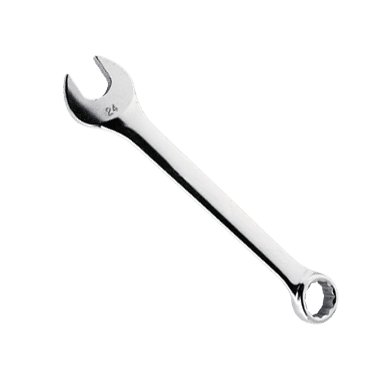
- 🛠️ 10mm combination wrench
- 🛠️ 13mm socket
- 🛠️ 3/8" drive ratchet
- 🛠️ 3/8" drive 6" extension
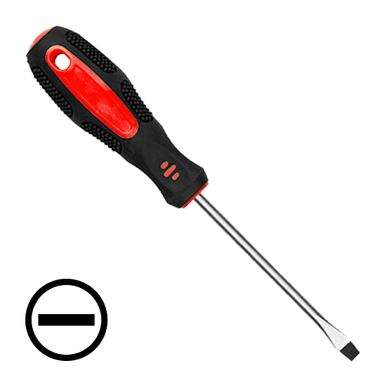
- 🛠️ Flathead screwdriver (medium)
- 🛠️ Battery terminal brush or small wire brush
- 🛠️ Protective gloves
- 🛠️ Safety glasses
- 🛠️ Shop towels or rags
- 🛠️ Small baking soda box
- 🛠️ Plastic battery carrying strap (specialty)
🔩 Required Parts
HowToo sells all the parts you need for this repair:
- 🔩 12V starting battery (AGM or flooded, Group 48/94R spec for Sierra 1500) - Qty: 1
- 🔩 Battery terminal protector spray - Qty: 1
- 🔩 Anti-corrosion felt washers (battery terminals) - Qty: 1 set
- 🔩 Battery hold-down bolt and clamp kit - Qty: 1 (only if your originals are rusty or damaged)
📋 Before You Begin
- Park your Sierra on level ground, set the parking brake, shift to Park, and turn the engine off.
- Open the hood and support it with the hood prop rod.
- Let the engine bay cool for at least 10–15 minutes if you were just driving.
- Make sure you know your radio favorites and clock settings; they may reset after the battery change.
- You do not need to disconnect the negative cable at the frame; only at the battery terminal is required.
🔨 Step-by-Step Instructions
Follow these steps in order:
Step 1: Locate and inspect the battery
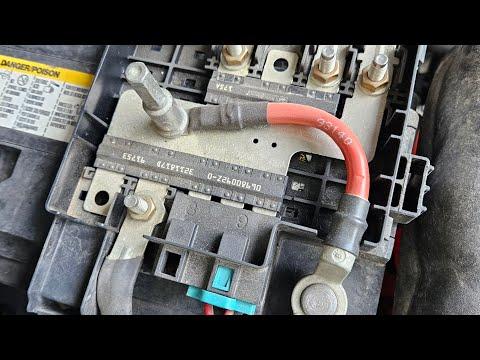
- Open the hood. The battery is on the driver’s side front corner of the engine bay, near the headlight.
- Look for any heavy corrosion (white/green powder) on the terminals or clamp. If present, you will clean it in a later step.
- Note which terminal is positive (+, usually red cover) and which is negative (−, usually black).
Step 2: Remove plastic covers and clear access
- Use the flathead screwdriver to gently lift and remove any plastic terminal covers, especially over the positive terminal.
- If there is a small plastic shield or trim piece blocking access, unclip or move it aside carefully using your flathead screwdriver.
- Keep removed covers where you can find them.
Step 3: Disconnect the negative (black) battery cable
- Use the 10mm combination wrench to loosen the nut on the negative battery terminal clamp.
- Turn the nut just enough so the clamp can move; do not fully remove the nut from the clamp.
- Wiggle the clamp side-to-side and lift it up off the battery post. If it’s stuck, gently twist it; do not pry hard on the plastic sensor ring.
- Once removed, push the negative cable and its sensor assembly away from the battery so it cannot spring back and touch the terminal.
Step 4: Disconnect the positive (red) battery cable
- Use the 10mm combination wrench to loosen the nut on the positive battery terminal clamp.
- Wiggle and lift the positive clamp off the battery post; avoid touching any metal body parts with the wrench while it is on the clamp.
- Move the positive cable aside so it cannot fall back onto the terminal.
- Always keep the positive clamp from touching bare metal.
Step 5: Remove the battery hold-down clamp
- The battery is held at the base by a metal or plastic clamp near the battery’s front lower edge.
- Use the 13mm socket, 3/8" drive ratchet, and 6" extension to loosen and remove the battery hold-down bolt.
- Set the bolt and clamp aside where they won’t get lost.
- Remember how the clamp is oriented for reinstallation.
Step 6: Lift out the old battery
- Batteries are heavy; consider using a plastic battery carrying strap if your replacement battery does not have a built-in handle.
- Stand close to the truck, keep your back straight, and lift with your legs.
- Lift the battery straight up and out of the tray, being careful not to hit surrounding wiring or components.
- Place the old battery on the ground in an upright position.
Step 7: Clean the battery tray and cables
- Mix a small amount of baking soda with water to make a mild cleaning solution; this neutralizes battery acid.
- Use shop towels or rags dipped in the solution to wipe the battery tray and surrounding area. Do not soak electrical connectors.
- Use the battery terminal brush or small wire brush to clean the inside of both terminal clamps until the metal is shiny.
- Wipe everything dry with clean shop towels or rags.
Step 8: Place the new battery in the tray
- Check that the new battery matches the old one in size and terminal layout (positive and negative in the same positions).
- Carefully lower the new battery into the tray with the handle or plastic battery carrying strap, keeping the positive terminal on the same side as the original.
- Make sure the battery sits flat and is fully seated in the tray.
Step 9: Reinstall the battery hold-down clamp
- Position the hold-down clamp at the base of the battery as it was before.
- Install the hold-down bolt by hand to avoid cross-threading, then tighten it with the 13mm socket, ratchet, and extension.
- Tighten until the battery is secure and does not move, but do not overtighten.
- Torque to 15 Nm (11 ft-lbs) if you have a torque wrench.
Step 10: Install anti-corrosion washers and protectant (optional but recommended)
- Slide the anti-corrosion felt washers over the battery posts, matching red to positive and green/black to negative if color-coded.
- Lightly spray the battery posts with battery terminal protector spray if available.
Step 11: Reconnect the positive (red) cable
- Place the positive cable clamp fully down on the positive battery post.
- Use the 10mm combination wrench to tighten the clamp nut until the clamp cannot rotate on the post by hand.
- Torque to 5 Nm (44 in-lbs) if using a torque wrench; do not overtighten, as this can damage the post.
- Reinstall the red plastic cover over the positive terminal using the flathead screwdriver if needed to snap it into place.
Step 12: Reconnect the negative (black) cable
- Place the negative cable clamp (with its sensor ring) fully down on the negative battery post.
- Use the 10mm combination wrench to tighten the clamp nut until the clamp is snug and does not twist.
- Torque to 5 Nm (44 in-lbs) if using a torque wrench.
- Make sure the sensor assembly on the negative cable is not twisted or under strain.
Step 13: Final checks under the hood
- Confirm that both clamps are fully seated, tight, and the battery does not move in the tray.
- Ensure no tools or rags are left in the engine bay.
- Close the hood securely.
✅ After Repair
- Start your Sierra and confirm it cranks quickly and runs smoothly.
- Check the instrument cluster for any warning lights. A few may appear briefly after reconnecting power, then clear on their own.
- Reset the clock and radio presets using the infotainment screen.
- If the engine idle feels slightly different at first, this is normal as the engine computer relearns settings over the next few drives.
- Over the next day or two, make sure every start feels normal and that there is no movement of the battery when you lightly push on it (engine off).
💰 DIY vs Shop Cost
Shop Cost: $260-$380 (parts + labor)
DIY Cost: $150-$250 (parts only, depending on battery type)
You Save: $110-$130 by doing it yourself!
Shop labor rates vary but typically run $100-$150/hour. This repair takes a shop approximately 0.5-1.0 hours.
🎯 Ready to get started?
HowToo makes it easy: same-day/2-day shipping on every part, plus all the tools and specialty tools you need! Check out the parts and tools sections above to add everything to your cart.