









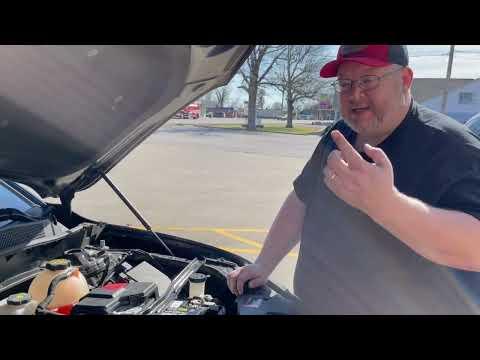






How to Replace the Battery on a 2019-2025 Chevrolet Blazer (12V AGM & Start/Stop) (Engine: V6 3.6L)
Step-by-step battery swap with required tools, safety tips, and key torque specs for terminals and hold-down
How to Replace the Battery on a 2019-2025 Chevrolet Blazer (12V AGM & Start/Stop) (Engine: V6 3.6L)
Step-by-step battery swap with required tools, safety tips, and key torque specs for terminals and hold-down for 2019, 2020, 2021


🔧 Blazer - Battery Replacement
On your Blazer, the 12V battery lives under the hood. Replacing it restores reliable starting and prevents weird electrical glitches (slow crank, warning lights, infotainment resets).
Difficulty Level: Beginner | Estimated Time: 0.5-1.0 hours
⚠️ Safety & Precautions
- ⚠️ Work with the engine OFF and keys away (at least 10 feet).
- ⚠️ Do not let tools touch both battery terminals at once.
- ⚠️ Always disconnect the negative (-) cable first and reconnect it last.
- ⚠️ Wear eye protection; batteries can vent corrosive acid.
- ⚠️ If your Blazer has Auto Start/Stop, handle the battery current sensor (small module on the negative cable) gently—don’t pry or twist it.
🔧 Required Tools
You'll need the following tools for this repair:
- Safety glasses
- Nitrile gloves
- 10mm socket
- 13mm socket
- 3/8" ratchet
- 6" extension for ratchet
- Torque wrench (5-50 Nm range)
- Battery terminal puller (specialty)
- Battery terminal cleaning brush
- Plastic trim tool
- Memory saver (OBD-II) (specialty)
🔩 Required Parts
HowToo sells all the parts you need for this repair:
- 12V battery (AGM, correct fit for Blazer with Start/Stop) - Qty: 1
- Battery terminal anti-corrosion pads - Qty: 2
- Battery terminal protectant spray - Qty: 1
📋 Before You Begin
- Park on level ground, shift to P, set the parking brake, and turn everything OFF.
- Open the hood and let the vehicle “go to sleep” for about 5 minutes (reduces module wake-ups).
- If you want to keep radio presets/settings, connect a memory saver (a small device that powers the car through the OBD-II port) before disconnecting the battery.
- Verify your replacement battery matches what your Blazer needs (especially if equipped with Auto Start/Stop—use AGM).
🔨 Step-by-Step Instructions
Follow these steps in order:
Step 1: Access the battery
- Open the hood and locate the battery on the passenger-side area of the engine bay.
- If a cover/air duct blocks access, remove it using a plastic trim tool and/or 10mm socket as needed.
Step 2: Disconnect the negative (-) cable
- Use a 10mm socket to loosen the negative terminal clamp (marked “-”).
- Lift the clamp off the battery post. If it’s stuck, use a battery terminal puller (specialty) (this tool pulls the clamp straight up without damaging it).
- Tuck the negative cable safely to the side so it cannot spring back and touch the terminal.
Step 3: Disconnect the positive (+) cable
- Use a 10mm socket to loosen the positive terminal clamp (marked “+”).
- Remove the clamp and position it away from the battery.
Step 4: Remove the battery hold-down
- Locate the battery hold-down clamp at the base of the battery.
- Remove the hold-down bolt using a 13mm socket with a ratchet and extension.
Step 5: Remove the old battery
- Lift the battery straight up and out. Batteries are heavy—use good lifting posture and keep it close to your body.
- Tip: Take a photo before removal.
Step 6: Clean and prep the terminals
- Clean the inside of both cable clamps using a battery terminal cleaning brush.
- Install battery terminal anti-corrosion pads on the new battery posts (one per post).
Step 7: Install the new battery and secure it
- Set the new battery in the tray in the same orientation as the old one.
- Reinstall the hold-down clamp and bolt using a 13mm socket.
- Tighten the hold-down to Torque to 20 Nm (15 ft-lbs).
Step 8: Reconnect the positive (+) cable first
- Install the positive clamp onto the battery post.
- Tighten with a 10mm socket to Torque to 10 Nm (89 in-lbs).
- Lightly spray terminal protectant using battery terminal protectant spray.
Step 9: Reconnect the negative (-) cable last
- Install the negative clamp onto the battery post.
- Tighten with a 10mm socket to Torque to 10 Nm (89 in-lbs).
- Lightly spray terminal protectant using battery terminal protectant spray.
Step 10: Reinstall any covers and double-check
- Reinstall any battery cover/ducting using the 10mm socket and plastic trim tool.
- Gently tug each cable to confirm it’s fully seated and tight.
✅ After Repair
- Start your Blazer and confirm it cranks strongly and runs normally.
- Check that no warning messages appear related to charging system; if they do, shut it off and re-check terminal tightness.
- Reset the clock and re-save radio presets if you didn’t use a memory saver.
- If Auto Start/Stop doesn’t work right away, that can be normal—your Blazer may need a few drive cycles to relearn battery condition.
💰 DIY vs Shop Cost
Shop Cost: ₹9,000-₹18,000 (parts + labor)
DIY Cost: ₹7,000-₹15,000 (parts only)
You Save: ₹2,000-₹5,000 by doing it yourself!
Shop labor rates vary but typically run ₹800-₹1,500/hour. This repair takes a shop approximately 0.5-1.0 hours.
🎯 Ready to get started?
HowToo makes it easy: same-day/2-day shipping on every part, plus all the tools and specialty tools you need! Check out the parts and tools sections below to add everything to your cart.
Guide for Vehicle Battery replace for these Chevrolet vehicles
| Year Make Model | Sub Model | Engine | Body Style |
|---|---|---|---|
| 2025 Chevrolet Blazer | - | V6 3.6L | - |
| 2025 Chevrolet Blazer | - | Inline 4 2.0L | - |
| 2024 Chevrolet Blazer | - | V6 3.6L | - |
| 2024 Chevrolet Blazer | - | Inline 4 2.0L | - |
| 2023 Chevrolet Blazer | - | V6 3.6L | - |
| 2023 Chevrolet Blazer | - | Inline 4 2.0L | - |
| 2022 Chevrolet Blazer | - | V6 3.6L | - |
| 2022 Chevrolet Blazer | - | Inline 4 2.0L | - |
| 2021 Chevrolet Blazer | - | Inline 4 2.5L | - |
| 2021 Chevrolet Blazer | - | V6 3.6L | - |
| 2021 Chevrolet Blazer | - | Inline 4 2.0L | - |
| 2020 Chevrolet Blazer | - | Inline 4 2.5L | - |
| 2020 Chevrolet Blazer | - | V6 3.6L | - |
| 2020 Chevrolet Blazer | - | Inline 4 2.0L | - |
| 2019 Chevrolet Blazer | - | Inline 4 2.5L | - |
| 2019 Chevrolet Blazer | - | V6 3.6L | - |