









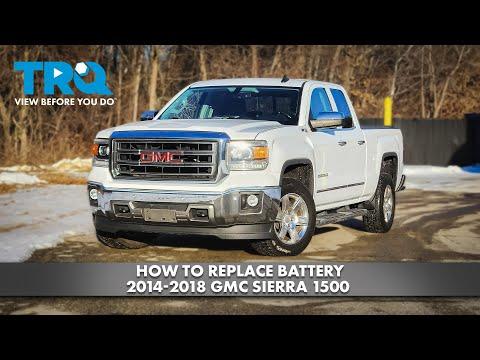





How to Replace the Battery on a 2018 GMC Sierra 1500 (Step-by-Step Guide)
Tools, correct cable disconnect/reconnect order, battery group size, and torque specs for a safe install for 2007, 2008, 2009, 2010, 2011, 2012, 2013, 2014, 2015, 2016, 2017, 2018, 2019, 2020, 2021
How to Replace the Battery on a 2018 GMC Sierra 1500 (Step-by-Step Guide)
Tools, correct cable disconnect/reconnect order, battery group size, and torque specs for a safe install for 2007, 2008, 2009, 2010, 2011, 2012, 2013, 2014, 2015, 2016, 2017, 2018, 2019, 2020, 2021


🔧 Sierra 1500 - Battery Replacement
Your Sierra’s battery provides power to start the engine and run electronics. Replacing it is straightforward, but the connection order matters to prevent sparks and computer issues.
Difficulty Level: Beginner | Estimated Time: 0.5-1.0 hours
⚠️ Safety & Precautions
- ⚠️ Work in a ventilated area; batteries can vent flammable gas.
- ⚠️ Keep metal tools off both terminals at once to avoid a short.
- ⚠️ Disconnect the negative (-) cable first, reconnect it last.
- ⚠️ Wear eye protection and gloves; battery acid can burn skin/eyes.
- ⚠️ Key out of the truck; all lights/accessories off before disconnecting.
🔧 Required Tools
You'll need the following tools for this repair:
- 10mm socket
- 13mm socket
- 3/8" ratchet
- 6" socket extension
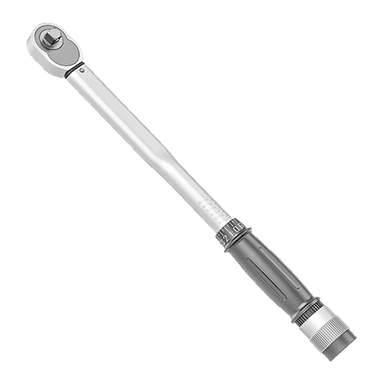
- Torque wrench (in-lb/ft-lb capable)
- Battery terminal puller (specialty)
- Battery terminal cleaning brush
- Shop rags
- Nitrile gloves
- Safety glasses
- OBD-II memory saver (specialty)
🔩 Required Parts
HowToo sells all the parts you need for this repair:
- Battery (Group Size H6/48, AGM if equipped) - Qty: 1
- Battery terminal anti-corrosion pads - Qty: 2
- Battery terminal protectant spray or dielectric grease - Qty: 1
- Battery hold-down bolt (optional if rusty) - Qty: 1
📋 Before You Begin
- Park on level ground, shift to P, and set the parking brake.
- Turn everything off and remove the key/fob from the truck.
- If you want to keep radio presets and settings, plug in an OBD-II memory saver (a small device that feeds backup power through the diagnostic port).
- Open the hood and locate the battery on the passenger side of the engine bay.
🔨 Step-by-Step Instructions
Follow these steps in order:
Step 1: Remove the negative (-) cable
- Use 10mm socket with a 3/8" ratchet to loosen the negative terminal clamp nut.
- Lift the clamp straight up and off the negative post.
- If it’s stuck, use a battery terminal puller (specialty) to remove it (do not pry hard on the battery case).
- Tuck the cable aside so it can’t spring back.
- Torque to 13 Nm (115 in-lb) on reinstall.
Step 2: Remove the positive (+) cable
- Use 10mm socket with a 3/8" ratchet to loosen the positive terminal clamp nut.
- Lift the clamp off the positive post and move it aside so it can’t touch metal.
- Torque to 13 Nm (115 in-lb) on reinstall.
Step 3: Remove the battery hold-down
- Locate the battery hold-down at the base of the battery.
- Use a 13mm socket with a 6" socket extension and 3/8" ratchet to remove the hold-down bolt and bracket.
- Set the bracket/bolt aside where you won’t lose it.
- Torque to 20 Nm (15 ft-lb) on reinstall.
Step 4: Remove the old battery
- Put on nitrile gloves and safety glasses.
- Lift the battery straight up and out (it’s heavy).
- Set it on the ground in a safe spot, upright.
Step 5: Clean the tray and terminals
- Use shop rags to wipe debris from the tray.
- Use a battery terminal cleaning brush to clean the inside of both cable clamps until the metal looks bright.
- If there’s corrosion, clean it thoroughly before installing the new battery.
Step 6: Install the new battery
- Lower the new battery into place in the same orientation as the old one.
- Reinstall the hold-down bracket and bolt using the 13mm socket, then tighten with a torque wrench.
- Torque to 20 Nm (15 ft-lb).
Step 7: Reconnect cables (positive first, negative last)
- Install anti-corrosion pads (one on each post) before the clamps, if you’re using them.
- Push the positive (+) clamp fully down on the post, then tighten using a 10mm socket.
- Torque to 13 Nm (115 in-lb).
- Push the negative (-) clamp fully down on the post, then tighten using a 10mm socket.
- Torque to 13 Nm (115 in-lb).
- Apply battery terminal protectant spray or dielectric grease to reduce future corrosion.
Step 8: Final check
- Try to rotate each clamp by hand—if it moves, tighten it slightly using the 10mm socket.
- Make sure the battery cannot shift (check the hold-down).
✅ After Repair
- Start the engine and confirm normal cranking and no warning messages.
- Set the clock and re-check radio presets if you didn’t use a memory saver.
- If the auto up/down windows act strange, do a quick relearn: fully lower the window, then fully raise it and hold the switch up for 2 seconds.
- Dispose of the old battery properly—most parts stores refund a core charge when you return it.
💰 DIY vs Shop Cost
Shop Cost: $220-$450 (parts + labor)
DIY Cost: $160-$320 (parts only)
You Save: $60-$130 by doing it yourself!
Shop labor rates vary but typically run $100-$150/hour. This repair takes a shop approximately 0.5-1.0 hours.
🎯 Ready to get started?
HowToo makes it easy: same-day/2-day shipping on every part, plus all the tools and specialty tools you need! Check out the parts and tools sections below to add everything to your cart.