













How to Replace the Battery on a 2016 Ford F-150 (Group 94R AGM)
Step-by-step instructions with tools, safety tips, torque specs, post-install resets, and parts list
How to Replace the Battery on a 2016 Ford F-150 (Group 94R AGM)
Step-by-step instructions with tools, safety tips, torque specs, post-install resets, and parts list


F-150 - Battery Replacement 🔋
I’ll walk you through a safe, beginner-friendly battery swap on your Lariat. Two quick questions before we start:
- 🔧 Do you have memory power hooked up (a “memory saver” that keeps radio/seat settings)? If not, I’ll include reset steps.
- 🔧 Do you have the heated steering wheel and max tow package? This helps confirm the correct battery size (most use Group 94R AGM).
Tools & Parts
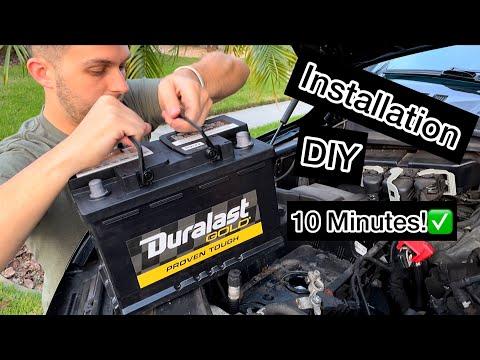
- 🔩 New battery: typically Group 94R (H7) AGM, 12V, ~80–95Ah, ~800 CCA. AGM = Absorbed Glass Mat, a premium maintenance‑free battery.
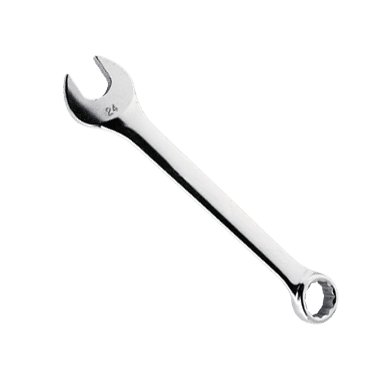
- 🧰 Ratchets and sockets: 8mm, 10mm, 13mm (battery clamps, hold-down, brackets).
- 🪛 Extension: 6 in. helps reach the hold-down bolt.
- 🧤 Gloves & eye protection: safety first.
- 🧼 Battery terminal brush or small wire brush. Used to clean corrosion.
- 🧴 Dielectric grease or battery protectant spray. Prevents future corrosion.
- 💾 Optional: OBD-II memory saver. Keeps radio, seat, and window settings.
Safety First
- ⚠️ Park on level ground, set parking brake, and turn ignition off. Remove key/fob.
- ⚠️ Avoid sparks. Do not let tools bridge battery posts or touch body metal while on a terminal.
- ⚠️ Always disconnect negative (black, “–”) first, reconnect it last.
Location
- 📍 The battery sits in the engine bay on the passenger side front corner, under a top cover and hold-down clamp.
Step-by-Step
- 🔧 Prep
- Open hood. If using a memory saver, plug it into the OBD-II port under the dash.
- Remove the plastic battery cover by unclipping the tabs.
- 🔧 Disconnect cables
- Loosen the negative terminal clamp with an 10mm (some are 8mm). Twist and lift off. Tuck it aside so it can’t spring back.
- Loosen the positive terminal clamp with 10mm and remove. Note the red cover can hinge up for better access.
- 🔧 Remove hold-down
- Use 13mm socket with extension to remove the front hold-down bolt and wedge clamp at the battery base.
- Lift the battery straight up (it’s heavy, ~55–65 lb). Use the carry handle if present.
- 🔧 Install new battery
- Drop in the new battery with the positive post toward the rear and terminals aligned like the old one (Group 94R has reversed posts).
- Reinstall the hold-down clamp; torque to 13 lb‑ft (18 N·m).
- Clean the inside of both cable clamps with the brush. Lightly coat with dielectric grease after tightening.
- 🔧 Reconnect
- Attach the positive (+) clamp first; tighten to snug—about 44–62 in‑lb (5–7 N·m). Do not over-tighten.
- Attach the negative (–) clamp; tighten to the same spec.
- Refit the terminal boots and the plastic battery cover.
- 🔧 Post‑install checks
- Start the truck. Confirm no battery/charging warnings.
- If windows or sunroof act odd, perform window one‑touch reset: hold the switch UP (closed) for 5 seconds, then DOWN for 5 seconds at each door.
- Reset the clock and radio presets if you didn’t use a memory saver.
Important Notes for Your F-150
- 🧪 If your truck has AGM battery from factory (common on Lariat with equipment groups), replace with AGM again for proper charging and accessory load support.
- 🔌 No scan-tool battery registration is required on this model year, but the PCM may relearn idle—let it idle with all accessories off for 5 minutes, then A/C on for 5 minutes.
- 🌧️ Check the battery tray drains and clear debris to prevent corrosion.
Torque Specs
- 🧲 Terminal clamp nuts: 44–62 in‑lb (5–7 N·m)
- 🧲 Hold‑down bolt: 13 lb‑ft (18 N·m)
Tips & Tricks
- 🧠 Take a quick photo before removal to copy cable routing.
- 🧽 White/green fuzz on terminals? Mix baking soda with water and dab it on, then rinse and dry before reassembly.
- 🧯 If the alarm blares after reconnect, lock/unlock with the key fob to silence.
What parts to buy
- 🛒 Battery: Group 94R AGM, ≥ 800 CCA, vent-cap included.
- 🛒 Anti-corrosion pads (felt washers) and dielectric grease.
- 🛒 Optional: Memory saver and small wire brush.
HowToo makes it easy: same-day/2-day shipping on every part, plus all the tools and specialty tools you need!