









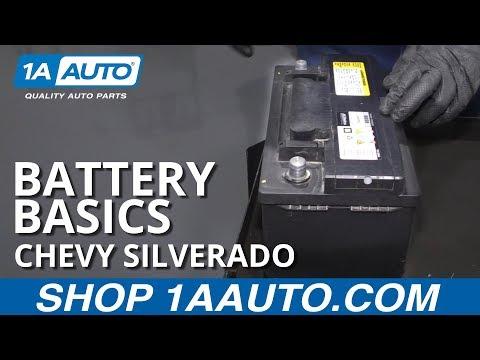





How to Replace the Battery on a 2015 Chevrolet Silverado 1500
Step-by-step DIY battery change with tools, safety tips, torque specs, and installation checklist for 2007, 2008, 2009, 2010, 2011, 2012, 2013
How to Replace the Battery on a 2015 Chevrolet Silverado 1500
Step-by-step DIY battery change with tools, safety tips, torque specs, and installation checklist for 2007, 2008, 2009, 2010, 2011, 2012, 2013


Silverado 1500 - Battery Replacement 🔋
Nice and doable job for a first DIY. I’ll walk you through it step by step for your Silverado.
Safety First ⚠️
- 🧤 Always turn the engine off, remove the key, and set the parking brake.
- 🧯 Keep metal tools away from both battery posts at the same time to avoid sparks.
- 😷 Work in a well‑ventilated area; batteries can vent gas and contain acid.
What You Need 🧰
- 🔧 Basic tools
- 10 mm socket (battery terminals and hold‑down clamp bolt)
- 13 mm socket (some trucks use this for the hold‑down – have it handy)
- Ratchet and a short extension (about 3–6")
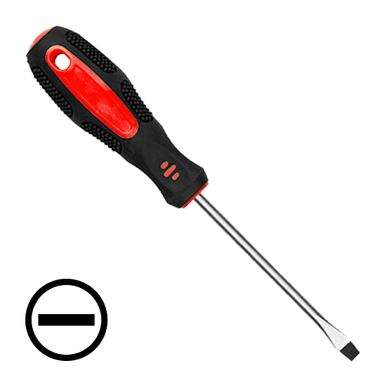
- Flat screwdriver or small trim tool (to help with covers/clips if needed)
- 🔋 New battery
- Group size commonly used: H6 / 48 or H7 / 94R on these trucks (check the label on your current battery and match it).
- Make sure the posts are in the same position (positive on the same side as your old one).
- 🧼 Optional but helpful
- Battery terminal brush (small round wire brush to clean the inside of the cable ends)
- Baking soda + water (to neutralize any corrosion)
- Dielectric grease or battery terminal protectant spray (helps prevent future corrosion)
- Gloves and safety glasses
Battery Location 📍
- 📌 The battery on your Silverado is in the engine bay, front right corner (passenger side) near the fender.
Step 1 – Prepare the Truck 🛑
- 🛠️ Park on a flat surface, shift to PARK, and set the parking brake.
- 🛠️ Turn off all lights and accessories, remove the key from the ignition.
- 🛠️ Open the hood and secure it with the prop rod.
Step 2 – Remove Any Covers 🧩
- 🧰 If your battery has a plastic top cover or side shield, gently lift or unclip it and set it aside.
Step 3 – Disconnect the Cables (Negative First) 🔌
- ➖ Disconnect negative (-) cable first
- Find the black cable going to the battery’s negative post (marked “–” or “NEG”).
- Use your 10 mm socket to loosen the nut on the clamp.
- Twist the clamp gently and lift it off the post. Do not pry hard on the post itself.
- Push the cable aside so it cannot spring back and touch the terminal.
- ➕ Disconnect positive (+) cable second
- Find the red cable going to the positive post (marked “+” or “POS”).
- Loosen the 10 mm nut on that clamp as well.
- Lift the clamp off and move it aside. Some trucks have a small plastic cover over the positive terminal—flip it open first.
- ⚠️ Always remove negative first and reconnect it last. This reduces the chance of short circuits.
Step 4 – Remove the Battery Hold‑Down 🔩
- 🧰 At the base of the battery, toward the front, there is a metal or plastic clamp that holds the battery in place.
- 🧰 Use your 10 mm or 13 mm socket with extension to remove the hold‑down bolt.
- 🧰 Lift the clamp out and set it aside.
Step 5 – Lift Out the Old Battery 🧱
- 💪 Batteries are heavy (20–25+ kg). Lift with your legs, not your back.
- 💪 Grab the battery by the built‑in handle (if it has one) or from the sides and carefully lift it straight up and out.
- 💪 Keep it level to avoid any acid spills.
Step 6 – Clean the Area 🧽
- 🧰 Check the battery tray for dirt or white/green corrosion.
- 🧰 If you see corrosion:
- Mix a little baking soda with water and pour or brush it on the corroded areas.
- Let it fizz, then wipe clean with a rag.
- 🧰 Use a terminal brush to clean the inside of the cable clamps until shiny metal is visible.
Step 7 – Install the New Battery 🆕
- 📌 Make sure the positive and negative posts are on the correct sides, matching the old battery orientation.
- 📌 Carefully lower the new battery into the tray, keeping it level.
- 📌 Ensure it sits flat and fully down in the tray.
Step 8 – Reinstall the Hold‑Down 🔧
- 🔩 Refit the hold‑down clamp at the base of the battery.
- 🔩 Install the bolt and tighten it snug with your socket (do not overtighten; just firmly secure so the battery cannot move).
Step 9 – Reconnect the Cables (Positive First) 🔁
- ➕ Connect positive (+) cable first
- Place the red clamp on the positive post.
- Push it down fully, then tighten the 10 mm nut until the clamp does not rotate by hand.
- Close any plastic cover over the positive terminal.
- ➖ Connect negative (-) cable last
- Place the black clamp on the negative post.
- Tighten the 10 mm nut until the clamp is snug and does not move.
- 🧴 If you have it, apply a thin layer of dielectric grease or spray protectant on the terminals and clamps.
Step 10 – Refit Covers and Check ✅
- 🧰 Reinstall any plastic battery covers or shields you removed.
- 🧰 Make sure no tools are left in the engine bay.
- 🧰 Close the hood securely.
After the Change – What to Expect 💡
- 🔄 Your radio presets and clock may reset; you can set them again through the infotainment menus.
- 🔄 The engine may idle slightly differently for the first few minutes while it relearns; this is normal.
Torque Notes (For Reference) 📏
- 🔧 Battery terminal clamp nuts: about 5–7 N·m (44–62 in‑lb) – just snug, not gorilla tight.
- 🔧 Battery hold‑down bolt: about 15–20 N·m (11–15 ft‑lb).
Want Help Choosing the Right Battery? 🛒
If you tell me what group size is printed on your current battery label (e.g. “48/H6” or “94R/H7”), I can confirm the correct replacement and cold‑cranking amps (CCA) range that works best for your Silverado.
HowToo makes it easy: below this answer you’ll see recommended batteries and tools. You can add them to your cart directly from the parts section for fast shipping.