














How to Replace the Battery on a 2012 Toyota Tacoma (12V Battery Change Guide)
Step-by-step instructions with required tools/parts, safety tips, and torque specs for terminal clamps and hold-down
How to Replace the Battery on a 2012 Toyota Tacoma (12V Battery Change Guide)
Step-by-step instructions with required tools/parts, safety tips, and torque specs for terminal clamps and hold-down


🔧 Tacoma - Battery Replacement
You’ll remove the old 12V battery from the engine bay and install a new one, then reconnect the cables in the correct order. Doing it right prevents electrical damage and avoids sparks near the battery.
Difficulty Level: Beginner | Estimated Time: 0.5-1.0 hours
⚠️ Safety & Precautions
- ⚠️ Wear eye protection and gloves—battery acid is corrosive.
- ⚠️ Keep sparks/flames away—batteries can vent explosive gas.
- ⚠️ Always disconnect the negative (-) cable first and reconnect it last.
- ⚠️ Do not let a tool touch the body metal and the battery terminal at the same time.
- ⚠️ Battery disconnect is recommended; you may lose clock/radio presets.
🔧 Required Tools
You'll need the following tools for this repair:
- 10mm socket
- 12mm socket
- 3/8" ratchet
- 3" socket extension
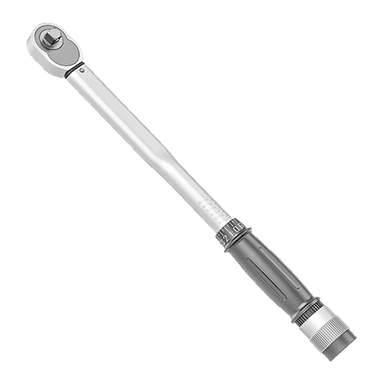
- Torque wrench (inch-pound/foot-pound capable)
- Battery terminal brush
- Battery strap handle (specialty)
- Memory saver (OBD-II or 12V) (specialty)
- Nitrile gloves
- Safety glasses
🔩 Required Parts
HowToo sells all the parts you need for this repair:
- 12V battery (Group 24F, top-post) - Qty: 1
- Battery terminal corrosion protection spray - Qty: 1
- Battery terminal anti-corrosion felt washers - Qty: 1 set
📋 Before You Begin
- 🅿️ Park on level ground, shut the engine off, remove the key, and open the hood.
- 🔌 If you use a memory saver (a device that keeps vehicle memory powered through the OBD-II port or 12V outlet), connect it now following its instructions.
- 🧼 If the battery area is dirty, wipe it down so debris can’t fall into the terminals.
🔨 Step-by-Step Instructions
Follow these steps in order:
Step 1: Locate the battery and identify the terminals
- Confirm which cable is negative (-) and which is positive (+).
- Use safety glasses and nitrile gloves before touching the battery.
Step 2: Disconnect the negative (-) battery cable
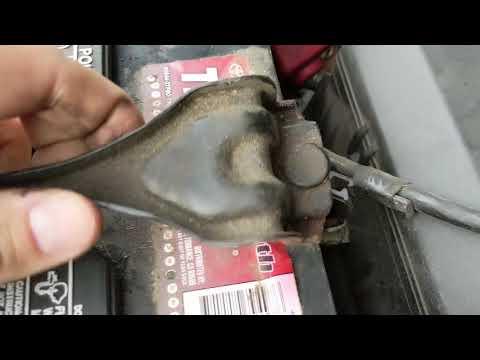
- Use a 10mm socket with a 3/8" ratchet to loosen the negative terminal clamp nut.
- Lift the clamp off the post and tuck it aside so it can’t spring back to the terminal.
- Negative off first prevents accidental shorting.
Step 3: Disconnect the positive (+) battery cable
- Use a 10mm socket with a 3/8" ratchet to loosen the positive terminal clamp nut.
- Lift the clamp off the post and position it so it can’t touch metal.
Step 4: Remove the battery hold-down bracket
- Use a 12mm socket, 3/8" ratchet, and 3" socket extension to remove the hold-down hardware.
- Lift the hold-down bracket off and set it aside.
Step 5: Remove the old battery
- Use a battery strap handle (specialty) to lift the battery straight up and out.
- Keep the battery upright to avoid any acid leakage.
Step 6: Clean and prep the terminals
- Use a battery terminal brush to clean the inside of both cable clamps until the metal looks bright.
- Install anti-corrosion felt washers if you’re using them.
Step 7: Install the new battery and secure it
- Place the new battery into the tray in the same orientation as the old one.
- Reinstall the hold-down bracket using the 12mm socket, ratchet, and extension.
- Tighten the hold-down hardware with a torque wrench: Torque to 18 Nm (13 ft-lbs).
- Hold-down should be snug—battery must not move.
Step 8: Reconnect the positive (+) cable first
- Install the positive clamp onto the battery post.
- Tighten using a 10mm socket, then finish with a torque wrench: Torque to 5.4 Nm (48 in-lbs).
Step 9: Reconnect the negative (-) cable last
- Install the negative clamp onto the battery post.
- Tighten using a 10mm socket, then finish with a torque wrench: Torque to 5.4 Nm (48 in-lbs).
Step 10: Protect the terminals
- Apply battery terminal corrosion protection spray to both terminals.
- Make sure the terminal covers (if equipped) are positioned correctly.
✅ After Repair
- 🔑 Start your Tacoma and confirm it cranks normally.
- 🔍 Check that the battery doesn’t move and both terminals are fully seated.
- 🕰️ Reset the clock and radio presets if needed.
- ⚡ If you have a multimeter, charging voltage at idle is typically around 13.5–14.7V.
💰 DIY vs Shop Cost
Shop Cost: $220-$380 (parts + labor)
DIY Cost: $160-$280 (parts only)
You Save: $60-$150 by doing it yourself!
Shop labor rates vary but typically run $100-$150/hour. This repair takes a shop approximately 0.5-1.0 hours.
🎯 Ready to get started?
HowToo makes it easy: same-day/2-day shipping on every part, plus all the tools and specialty tools you need! Check out the parts and tools sections below to add everything to your cart.