














How to Replace the Battery on a 2012 Toyota Tacoma
Step-by-step DIY guide with tools, parts, torque specs, and safety tips for 1995, 1996, 1997, 1998, 1999, 2000, 2001, 2002, 2003, 2004
How to Replace the Battery on a 2012 Toyota Tacoma
Step-by-step DIY guide with tools, parts, torque specs, and safety tips for 1995, 1996, 1997, 1998, 1999, 2000, 2001, 2002, 2003, 2004


🔧 Tacoma - Battery Replacement
Replacing the battery on your Tacoma is a beginner-friendly job. You’ll remove the old 12-volt battery, clean the cable ends if needed, install the new battery, and make sure the hold-down bracket is secure so the battery cannot move.
Difficulty Level: Beginner | Estimated Time: 20-40 minutes
⚠️ Safety & Precautions
- ⚠️ Wear safety glasses and gloves. Car batteries can leak acid, which can burn skin and eyes.
- ⚠️ Always remove the negative cable first. This helps prevent accidental sparks.
- ⚠️ Keep metal tools away from both battery terminals at the same time. Touching both can cause a dangerous short circuit.
- ⚠️ Do not smoke or create sparks near the battery. Batteries can release flammable gas.
- ⚠️ The battery is heavy. Lift with both hands and keep it upright.
- ⚠️ Battery disconnect is required for this repair. Some radio presets and clock settings may reset.
🔧 Required Tools
You'll need the following tools for this repair:
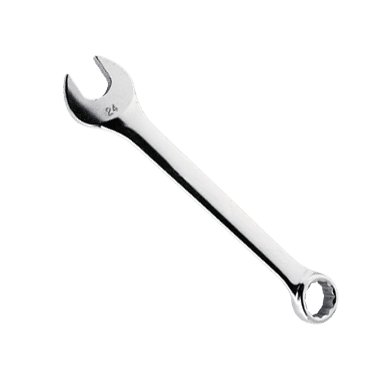
- 10mm wrench
- 10mm socket
- 3/8-inch ratchet
- 6-inch extension
- Battery terminal puller (specialty)
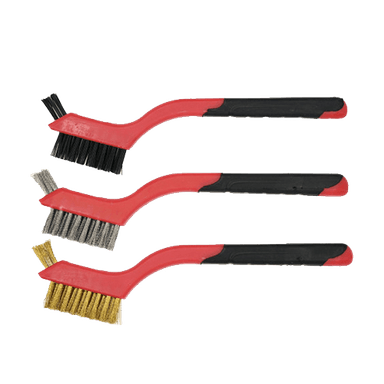
- Battery terminal cleaning brush
- Battery carrier strap
- Torque wrench inch-pound rated
- Safety glasses
- Nitrile gloves
🔩 Required Parts
HowToo sells all the parts you need for this repair:
- 12-volt automotive battery - Qty: 1
- Battery terminal protectant - Qty: 1
- Battery corrosion cleaner - Qty: 1
- Battery terminal felt washers - Qty: 2
📋 Before You Begin
- 🚗 Park your Tacoma on level ground, shift to Park, and set the parking brake.
- 🔑 Turn the ignition off and remove the key.
- ⏱️ Wait at least 2 minutes before disconnecting the battery so vehicle modules can power down.
- 📻 If needed, write down radio presets before disconnecting the battery.
- 🧰 Open the hood and locate the battery at the front of the engine bay.
- 💡 A battery terminal is the metal clamp attached to the battery post.
🔨 Step-by-Step Instructions
Follow these steps in order:
Step 1: Inspect the Battery Area
- Use safety glasses and nitrile gloves before touching the battery.
- Look for white, blue, or green powder around the terminals. That is corrosion.
- If corrosion is present, use battery corrosion cleaner and a battery terminal cleaning brush.
- Take a photo before removing cables.
Step 2: Remove the Negative Battery Cable
- Find the negative terminal marked with a minus sign, -.
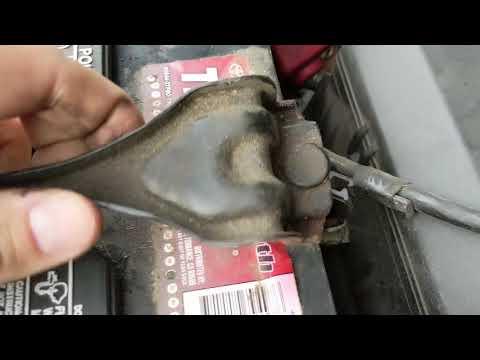
- Use a 10mm wrench to loosen the negative cable clamp nut.
- Twist the cable clamp gently and lift it off the battery post.
- If it is stuck, use a battery terminal puller (specialty). A terminal puller safely lifts the clamp without damaging the battery post.
- Move the negative cable away from the battery so it cannot spring back and touch the post.
Step 3: Remove the Positive Battery Cable
- Find the positive terminal marked with a plus sign, +.
- Open the red protective cover if equipped.
- Use a 10mm wrench to loosen the positive cable clamp nut.
- Lift the positive cable clamp off the battery post.
- Move the positive cable aside so it does not touch metal parts.
Step 4: Remove the Battery Hold-Down Bracket
- The hold-down bracket is the metal clamp that keeps the battery from moving.
- Use a 10mm socket, 3/8-inch ratchet, and 6-inch extension to loosen the hold-down nuts.
- Remove the hold-down bracket and set it aside.
- Do not lose the J-hooks. These are the long hooked rods that anchor the bracket.
Step 5: Remove the Old Battery
- Attach a battery carrier strap if the battery does not have a handle.
- Lift the battery straight up using both hands.
- Keep the battery level and upright.
- Place it on cardboard or a plastic tray, not directly on painted surfaces.
- Batteries are heavier than they look.
Step 6: Clean the Cable Ends and Battery Tray
- Use a battery terminal cleaning brush to clean the inside of both cable clamps.
- Use battery corrosion cleaner if corrosion is present.
- Wipe the battery tray clean with a shop-safe disposable towel.
- Make sure the tray is dry before installing the new battery.
Step 7: Install the New Battery
- Use the battery carrier strap to lower the new battery into the tray.
- Make sure the positive post is on the same side as the positive cable.
- Install the battery so it sits flat in the tray.
- Place the battery terminal felt washers over the battery posts if supplied.
Step 8: Reinstall the Hold-Down Bracket
- Position the hold-down bracket over the battery.
- Use the 10mm socket, 3/8-inch ratchet, and 6-inch extension to tighten the hold-down nuts evenly.
- Do not overtighten. The case can crack if crushed.
- Torque to 5 Nm (44 in-lbs).
- Try to move the battery by hand. It should not slide or tip.
Step 9: Connect the Positive Battery Cable
- Install the positive cable clamp onto the positive post marked +.
- Use a 10mm wrench to tighten the clamp nut.
- Torque to 5 Nm (44 in-lbs).
- Close the red protective cover if equipped.
Step 10: Connect the Negative Battery Cable
- Install the negative cable clamp onto the negative post marked -.
- Use a 10mm wrench to tighten the clamp nut.
- Torque to 5 Nm (44 in-lbs).
- Apply battery terminal protectant to both terminals after tightening.
Step 11: Verify the Installation
- Use your hand to gently wiggle each cable clamp. They should not rotate or lift off.
- Use the 10mm wrench to snug the clamp slightly if either one moves.
- Make sure no tools are left in the engine bay.
- Close the hood fully.
✅ After Repair
- ✅ Start your Tacoma and make sure it cranks normally.
- ✅ Check that the battery warning light turns off after the engine starts.
- ✅ Reset the clock and radio presets if they were cleared.
- ✅ Let the engine idle for a few minutes so the idle system can stabilize.
- ✅ Drive gently for the first few miles while the vehicle relearns idle and shift behavior.
- ♻️ Recycle the old battery at a parts store or battery recycler. Do not throw it in the trash.
💰 DIY vs Shop Cost
Shop Cost: $180-$320 (parts + labor)
DIY Cost: $120-$240 (parts only)
You Save: $60-$120 by doing it yourself!
Shop labor rates vary but typically run $100-$150/hour. This repair takes a shop approximately 0.3-0.6 hours.
🎯 Ready to get started?
HowToo makes it easy: same-day/2-day shipping on every part, plus all the tools and specialty tools you need! Check out the parts and tools sections below to add everything to your cart.