













How to Replace the Battery on a 1995-2023 Toyota Tacoma (Step-by-Step DIY Guide) (Engine: Inline 4 2.7L)
Tools, parts, safety tips, terminal order, and torque specs (48 in-lbs) for a clean install
How to Replace the Battery on a 1995-2023 Toyota Tacoma (Step-by-Step DIY Guide) (Engine: Inline 4 2.7L)
Tools, parts, safety tips, terminal order, and torque specs (48 in-lbs) for a clean install for 1995, 1996, 1997, 1998, 1999, 2000, 2001, 2002, 2003, 2004


🔧 Tacoma - Battery Replacement
Replacing the battery is a straightforward job: disconnect the old battery, remove the hold-down, swap the battery, then reconnect in the correct order. Doing it correctly prevents electrical damage and avoids accidental short circuits.
Difficulty Level: Beginner | Estimated Time: 0.5-1.0 hours
⚠️ Safety & Precautions
- ⚠️ Turn the key OFF and remove it before touching the battery.
- ⚠️ Always disconnect the negative (-) terminal first and reconnect it last to reduce short-circuit risk.
- ⚠️ Wear eye protection and gloves—battery acid is corrosive.
- ⚠️ Do not let a metal tool touch both the battery terminal and any metal body part at the same time.
- ⚠️ Keep flames/sparks away—batteries can vent flammable gas.
- Battery disconnect is recommended for this job (you may lose clock/radio presets).
🔧 Required Tools
You'll need the following tools for this repair:
- 10mm socket
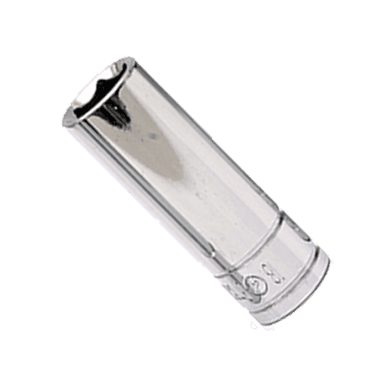
- 10mm deep socket
- 3/8" drive ratchet
- 6" extension for 3/8" drive ratchet
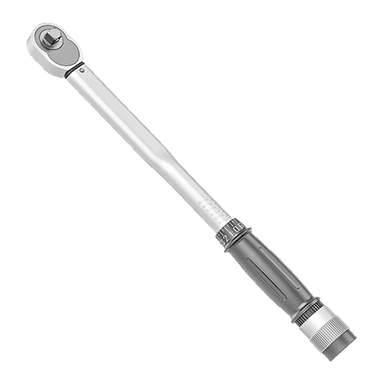
- Torque wrench (inch-pound)
- Battery terminal puller (specialty)
- Battery terminal brush
- Small wire brush
- Baking soda
- Clean shop towels
- Nitrile gloves
- Safety glasses
🔩 Required Parts
HowToo sells all the parts you need for this repair:
- 12V battery (correct group size for your Tacoma) - Qty: 1
- Battery terminal anti-corrosion spray or grease - Qty: 1
- Battery terminal felt washers - Qty: 2
📋 Before You Begin
- Park on level ground, set the parking brake, and open the hood.
- Let the engine bay cool if you just drove (hot parts are easy to bump).
- Identify the terminals: negative (-) is usually black and marked “-”, positive (+) is usually red and marked “+”.
- If there is corrosion (white/blue crust), mix a little baking soda with water to neutralize it.
🔨 Step-by-Step Instructions
Follow these steps in order:
Step 1: Locate the battery and inspect the cables
- Find the battery in the engine bay and look for cracked cables, loose terminals, or heavy corrosion.
- Use safety glasses and nitrile gloves before touching corroded areas.
Step 2: Disconnect the negative (-) terminal
- Use a 10mm socket with a 3/8" drive ratchet to loosen the negative terminal clamp nut.
- Twist and lift the clamp off the negative post. If it’s stuck, use a battery terminal puller (specialty) (this tool gently presses the clamp off without damage). Don’t pry hard with a screwdriver.
- Push the negative cable aside so it cannot spring back and touch the battery post.
Step 3: Disconnect the positive (+) terminal
- Use a 10mm socket with a 3/8" drive ratchet to loosen the positive terminal clamp nut.
- Remove the clamp and move the cable safely aside.
Step 4: Remove the battery hold-down
- Use a 10mm deep socket, 6" extension, and 3/8" drive ratchet to remove the battery hold-down nuts.
- Lift off the hold-down bracket/J-hooks and set them aside in a safe spot.
Step 5: Remove the old battery
- Lift the battery straight up and out (it’s heavy—lift with your legs, not your back).
- Set it on the ground upright. Keep it level to avoid acid spills.
Step 6: Clean the tray and terminals
- If you see crusty corrosion, apply a baking soda/water mix using clean shop towels, then scrub with a small wire brush.
- Use a battery terminal brush to clean the inside of the cable clamps until the metal is shiny.
- Wipe everything dry with clean shop towels.
Step 7: Install the new battery and secure it
- Place the new battery into the tray in the same orientation as the old one (positive and negative posts on the correct sides).
- Reinstall the hold-down hardware using the 10mm deep socket, extension, and ratchet.
- Tighten evenly until the battery cannot move by hand.
- Torque to 5.4 Nm (48 in-lbs) using an inch-pound torque wrench (do not overtighten—battery cases can crack).
Step 8: Reconnect the positive (+) terminal first
- Install felt washer (if used), then place the positive clamp fully down on the positive post.
- Use a 10mm socket to tighten the terminal clamp nut.
- Torque to 5.4 Nm (48 in-lbs) using an inch-pound torque wrench.
- Apply battery terminal anti-corrosion spray or grease lightly around the connection.
Step 9: Reconnect the negative (-) terminal last
- Install felt washer (if used), then place the negative clamp fully down on the negative post.
- Use a 10mm socket to tighten the terminal clamp nut.
- Torque to 5.4 Nm (48 in-lbs) using an inch-pound torque wrench.
- Apply battery terminal anti-corrosion spray or grease lightly around the connection.
✅ After Repair
- Start the engine and confirm it cranks normally (no slow crank).
- Check the battery is secure: try to move it by hand—there should be no sliding.
- Set the clock and re-save radio presets if needed.
- If you have a multimeter, check charging voltage at the battery with engine running: it should typically be around 13.5-14.5V.
💰 DIY vs Shop Cost
Shop Cost: $180-$350 (parts + labor)
DIY Cost: $120-$250 (parts only)
You Save: $60-$100 by doing it yourself!
Shop labor rates vary but typically run $100-$150/hour. This repair takes a shop approximately 0.3-0.6 hours.
🎯 Ready to get started?
HowToo makes it easy: same-day/2-day shipping on every part, plus all the tools and specialty tools you need! Check out the parts and tools sections below to add everything to your cart.
Guide for Vehicle Battery replace for these Toyota vehicles
| Year Make Model | Sub Model | Engine | Body Style |
|---|---|---|---|
| 2023 Toyota Tacoma | - | Inline 4 2.7L | - |
| 2023 Toyota Tacoma | - | V6 3.5L | - |
| 2022 Toyota Tacoma | - | Inline 4 2.7L | - |
| 2022 Toyota Tacoma | - | V6 3.5L | - |
| 2021 Toyota Tacoma | - | Inline 4 2.7L | - |
| 2021 Toyota Tacoma | - | V6 3.5L | - |
| 2020 Toyota Tacoma | - | Inline 4 2.7L | - |
| 2020 Toyota Tacoma | - | V6 3.5L | - |
| 2019 Toyota Tacoma | - | Inline 4 2.7L | - |
| 2019 Toyota Tacoma | - | V6 3.5L | - |
| 2018 Toyota Tacoma | - | Inline 4 2.7L | - |
| 2018 Toyota Tacoma | - | V6 3.5L | - |
| 2017 Toyota Tacoma | - | Inline 4 2.7L | - |
| 2017 Toyota Tacoma | - | V6 3.5L | - |
| 2016 Toyota Tacoma | - | Inline 4 2.7L | - |
| 2016 Toyota Tacoma | - | V6 3.5L | - |
| 2015 Toyota Tacoma | - | Inline 4 2.7L | - |
| 2015 Toyota Tacoma | - | V6 4.0L | - |
| 2014 Toyota Tacoma | - | Inline 4 2.7L | - |
| 2014 Toyota Tacoma | - | V6 4.0L | - |
| 2013 Toyota Tacoma | - | Inline 4 2.7L | - |
| 2013 Toyota Tacoma | - | V6 4.0L | - |
| 2012 Toyota Tacoma | - | Inline 4 2.7L | - |
| 2012 Toyota Tacoma | - | V6 4.0L | - |
| 2011 Toyota Tacoma | - | Inline 4 2.7L | - |
| 2011 Toyota Tacoma | - | V6 4.0L | - |
| 2010 Toyota Tacoma | - | Inline 4 2.7L | - |
| 2010 Toyota Tacoma | - | V6 4.0L | - |
| 2009 Toyota Tacoma | - | Inline 4 2.7L | - |
| 2009 Toyota Tacoma | - | V6 4.0L | - |
| 2008 Toyota Tacoma | - | Inline 4 2.7L | - |
| 2008 Toyota Tacoma | - | V6 4.0L | - |
| 2007 Toyota Tacoma | - | Inline 4 2.7L | - |
| 2007 Toyota Tacoma | - | V6 4.0L | - |
| 2006 Toyota Tacoma | - | Inline 4 2.7L | - |
| 2006 Toyota Tacoma | - | V6 4.0L | - |
| 2005 Toyota Tacoma | - | Inline 4 2.7L | - |
| 2005 Toyota Tacoma | - | V6 4.0L | - |
| 2004 Toyota Tacoma | - | Inline 4 2.4L | - |
| 2004 Toyota Tacoma | - | Inline 4 2.7L | - |
| 2004 Toyota Tacoma | - | V6 3.4L | - |
| 2003 Toyota Tacoma | - | Inline 4 2.4L | - |
| 2003 Toyota Tacoma | - | Inline 4 2.7L | - |
| 2003 Toyota Tacoma | - | V6 3.4L | - |
| 2002 Toyota Tacoma | - | Inline 4 2.4L | - |
| 2002 Toyota Tacoma | - | Inline 4 2.7L | - |
| 2002 Toyota Tacoma | - | V6 3.4L | - |
| 2001 Toyota Tacoma | - | Inline 4 2.4L | - |
| 2001 Toyota Tacoma | - | Inline 4 2.7L | - |
| 2001 Toyota Tacoma | - | V6 3.4L | - |
| 2000 Toyota Tacoma | - | Inline 4 2.4L | - |
| 2000 Toyota Tacoma | - | Inline 4 2.7L | - |
| 2000 Toyota Tacoma | - | V6 3.4L | - |
| 1999 Toyota Tacoma | - | Inline 4 2.4L | - |
| 1999 Toyota Tacoma | - | Inline 4 2.7L | - |
| 1999 Toyota Tacoma | - | V6 3.4L | - |
| 1998 Toyota Tacoma | - | Inline 4 2.4L | - |
| 1998 Toyota Tacoma | - | Inline 4 2.7L | - |
| 1998 Toyota Tacoma | - | V6 3.4L | - |
| 1997 Toyota Tacoma | - | Inline 4 2.4L | - |
| 1997 Toyota Tacoma | - | Inline 4 2.7L | - |
| 1997 Toyota Tacoma | - | V6 3.4L | - |
| 1996 Toyota Tacoma | - | Inline 4 2.4L | - |
| 1996 Toyota Tacoma | - | Inline 4 2.7L | - |
| 1996 Toyota Tacoma | - | V6 3.4L | - |
| 1995 Toyota Tacoma | - | Inline 4 2.4L | - |
| 1995 Toyota Tacoma | - | Inline 4 2.7L | - |
| 1995 Toyota Tacoma | - | V6 3.4L | - |