






How to Replace the Battery on a 1991-2019 Ford Explorer (Engine: V6 3.5L)
Step-by-step instructions with tools, parts, torque specs, and safety tips
How to Replace the Battery on a 1991-2019 Ford Explorer (Engine: V6 3.5L)
Step-by-step instructions with tools, parts, torque specs, and safety tips for 1991, 1992, 1993, 1994, 1995, 1996, 1997, 1998, 1999, 2000, 2001, 2002, 2003, 2004, 2005, 2006, 2007, 2008, 2009, 2010


🔧 Battery - Replacement
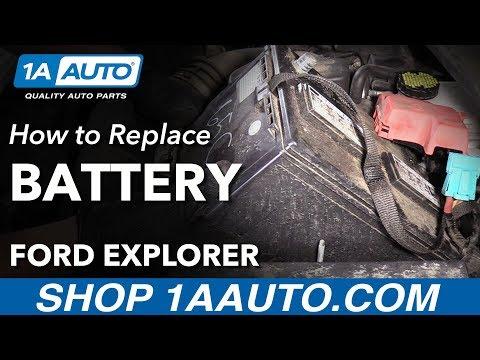
The battery in your Explorer is a standard 12-volt replacement job. You’ll disconnect the old battery, remove the hold-down hardware, swap in the new battery, and reconnect everything in the correct order to avoid electrical issues.
Difficulty Level: Beginner | Estimated Time: 0.5-1 hour
⚠️ Safety & Precautions
- Turn the ignition fully off and remove the key/fob from the vehicle.
- Wear safety glasses and gloves. Battery acid and corrosion can irritate skin and eyes.
- Do not smoke or create sparks near the battery.
- Disconnect the negative cable first and reconnect it last to reduce short-circuit risk.
- If your Explorer has corrosion on the terminals, clean it carefully before installing the new battery.
🔧 Required Tools
You'll need the following tools for this repair:
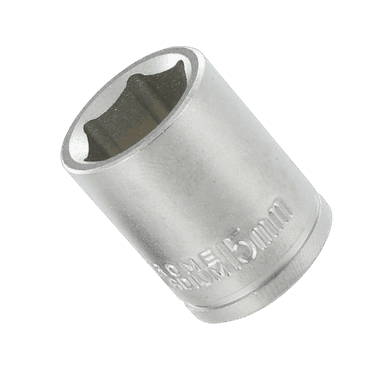
- 8mm socket
- 10mm socket
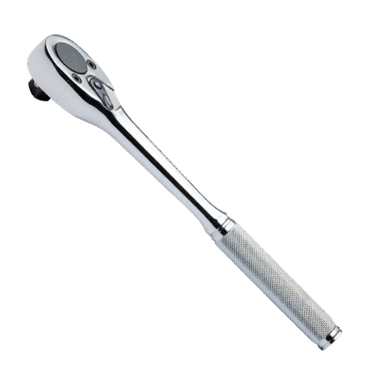
- Ratchet
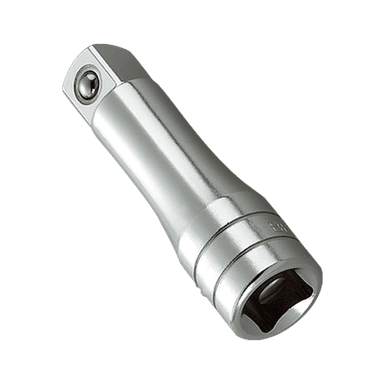
- 6-inch extension
- Battery terminal puller (specialty)
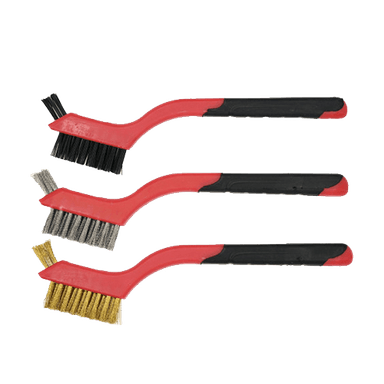
- Battery cleaning brush
- Baking soda and water spray bottle
- Safety glasses
- Mechanic gloves
🔩 Required Parts
HowToo sells all the parts you need for this repair:
- 12-volt battery - Qty: 1
- Battery terminal protectant spray - Qty: 1
- Anti-corrosion battery washers - Qty: 2
📋 Before You Begin
- Park on level ground and set the parking brake.
- Make sure all lights, accessories, and the ignition are off.
- Open the hood and locate the battery near the front of the engine bay.
- If you have a memory saver, plug it in before disconnecting the battery. A memory saver is a small backup power tool that helps keep radio and module settings alive.
🔨 Step-by-Step Instructions
Follow these steps in order:
Step 1: Disconnect the negative cable
- Use a 10mm socket to loosen the negative battery terminal nut.
- Remove the negative cable from the battery post and move it aside so it cannot spring back.
- Always remove the negative first.
Step 2: Disconnect the positive cable
- Use a 10mm socket to loosen the positive terminal nut.
- Remove the positive cable and keep it away from metal parts.
Step 3: Remove the battery hold-down
- Use an 8mm socket and ratchet to remove the battery hold-down bolt.
- Lift off the hold-down bracket and set it aside.
Step 4: Remove the old battery
- Carefully lift the battery straight up out of the tray.
- If it feels heavy, use both hands and keep it level.
- Batteries are heavier than they look.
Step 5: Clean the tray and terminals
- Use a battery cleaning brush to clean the terminals and cable ends.
- If there is corrosion, spray with baking soda and water solution, then wipe dry.
- Inspect the battery tray for rust, cracks, or loose hardware.
Step 6: Install the new battery
- Set the new battery into the tray in the same position as the old one.
- Make sure the positive and negative posts are on the correct sides before tightening anything.
Step 7: Reinstall the hold-down
- Use an 8mm socket to reinstall the hold-down bracket.
- Tighten the hold-down securely. Torque to 8-10 Nm (71-89 in-lbs).
Step 8: Reconnect the positive cable
- Install the positive cable on the battery post first.
- Use a 10mm socket to tighten the terminal nut.
- Tighten snugly. Torque to 5-7 Nm (44-62 in-lbs).
Step 9: Reconnect the negative cable
- Install the negative cable on the battery post last.
- Use a 10mm socket to tighten the terminal nut.
- Tighten snugly. Torque to 5-7 Nm (44-62 in-lbs).
Step 10: Protect the terminals
- Apply terminal protectant spray to both terminals.
- Install anti-corrosion battery washers if you have them.
✅ After Repair
- Start the engine and confirm it cranks normally.
- Check that the battery warning light is off.
- Verify that windows, clock, radio presets, and power accessories work.
- If any stored settings were lost, reset them now.
- Dispose of the old battery at an auto parts store or recycling center. Most stores take used batteries for recycling.
💰 DIY vs Shop Cost
Shop Cost: $220-$380 (parts + labor)
DIY Cost: $140-$240 (parts only)
You Save: $80-$140 by doing it yourself!
Shop labor rates vary but typically run $100-$150/hour. This repair takes a shop approximately 0.5-1 hour.
🎯 Ready to get started?
HowToo makes it easy: same-day/2-day shipping on every part, plus all the tools and specialty tools you need! Check out the parts and tools sections below to add everything to your cart.
Guide for Vehicle Battery replace for these Ford vehicles
| Year Make Model | Sub Model | Engine | Body Style |
|---|---|---|---|
| 2019 Ford Explorer | - | V6 3.5L | - |
| 2019 Ford Explorer | - | Inline 4 2.3L | - |
| 2018 Ford Explorer | - | V6 3.5L | - |
| 2018 Ford Explorer | - | Inline 4 2.3L | - |
| 2017 Ford Explorer | - | V6 3.5L | - |
| 2017 Ford Explorer | - | Inline 4 2.3L | - |
| 2016 Ford Explorer | - | V6 3.5L | - |
| 2016 Ford Explorer | - | Inline 4 2.3L | - |
| 2015 Ford Explorer | - | V6 3.5L | - |
| 2015 Ford Explorer | - | Inline 4 2.0L | - |
| 2014 Ford Explorer | - | V6 3.5L | - |
| 2014 Ford Explorer | - | Inline 4 2.0L | - |
| 2013 Ford Explorer | - | V6 3.5L | - |
| 2013 Ford Explorer | - | Inline 4 2.0L | - |
| 2012 Ford Explorer | - | V6 3.5L | - |
| 2012 Ford Explorer | - | Inline 4 2.0L | - |
| 2011 Ford Explorer | - | V6 3.5L | - |
| 2010 Ford Explorer | - | V6 4.0L | - |
| 2010 Ford Explorer | - | V8 4.6L | - |
| 2009 Ford Explorer | - | V6 4.0L | - |
| 2009 Ford Explorer | - | V8 4.6L | - |
| 2008 Ford Explorer | - | V6 4.0L | - |
| 2008 Ford Explorer | - | V8 4.6L | - |
| 2007 Ford Explorer | - | V6 4.0L | - |
| 2007 Ford Explorer | - | V8 4.6L | - |
| 2006 Ford Explorer | - | V6 4.0L | - |
| 2006 Ford Explorer | - | V8 4.6L | - |
| 2005 Ford Explorer | - | V6 4.0L | - |
| 2005 Ford Explorer | - | V8 4.6L | - |
| 2004 Ford Explorer | - | V6 4.0L | - |
| 2004 Ford Explorer | - | V8 4.6L | - |
| 2003 Ford Explorer | - | V6 4.0L | - |
| 2003 Ford Explorer | - | V8 4.6L | - |
| 2002 Ford Explorer | - | V6 4.0L | - |
| 2002 Ford Explorer | - | V8 4.6L | - |
| 2001 Ford Explorer | - | V6 4.0L | - |
| 2001 Ford Explorer | - | V8 5.0L | - |
| 2000 Ford Explorer | - | V6 4.0L | - |
| 2000 Ford Explorer | - | V8 5.0L | - |
| 1999 Ford Explorer | - | V6 4.0L | - |
| 1999 Ford Explorer | - | V8 5.0L | - |
| 1998 Ford Explorer | - | V6 4.0L | - |
| 1998 Ford Explorer | - | V8 5.0L | - |
| 1997 Ford Explorer | - | V6 4.0L | - |
| 1997 Ford Explorer | - | V8 5.0L | - |
| 1996 Ford Explorer | - | V6 4.0L | - |
| 1996 Ford Explorer | - | V8 5.0L | - |
| 1995 Ford Explorer | - | V6 4.0L | - |
| 1994 Ford Explorer | - | V6 4.0L | - |
| 1993 Ford Explorer | - | V6 4.0L | - |
| 1992 Ford Explorer | - | V6 4.0L | - |
| 1991 Ford Explorer | - | V6 4.0L | - |