









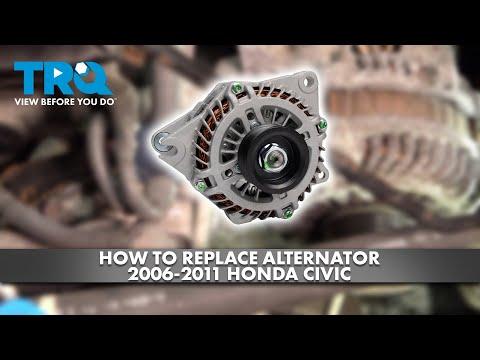







How to Replace the Alternator on a 2009 Honda Civic (DIY Step-by-Step Guide)
Tools, parts list, belt removal tips, wiring steps, torque specs, and charging voltage checks
How to Replace the Alternator on a 2009 Honda Civic (DIY Step-by-Step Guide)
Tools, parts list, belt removal tips, wiring steps, torque specs, and charging voltage checks


🔧 Civic - Alternator Replacement
The alternator charges the battery and powers the electrical system while the engine is running. Replacing it on your Civic involves removing the drive belt, unplugging the alternator wiring, unbolting the alternator, then installing the new unit and verifying charging voltage.
Difficulty Level: Intermediate | Estimated Time: 1.5-3.0 hours
⚠️ Safety & Precautions
- 🛑 Disconnect the negative battery cable before touching the alternator wiring (the main alternator cable is always “live” if the battery is connected).
- 🔥 Work on a cool engine (the exhaust and radiator area can burn you).
- 🧰 If you raise the car, support it with jack stands on solid ground (never rely on a floor jack alone).
- ⚡ Don’t short the alternator “B+” terminal to ground with a tool.
🔧 Required Tools
You'll need the following tools for this repair:
- Safety glasses
- Mechanic gloves
- Wheel chocks
- Floor jack (rated 2-ton minimum)
- Jack stands (pair, rated 2-ton minimum)
- 10mm socket
- 12mm socket
- 14mm socket
- 10mm combination wrench
- 12mm combination wrench
- 14mm combination wrench
- 3/8" drive ratchet
- 3/8" drive extension set
- Torque wrench (3/8" drive)
- Flathead screwdriver
- Trim clip remover
- Digital multimeter
- Work light
🔩 Required Parts
HowToo sells all the parts you need for this repair:
- Alternator - Qty: 1
- Serpentine drive belt - Qty: 1
- Plastic splash shield clips (assortment) - Qty: 1
📋 Before You Begin
- Park on level ground, put the transmission in 1st gear, and set the parking brake.
- Open the hood and let the engine cool.
- Disconnect the battery negative terminal using a 10mm socket and move the cable aside so it can’t spring back. Negative terminal is the “-” post.
- If you plan to replace the belt, take a quick photo of the belt routing before removal. A phone photo helps a lot.
🔨 Step-by-Step Instructions
Follow these steps in order:
Step 1: Remove the intake duct (for working room)
- Loosen the intake tube clamp(s) using a flathead screwdriver (or use a 10mm socket if your clamp uses a bolt head).
- Unclip/remove any small resonator/duct fasteners using a trim clip remover.
- Lift the ducting out and set it aside.
Step 2: Relieve belt tension and remove the drive belt
- Find the automatic belt tensioner (spring-loaded arm with a pulley).
- Use a 14mm combination wrench on the tensioner bolt head and rotate the tensioner to relieve tension. (This is a spring-loaded part; it will fight you.)
- Slide the belt off the alternator pulley first, then carefully let the tensioner return to rest.
- Remove the belt from the other pulleys if you’re replacing it.
Step 3: Disconnect the alternator electrical connections
- Unplug the alternator connector by pressing the lock tab and pulling straight off (do not yank the wires).
- Remove the rubber protective boot from the alternator power stud.
- Remove the power cable nut using a 10mm socket, then lift the ring terminal off.
- On reassembly: alternator “B+” terminal nut Torque to 9.8 Nm (7.2 ft-lbs).
Step 4: Unbolt and remove the alternator
- Remove the alternator mounting bolts using a 12mm socket and/or 14mm socket (bolt heads vary by position).
- Support the alternator with one hand as the last bolt comes out.
- Work the alternator out of the engine bay. If it feels stuck, wiggle it gently while pulling—don’t pry hard on aluminum parts.
- On reassembly: alternator mounting bolts Torque to 44 Nm (33 ft-lbs).
Step 5: Install the new alternator
- Set the new alternator into position and start the mounting bolts by hand (this prevents cross-threading).
- Tighten the bolts evenly using a 12mm socket / 14mm socket, then finish with a torque wrench (3/8" drive).
- Final tighten: alternator mounting bolts Torque to 44 Nm (33 ft-lbs).
Step 6: Reconnect wiring
- Install the main power cable onto the alternator stud and tighten using a 10mm socket.
- Final tighten: alternator “B+” terminal nut Torque to 9.8 Nm (7.2 ft-lbs).
- Reinstall the rubber boot over the stud.
- Plug in the alternator connector until it clicks.
Step 7: Reinstall the drive belt
- Route the belt around the pulleys per your photo (leave the alternator pulley for last).
- Rotate the tensioner again using a 14mm combination wrench, slip the belt onto the alternator pulley, then slowly release the tensioner.
- Visually confirm the belt is fully seated in every pulley groove. Half-on belts squeal fast.
Step 8: Reinstall the intake duct
- Reinstall the intake ducting and clips using a trim clip remover as needed.
- Tighten the clamp(s) using a flathead screwdriver (or 10mm socket if applicable).
Step 9: Reconnect the battery
- Reconnect the negative battery terminal using a 10mm socket.
- Snug the terminal so it doesn’t rotate by hand (do not over-tighten).
✅ After Repair
- Start the engine and listen for belt squeal or rubbing. Shut it off immediately if you hear loud squealing or see the belt walking off a pulley.
- Use a digital multimeter at the battery posts:
- Engine off: typically around 12.4–12.8V on a healthy battery.
- Engine running: typically around 13.8–14.8V if the alternator is charging.
- Turn on headlights and rear defogger and re-check voltage (it should stay in the charging range).
- Recheck that the alternator connector is fully latched and the rubber boot covers the power stud.
💰 DIY vs Shop Cost
Shop Cost: $450-$900 (parts + labor)
DIY Cost: $150-$450 (parts only)
You Save: $300-$450 by doing it yourself!
Shop labor rates vary but typically run $100-$150/hour. This repair takes a shop approximately 1.5-3.0 hours.
🎯 Ready to get started?
HowToo makes it easy: same-day/2-day shipping on every part, plus all the tools and specialty tools you need! Check out the parts and tools sections below to add everything to your cart.