













How to Replace the A/C Compressor on a 2022 Ford Explorer
Step-by-step DIY guide with tools, parts list, safety tips, and recharge instructions for 2022 Explorer A/C compressor replacement
How to Replace the A/C Compressor on a 2022 Ford Explorer
Step-by-step DIY guide with tools, parts list, safety tips, and recharge instructions for 2022 Explorer A/C compressor replacement


🔧 Explorer - A/C Compressor Replacement
You’ll be removing the A/C compressor, swapping over necessary components, and then having the system evacuated and recharged with the correct refrigerant. On your Explorer this is a tight, advanced job that also involves legal and safety rules for handling refrigerant.
Difficulty Level: Advanced | Estimated Time: 4–6 hours (plus shop time for evac/recharge)
⚠️ Safety & Precautions
- 🔥 Refrigerant is under high pressure and can cause severe frostbite and eye injury. Never vent the system to the air; refrigerant must be professionally recovered.
- 🧯 Your Explorer uses R-1234yf (mildly flammable). Keep sparks, cigarettes, and open flames away.
- 👀 Always wear safety glasses and gloves when working near A/C lines and rotating parts.
- 🔌 Disconnect the negative battery terminal (10mm nut) before unplugging the compressor electrical connector.
- 🌀 The serpentine belt and pulleys can grab loose clothing or fingers. Keep hands clear when rotating the engine by hand.
- 🔧 This job normally requires a shop A/C machine to recover refrigerant, pull vacuum, and recharge. Plan to have a shop do these parts if you don’t own the equipment.
🔧 Required Tools
You'll need the following tools for this repair:
- 🧰 Metric socket set (8mm–19mm)
- 🧰 3/8" drive ratchet
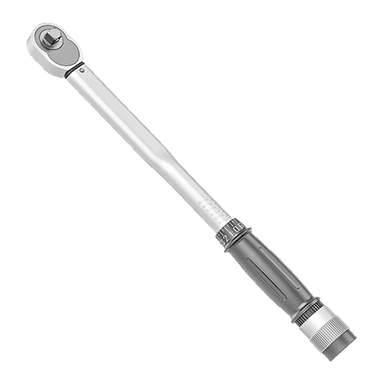
- 🧰 3/8" drive torque wrench (5–80 ft-lbs range)
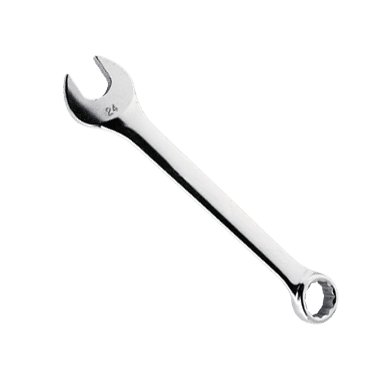
- 🧰 Metric combination wrench set (8mm–19mm)
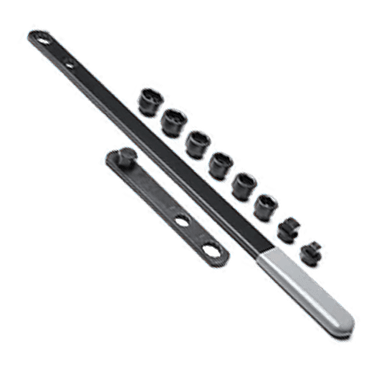
- 🧰 Serpentine belt tool or long-handled 3/8" breaker bar
- 🧰 Flathead screwdriver (medium size)
- 🧰 Trim clip removal tool
- 🧰 Needle-nose pliers
- 🧰 Floor jack (rated 3-ton minimum)
- 🧰 Jack stands (rated 3-ton minimum, pair)
- 🧰 Wheel chocks
- 🧰 Work light or LED inspection light
- 🧰 Shop towels
- 🧰 Safety glasses
- 🧰 Mechanic gloves
- 🧰 AC manifold gauge set for R-1234yf (specialty)
- 🧰 AC recovery/recharge machine for R-1234yf (specialty)
- 🧰 Vacuum pump for automotive AC (specialty)
- 🧰 O-ring pick tool (plastic or brass tip)
🔩 Required Parts
HowToo sells all the parts you need for this repair:
- 🧊 A/C compressor (new, not reman) - Qty: 1
- 🧊 A/C compressor mounting bolts (if one-time-use per Ford) - Qty: 4
- 🧊 A/C manifold to compressor gasket or O-rings (R-1234yf compatible) - Qty: 1 set
- 🧊 A/C refrigerant (R-1234yf, correct charge for 3.3L) - Qty: As specified on under-hood label
- 🧊 PAG compressor oil (correct viscosity for your Explorer) - Qty: As specified in service data
- 🧊 Serpentine belt - Qty: 1 (recommended if old or cracked)
- 🧊 A/C system dye (optional) - Qty: 1
- 🧊 Nitrile gloves - Qty: 1 box
- 🧊 Brake cleaner or A/C-safe cleaner - Qty: 1 can
📋 Before You Begin
- Park your Explorer on level ground, set the parking brake, and place wheel chocks behind the rear wheels.
- Have a plan for professional refrigerant recovery and recharge. Many DIYers remove and install the compressor at home, then tow or carefully drive to a shop for evac/recharge.
- Open the hood and locate the A/C service label (usually on the radiator support). Note the specified R-1234yf quantity and oil type.
- Disconnect the negative battery cable using a 10mm socket and move it aside so it cannot spring back.
- Gather all tools and parts so you’re not hunting for items mid-job. Lay parts out in order of use.
🔨 Step-by-Step Instructions
Follow these steps in order:
Step 1: Recover the refrigerant (shop or A/C machine)
- If you have an A/C recovery/recharge machine, connect your R-1234yf manifold gauge set to the high and low service ports and follow the machine instructions to recover all refrigerant.
- If you do not have this equipment, go to an A/C shop and have them recover the refrigerant before opening any A/C connections. Venting is unsafe and illegal in many areas.
- Do not loosen any A/C lines until the machine or shop confirms the system is empty.
Step 2: Raise and support the front of the vehicle
- Use a floor jack at the front jacking point (center front crossmember) to raise the front of your Explorer.
- Place jack stands under the factory lift points on both sides and gently lower the vehicle onto the stands.
- Give the vehicle a firm shake to ensure it is stable before going underneath. Never rely on the jack alone.
Step 3: Remove the front lower splash shield
- From underneath, use the appropriate 8mm or 10mm socket to remove the bolts securing the front lower splash shield.
- Use a trim clip removal tool to gently pop out any plastic push clips.
- Lower the splash shield and set it aside where you can find it later.
Step 4: Relieve tension and remove the serpentine belt from the compressor
- Locate the belt tensioner (spring-loaded pulley). Insert your serpentine belt tool or long-handled 3/8" breaker bar into the tensioner square hole.
- Rotate the tensioner to relieve belt tension, then slip the belt off the compressor pulley using your free hand.
- Slowly release the tensioner back to its rest position. You can leave the belt in place on the other pulleys if you are only removing the compressor, but note the belt routing. Take a quick photo first.
Step 5: Disconnect the compressor electrical connector
- Locate the electrical connector on the compressor (usually near the clutch or body).
- Press the locking tab and pull the connector apart using your fingers or needle-nose pliers if needed.
- Move the harness out of the way so it won’t be pinched during removal.
Step 6: Disconnect A/C lines from the compressor
- Double-check that the refrigerant has been fully recovered.
- Use the appropriate 10mm–13mm socket (size varies) to remove the bolts holding the A/C manifold block or individual lines to the compressor.
- Gently wiggle and pull the lines free from the compressor. You may need a gentle twist but do not pry hard on aluminum lines.
- Immediately cover open line ends and compressor ports with clean shop towels to keep dirt and moisture out. Moisture ruins A/C performance.
Step 7: Remove the compressor mounting bolts and compressor
- Locate the compressor mounting bolts (typically three or four, front and rear). Use a 3/8" ratchet and appropriate metric socket to remove them.
- Support the compressor with one hand while removing the last bolt so it doesn’t drop.
- Carefully lower the compressor down and out through the bottom. You may need to maneuver around other components slightly; do not force or bend lines.
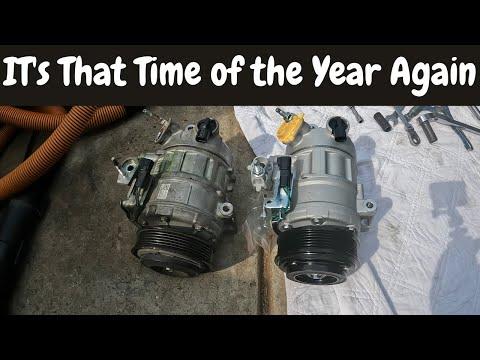
Step 8: Compare old and new compressor and set oil level
- Set the old and new compressors side by side. Check that mounting ears, pulley, electrical connector, and ports all match.
- Check the new compressor’s documentation for oil fill amount and type. This is usually PAG oil of a specific viscosity.
- If the compressor is shipped with oil, follow the instructions (you may need to drain and refill to the proper amount). Use a measuring cup or syringe for accuracy.
- Slowly rotate the compressor clutch by hand several turns to distribute the oil inside.
Step 9: Install the new compressor
- Lift the new compressor into position from underneath.
- Install the compressor mounting bolts finger-tight using the appropriate metric socket and 3/8" ratchet.
- Once all bolts are started, snug them evenly, then tighten to manufacturer torque specification (consult Ford service data). Do not overtighten into aluminum.
Step 10: Install new O-rings and reconnect A/C lines
- Use an O-ring pick tool to carefully remove the old O-rings or gasket from the A/C manifold/lines. Do not scratch the sealing surfaces.
- Lightly coat new R-1234yf compatible O-rings with clean PAG oil from the kit.
- Install the new O-rings in the same positions as the old ones.
- Position the lines/manifold on the new compressor and install the bolts by hand.
- Tighten the line/manifold bolts with the appropriate socket and 3/8" ratchet to manufacturer torque specification (consult Ford service data).
Step 11: Reconnect the electrical connector and reinstall the belt
- Reconnect the compressor electrical connector until it clicks into place.
- Use your serpentine belt tool or 3/8" breaker bar to rotate the belt tensioner and slip the belt back over the compressor pulley, following your routing photo.
- Release the tensioner slowly and double-check that the belt sits correctly in all pulley grooves.
Step 12: Reinstall the splash shield and lower the vehicle
- Lift the front lower splash shield into position.
- Install all bolts using the correct 8mm or 10mm socket and tighten snugly.
- Reinstall any plastic clips using your trim clip removal tool to press them back in fully.
- Use the floor jack to raise the front slightly, remove the jack stands, and lower the Explorer to the ground.
Step 13: Evacuate and recharge the A/C system
- If you have the correct equipment, connect your R-1234yf manifold gauge set and vacuum pump to the high and low ports.
- Pull a deep vacuum for at least 30–45 minutes to remove air and moisture.
- Verify the system holds vacuum (no rise) for at least 10 minutes.
- Charge the system with the exact R-1234yf amount listed on the under-hood label, using your recovery/recharge machine.
- If you do not have this equipment, drive carefully to an A/C shop and request a vacuum and precise recharge after compressor replacement.
Step 14: Reconnect the battery and initial test
- Reconnect the negative battery cable using a 10mm socket and tighten snugly.
- Start the engine and let it idle.
- Turn the A/C on MAX, fan on high, and recirculation on.
- Listen for any unusual noises from the compressor area and verify the clutch is engaging and cycling normally.
✅ After Repair
- Check for visible leaks at the compressor fittings and A/C lines. Look for oily residue or hissing.
- Use an A/C thermometer at the center vents; you should see cold air once the system stabilizes.
- After a short test drive, recheck the belt routing, listen for noises, and make sure no warning lights are on.
- If dye was added, a shop can use a UV lamp to confirm there are no leaks after a few days.
💰 DIY vs Shop Cost
Shop Cost: $1,200–$1,700 (parts + labor + evac/recharge)
DIY Cost: $450–$800 (compressor, seals, refrigerant, evac/recharge fee)
You Save: $400–$900 by doing the removal/installation yourself!
Shop labor rates typically run $100–$150/hour. This repair takes a shop about 3–4 hours plus machine time.
🎯 Ready to get started?
HowToo makes it easy: same-day/2-day shipping on every part, plus all the tools and specialty tools you need! Check out the parts and tools sections above to add everything to your cart.
Guide for replace for these Ford vehicles
| Year Make Model | Sub Model | Engine | Body Style |
|---|