









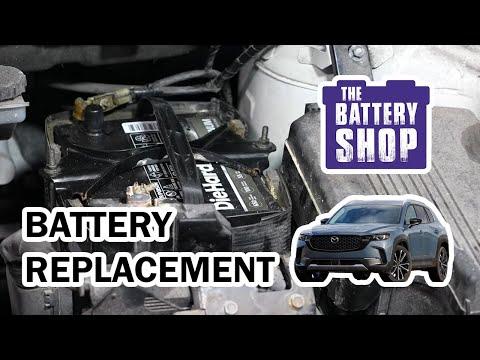





How to Replace the 12V Battery on a 2023 Mazda CX-50 (Step-by-Step Guide)
Tools, parts, safety tips, terminal torque specs, and i-Stop reset notes to avoid warning lights for 2023, 2024, 2025
How to Replace the 12V Battery on a 2023 Mazda CX-50 (Step-by-Step Guide)
Tools, parts, safety tips, terminal torque specs, and i-Stop reset notes to avoid warning lights for 2023, 2024, 2025


🔧 CX-50 - 12V Battery Replacement
On your CX-50, replacing the 12V battery is a simple under-hood job: disconnect the old battery, remove the hold-down, swap batteries, then reconnect in the correct order. Doing it right prevents electrical damage and avoids annoying warning lights.
Quick question (so I can include the exact final step): Does your CX-50 have Mazda i-Stop (an “i-Stop” icon/button)?
Difficulty Level: Beginner | Estimated Time: 0.5-1.0 hours
⚠️ Safety & Precautions
- ⚠️ Keep the key fob away from the vehicle while working.
- ⚠️ Turn ignition OFF and wait at least 3 minutes before disconnecting the battery.
- ⚠️ Disconnect the negative (-) cable first and reconnect it last.
- ⚠️ Do not let a tool touch both the battery terminal and body metal at the same time.
- ⚠️ Batteries are heavy and can leak acid; wear gloves and safety glasses.
🔧 Required Tools
You'll need the following tools for this repair:
- 10mm socket
- 12mm socket
- 1/4" or 3/8" ratchet
- 6" socket extension
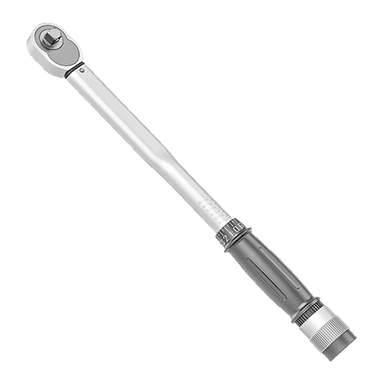
- Torque wrench (inch-pound)
- Battery terminal brush
- Nitrile gloves
- Safety glasses
🔩 Required Parts
HowToo sells all the parts you need for this repair:
- 12V battery (correct fit for your CX-50) - Qty: 1
- Battery terminal anti-corrosion spray - Qty: 1
- Battery terminal felt washers - Qty: 2
📋 Before You Begin
- Park on level ground, shift to Park, and set the parking brake.
- Open the hood and keep it supported securely.
- Make sure all lights and accessories are OFF, then wait at least 3 minutes.
- If you want to keep radio presets, use a 12V memory saver. A memory saver is a device that keeps power to the car while the battery is out.
🔨 Step-by-Step Instructions
Follow these steps in order:
Step 1: Access the battery
- Open the hood and locate the 12V battery in the engine bay.
- If there’s a battery cover, remove it by releasing the clips by hand.
Step 2: Disconnect the negative (-) terminal first
- Use a 10mm socket to loosen the nut on the negative (-) terminal clamp.
- Lift the negative clamp off the battery post and move it aside so it cannot spring back.
- Torque on install: Torque to 7.8 Nm (69 in-lbs)
Step 3: Disconnect the positive (+) terminal
- Use a 10mm socket to loosen the nut on the positive (+) terminal clamp.
- Lift the positive clamp off the battery post and position it so it cannot touch metal.
- Torque on install: Torque to 7.8 Nm (69 in-lbs)
Step 4: Remove the battery hold-down
- Use a 12mm socket, ratchet, and 6" extension to remove the battery hold-down hardware.
- Lift the hold-down bracket off and set it aside.
- Torque on install: Torque to 8.8 Nm (78 in-lbs)
Step 5: Remove the old battery
- Lift the battery straight up and out using the built-in handle.
- Lift with legs, not your back.
Step 6: Clean and prep the terminals
- Use a battery terminal brush to clean the inside of both cable clamps until shiny.
- Install battery terminal felt washers onto the new battery posts (one per post).
Step 7: Install the new battery and secure it
- Set the new battery into the tray in the same orientation as the old one.
- Reinstall the hold-down bracket using the 12mm socket and ratchet.
- Finish tightening with a torque wrench (inch-pound): Torque to 8.8 Nm (78 in-lbs)
Step 8: Reconnect the terminals (positive first)
- Install the positive (+) clamp first and tighten using a 10mm socket.
- Finish tightening with a torque wrench (inch-pound): Torque to 7.8 Nm (69 in-lbs)
- Install the negative (-) clamp last and tighten using a 10mm socket.
- Finish tightening with a torque wrench (inch-pound): Torque to 7.8 Nm (69 in-lbs)
- Spray terminals with battery terminal anti-corrosion spray.
Step 9: If equipped, perform the i-Stop battery reset
- If your CX-50 has i-Stop, the vehicle may need a battery condition reset using a scan tool after replacement.
- If you tell me “Yes, i-Stop,” I’ll give you the exact reset path for your CX-50 and what to expect on the dash.
✅ After Repair
- ✅ Start the engine and confirm it cranks normally and no terminals are getting hot.
- ✅ Reset the clock and any radio presets if they were lost.
- ✅ If a power window acts weird, reinitialize it by holding the window switch fully down, then fully up for a few seconds.
- ✅ Check for warning lights; if i-Stop is equipped, a reset may be required.
💰 DIY vs Shop Cost
Shop Cost: $250-$450 (parts + labor)
DIY Cost: $180-$320 (parts only)
You Save: $70-$170 by doing it yourself!
Shop labor rates vary but typically run $100-$150/hour. This repair takes a shop approximately 0.5-1.0 hours.
🎯 Ready to get started?
HowToo makes it easy: same-day/2-day shipping on every part, plus all the tools and specialty tools you need! Check out the parts and tools sections below to add everything to your cart.