









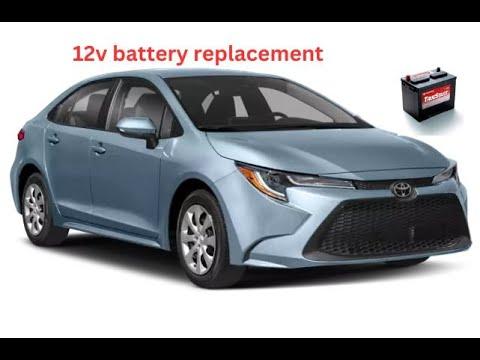





How to Replace the 12V Battery on a 2019-2024 Toyota Corolla Step-by-Step (Engine: Inline 4 2.0L)
Detailed DIY battery replacement guide with tools, parts list, torque specs, safety tips, and after-repair checks
How to Replace the 12V Battery on a 2019-2024 Toyota Corolla Step-by-Step (Engine: Inline 4 2.0L)
Detailed DIY battery replacement guide with tools, parts list, torque specs, safety tips, and after-repair checks for 2019, 2020, 2021, 2022, 2023, 2024


🔧 Corolla - Battery Replacement
You’ll be replacing the 12V starter battery under the hood of your Corolla. This powers starting, lights, electronics, and is a common wear item every few years.
Difficulty Level: Beginner | Estimated Time: 30-45 minutes
⚠️ Safety & Precautions
- 🛑 Always turn the engine off, remove the key, and make sure the headlights and interior lights are off before starting.
- ⚡ Disconnect the negative (-) terminal first and reconnect it last to reduce the risk of short circuits.
- 🧤 Wear gloves and safety glasses; batteries contain acid and can leak or vent gas.
- 🔥 Do not smoke or use open flames near the battery.
- 📌 Your Corolla does not require battery coding, but you may need to reset clock and radio presets after replacement.
- ♻️ Plan to return the old battery to the parts store for proper recycling.
🔧 Required Tools
You'll need the following tools for this repair:
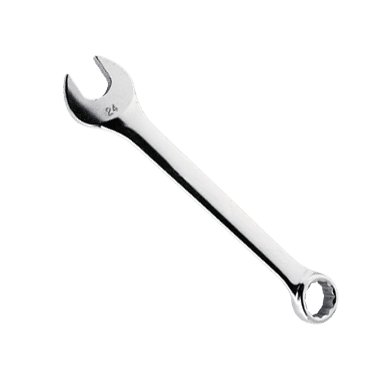
- 🧰 10mm combination wrench
- 🧰 10mm socket
- 🧰 12mm socket
- 🧰 Ratchet handle 3/8"
- 🧰 3" socket extension
- 🧰 Small flathead screwdriver
- 🧰 Battery terminal brush (specialty)
- 🧰 Battery carrying strap (specialty)
- 🧰 Work gloves
- 🧰 Safety glasses
- 🧰 Shop towels
🔩 Required Parts
HowToo sells all the parts you need for this repair:
- 🔩 12V battery (group size matched to Corolla SE 2.0L) - Qty: 1
- 🔩 Battery terminal anti-corrosion washers - Qty: 2
- 🔩 Battery terminal protectant spray - Qty: 1
📋 Before You Begin
- 🅿️ Park your Corolla on level ground, shift to P, and set the parking brake.
- 🔑 Turn the ignition off and remove the key or key fob from the vehicle.
- 📱 If you care about radio presets and clock, note them now; you may need to reset them.
- 📦 Open the hood using the hood release inside, then the safety catch under the front edge of the hood, and secure the hood prop.
🔨 Step-by-Step Instructions
Follow these steps in order:
Step 1: Locate the battery and inspect the area
- 🧰 Open the hood and look on the driver’s side front corner of the engine bay; the battery is a black rectangular box with two cables on top.
- Use shop towels to wipe any dirt so you can clearly see the terminals and hold-down bracket.
- Note which terminal is + and - before starting
Step 2: Remove any plastic battery cover
- 🧰 If your Corolla has a plastic top cover on the battery, gently lift it or unclip it.
- Use a small flathead screwdriver to gently release any tabs if they feel stuck.
- Set the cover aside somewhere clean.
Step 3: Disconnect the negative (-) terminal
- 🧰 The negative terminal is usually marked with a - sign and often has a black cable.
- Use a 10mm combination wrench or 10mm socket with ratchet to loosen the nut on the negative terminal clamp.
- Once loose, twist the clamp gently and lift it off the battery post; move the cable aside so it cannot spring back to the post.
- Always remove negative cable first for safety
Step 4: Disconnect the positive (+) terminal
- 🧰 The positive terminal is marked with a + sign and usually has a red cover.
- Flip open or remove the red plastic cap using your small flathead screwdriver if needed.
- Use the 10mm combination wrench or 10mm socket to loosen the nut on the positive terminal clamp.
- Lift the clamp off the post and move it aside, again making sure it cannot fall back onto the terminal.
Step 5: Remove the battery hold-down clamp
- 🧰 At the base or side of the battery, there is a metal or plastic bracket holding it in place.
- Use a 12mm socket, 3" extension, and ratchet to remove the hold-down bolt(s).
- Lift the hold-down bracket out and set it somewhere safe.
- Keep track of bolt and bracket; you’ll reuse them
Step 6: Lift out the old battery
- 🧰 Batteries are heavy; use a battery carrying strap if your battery does not have a handle.
- Lift the battery straight up and out of the tray, being careful not to hit nearby parts.
- Place the old battery upright on the ground away from children and pets.
Step 7: Clean the battery tray and terminals
- 🧰 Use shop towels to wipe dirt and any moisture from the battery tray.
- Use a battery terminal brush to clean the inside of the cable clamps until metal is shiny; this improves electrical contact.
- If you see white or green corrosion, brush it off thoroughly.
Step 8: Place the new battery in the tray
- 🧰 Carefully lower the new battery into the tray using the built-in handle or battery carrying strap.
- Make sure the positive (+) and negative (-) posts are in the same positions as the old battery so the cables reach correctly.
- Ensure the battery sits flat and fully in the tray.
Step 9: Install anti-corrosion washers and hold-down clamp
- 🧰 Slide the anti-corrosion washers over the battery posts (usually red on +, green or black on -).
- Reinstall the hold-down bracket using the 12mm socket, extension, and ratchet.
- Tighten the hold-down bolt securely: Torque to about 10 Nm (7 ft-lbs) — snug, but do not overtighten.
- Battery must not move when you push it
Step 10: Reconnect the positive (+) terminal
- 🧰 Place the positive cable clamp fully down on the + post.
- Use the 10mm combination wrench or 10mm socket to tighten the clamp nut.
- Tighten to about 5 Nm (4 ft-lbs) — firm, but do not crush the post.
- Close the red plastic cover over the positive terminal.
Step 11: Reconnect the negative (-) terminal
- 🧰 Place the negative cable clamp onto the - post.
- Use the 10mm combination wrench or 10mm socket to tighten the clamp.
- Again, aim for about 5 Nm (4 ft-lbs); check that the clamp does not twist on the post.
Step 12: Apply protectant and reinstall cover
- 🧰 Lightly spray the terminals and clamps with battery terminal protectant spray to help prevent future corrosion.
- Reinstall any plastic battery cover you removed earlier, using your small flathead screwdriver if needed to align tabs.
- Make sure nothing is loose around the battery.
✅ After Repair
- 🔑 Start your Corolla and confirm it cranks quickly and runs normally.
- 💡 Check headlights, interior lights, power windows, and infotainment screen to be sure everything powers up.
- ⏰ Reset the clock and radio presets if they were lost.
- 📗 If any warning lights stay on (battery/charging light especially), have the charging system tested with a scan tool or at a shop.
💰 DIY vs Shop Cost
Shop Cost: $220-$320 (parts + labor)
DIY Cost: $130-$200 (battery and supplies)
You Save: $90-$120 by doing it yourself!
Shop labor rates vary but typically run $100-$150/hour. This repair takes a shop approximately 0.5-0.7 hours.
🎯 Ready to get started?
HowToo makes it easy: same-day/2-day shipping on every part, plus all the tools and specialty tools you need! Check out the parts and tools sections above to add everything to your cart.
Guide for Vehicle Battery replace for these Toyota vehicles
| Year Make Model | Sub Model | Engine | Body Style |
|---|---|---|---|
| 2024 Toyota Corolla | - | Inline 4 2.0L | - |
| 2023 Toyota Corolla | - | Inline 4 2.0L | - |
| 2022 Toyota Corolla | - | Inline 4 2.0L | - |
| 2021 Toyota Corolla | - | Inline 4 2.0L | - |
| 2020 Toyota Corolla | - | Inline 4 2.0L | - |
| 2019 Toyota Corolla | - | Inline 4 2.0L | - |