














How to Replace the 12V Battery on a 2013-2020 Ford Fusion (Plus BMS Reset) (Engine: Inline 4 2.0L)
Step-by-step battery removal/installation with tools, parts list, terminal torque specs, and BMS reset procedure
How to Replace the 12V Battery on a 2013-2020 Ford Fusion (Plus BMS Reset) (Engine: Inline 4 2.0L)
Step-by-step battery removal/installation with tools, parts list, terminal torque specs, and BMS reset procedure for 2013, 2014, 2015, 2016, 2017, 2018, 2019, 2020


🔧 Fusion - Battery Replacement
On your Fusion, the 12V battery powers starting and all electronics. Replacing it is straightforward, but you must disconnect/reconnect in the right order and then reset the Battery Monitoring System (BMS) so charging works correctly.
Difficulty Level: Beginner | Estimated Time: 0.5-1.0 hours
⚠️ Safety & Precautions
- ⚠️ Turn ignition OFF and remove the key before starting.
- ⚠️ Disconnect the negative (–) cable first, reconnect it last.
- ⚠️ Do not let a tool bridge the battery positive (+) to metal.
- ⚠️ Batteries can vent explosive gas; no sparks/flames nearby.
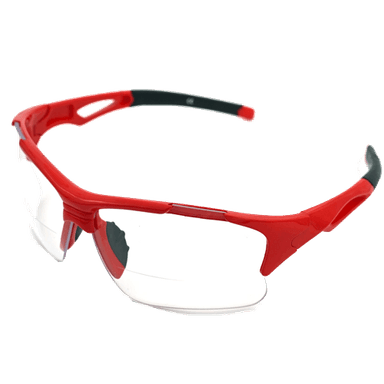
- ⚠️ Wear eye protection and gloves; battery acid is corrosive.
- 🔋 Battery disconnect is required for this job.
🔧 Required Tools
You'll need the following tools for this repair:
- Safety glasses
- Nitrile gloves
- 10mm socket
- 13mm socket
- 1/4" ratchet
- 3/8" ratchet
- 6" extension
- Torque wrench (inch-pound)
- Torque wrench (foot-pound)
- Battery terminal puller (specialty)
- Battery brush terminal cleaner
- Fender cover
- Shop rags
🔩 Required Parts
HowToo sells all the parts you need for this repair:
- 12V battery (match your current group size and CCA) - Qty: 1
- Battery terminal anti-corrosion pads - Qty: 2
- Battery terminal protectant spray - Qty: 1
📋 Before You Begin
- 🅿️ Park on level ground, shift to neutral, and set the parking brake.
- Open the hood and install a fender cover to protect paint.
- If you want to avoid losing radio presets, use a memory saver (optional). If you don’t have one, it’s okay—your Fusion will relearn, but the clock/presets may reset.
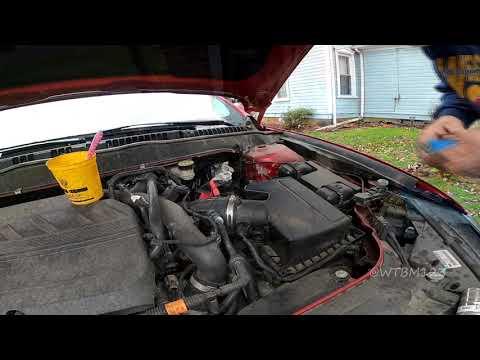
- Locate the battery at the front of the engine bay on the driver side.
🔨 Step-by-Step Instructions
Follow these steps in order:
Step 1: Access the battery hold-down
- Use a 10mm socket and 1/4" ratchet to remove any covers or small retainers that block access (if equipped).
Step 2: Disconnect the negative (–) battery cable
- Use a 10mm socket and 1/4" ratchet to loosen the negative terminal clamp bolt.
- Twist and lift the clamp straight up off the battery post. If it’s stuck, use a battery terminal puller (specialty) (a small tool that lifts the clamp without prying).
- Tuck the negative cable to the side so it cannot spring back onto the post.
- When reinstalling later: Torque to 7 Nm (62 in-lbs)
Step 3: Disconnect the positive (+) battery cable
- Use a 10mm socket and 1/4" ratchet to loosen the positive terminal clamp bolt.
- Lift the clamp off the post and position it aside so it can’t touch the battery.
- When reinstalling later: Torque to 7 Nm (62 in-lbs)
Step 4: Remove the battery hold-down clamp
- Use a 13mm socket, 3/8" ratchet, and 6" extension to remove the battery hold-down bolt at the base of the battery.
- Remove the hold-down clamp and set it aside.
- When reinstalling later: Torque to 10 Nm (89 in-lbs)
Step 5: Lift out the old battery
- Use gloves and lift the battery straight up and out.
- Batteries are heavy; lift with legs.
Step 6: Clean and prep the connections
- Use a shop rag to wipe the battery tray clean.
- Use a battery brush terminal cleaner to clean the inside of both cable clamps until shiny metal is visible.
- Install battery terminal anti-corrosion pads onto the new battery posts.
Step 7: Install the new battery and secure it
- Set the new battery into the tray in the same orientation as the old one.
- Reinstall the hold-down clamp and bolt using a 13mm socket and 3/8" ratchet.
- Final tighten with a torque wrench (inch-pound): Torque to 10 Nm (89 in-lbs)
Step 8: Reconnect the battery cables (positive first)
- Install the positive (+) clamp first and snug it using a 10mm socket and 1/4" ratchet.
- Final tighten with a torque wrench (inch-pound): Torque to 7 Nm (62 in-lbs)
- Install the negative (–) clamp last and tighten using a 10mm socket.
- Final tighten: Torque to 7 Nm (62 in-lbs)
- Apply battery terminal protectant spray to reduce corrosion.
Step 9: Reset the Battery Monitoring System (BMS)
- This tells your Fusion the battery is new so charging strategy is correct.
- Method A (no scan tool): Turn ignition ON (engine OFF). Within 10 seconds, flash the high beams 5 times, then press and release the brake pedal 3 times.
- If successful, the battery warning indicator will flash (or you may notice a brief confirmation behavior). If nothing happens, repeat the sequence a bit quicker.
- Method B (scan tool): Use a capable scan tool to run the BMS reset / Battery replacement function.
✅ After Repair
- Start the engine and confirm normal cranking and no warning lights.
- Check that both terminals are fully seated and cannot rotate by hand.
- Set the clock and re-save radio presets if they were lost.
- Take a 10-15 minute drive so charging and idle can relearn.
💰 DIY vs Shop Cost
Shop Cost: $220-$420 (parts + labor)
DIY Cost: $140-$280 (parts only)
You Save: $80-$200 by doing it yourself!
Shop labor rates vary but typically run $100-$150/hour. This repair takes a shop approximately 0.5-1.0 hours.
🎯 Ready to get started?
HowToo makes it easy: same-day/2-day shipping on every part, plus all the tools and specialty tools you need! Check out the parts and tools sections below to add everything to your cart.
Guide for Vehicle Battery replace for these Ford vehicles
| Year Make Model | Sub Model | Engine | Body Style |
|---|---|---|---|
| 2020 Ford Fusion | - | Inline 4 2.0L | - |
| 2020 Ford Fusion | - | Inline 4 2.5L | - |
| 2020 Ford Fusion | - | Inline 4 1.5L | - |
| 2019 Ford Fusion | - | Inline 4 2.0L | - |
| 2019 Ford Fusion | - | Inline 4 2.5L | - |
| 2019 Ford Fusion | - | Inline 4 1.5L | - |
| 2019 Ford Fusion | - | V6 2.7L | - |
| 2018 Ford Fusion | - | Inline 4 2.0L | - |
| 2018 Ford Fusion | - | Inline 4 2.5L | - |
| 2018 Ford Fusion | - | Inline 4 1.5L | - |
| 2018 Ford Fusion | - | V6 2.7L | - |
| 2017 Ford Fusion | - | Inline 4 2.0L | - |
| 2017 Ford Fusion | - | Inline 4 2.5L | - |
| 2017 Ford Fusion | - | Inline 4 1.5L | - |
| 2017 Ford Fusion | - | V6 2.7L | - |
| 2016 Ford Fusion | - | Inline 4 2.0L | - |
| 2016 Ford Fusion | - | Inline 4 2.5L | - |
| 2016 Ford Fusion | - | Inline 4 1.5L | - |
| 2015 Ford Fusion | - | Inline 4 2.0L | - |
| 2015 Ford Fusion | - | Inline 4 2.5L | - |
| 2015 Ford Fusion | - | Inline 4 1.5L | - |
| 2014 Ford Fusion | - | Inline 4 2.0L | - |
| 2014 Ford Fusion | - | Inline 4 2.5L | - |
| 2014 Ford Fusion | - | Inline 4 1.6L | - |
| 2014 Ford Fusion | - | Inline 4 1.5L | - |
| 2013 Ford Fusion | - | Inline 4 2.0L | - |
| 2013 Ford Fusion | - | Inline 4 2.5L | - |
| 2013 Ford Fusion | - | Inline 4 1.6L | - |