










How to Replace Rear Turn Signal Bulbs on a 2016-2019 Nissan Altima (7440 Amber)
Step-by-step trunk-access instructions, required tools/parts, safety tips, and testing checklist
How to Replace Rear Turn Signal Bulbs on a 2016-2019 Nissan Altima (7440 Amber)
Step-by-step trunk-access instructions, required tools/parts, safety tips, and testing checklist for 2016, 2017, 2018, 2019


🔧 Altima - Rear Turn Signal Bulb Replacement
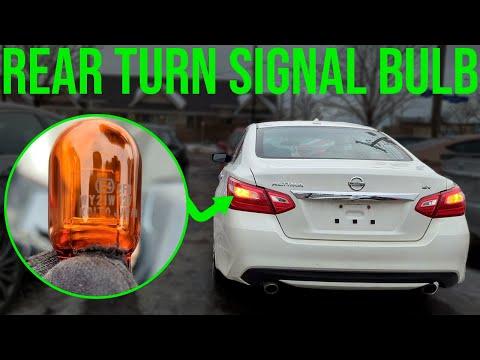
Your Altima’s rear turn signal bulbs are inside the outer tail light housings and can be changed from inside the trunk—no need to remove the whole tail light. You’ll open the trunk trim access, twist the bulb socket out, swap the bulb, then test it.
Difficulty Level: Beginner | Estimated Time: 0.3-0.6 hours
⚠️ Safety & Precautions
- ⚠️ Turn the ignition OFF and remove the key/fob from the car before starting.
- ⚠️ Let the bulbs cool if the lights were recently on (bulbs get hot).
- ⚠️ Wear gloves and avoid touching the new bulb glass with bare fingers (skin oils can shorten bulb life).
- ⚠️ Do not force the bulb socket—plastic can crack if over-twisted.
🔧 Required Tools
You'll need the following tools for this repair:
- Nitrile gloves
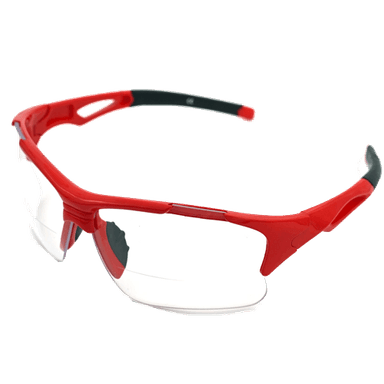
- Safety glasses
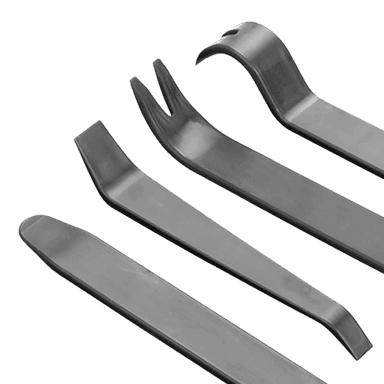
- Plastic trim tool
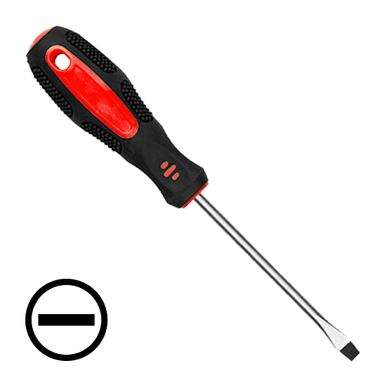
- Small flathead screwdriver
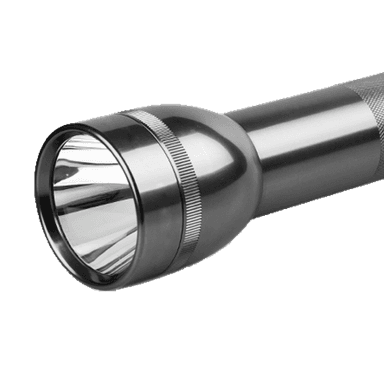
- Flashlight
🔩 Required Parts
HowToo sells all the parts you need for this repair:
- Rear turn signal bulb (amber, 7440 type) - Qty: 2 Replace in pairs
📋 Before You Begin
- Park on level ground and make sure the shifter is in Park.
- Open the trunk and remove any cargo so you can reach the trunk side trim.
- If you’re not sure which side is out, turn on the hazards briefly to confirm, then turn everything OFF.
🔨 Step-by-Step Instructions
Follow these steps in order:
Step 1: Access the tail light service opening
- Open the trunk and go to the side you’re replacing (left = driver side, right = passenger side).
- Use a flashlight to find the small access flap/cover in the trunk liner behind the tail light.
- Open the flap by hand. If it’s tight, gently lift the edge using a plastic trim tool (a trim tool is a plastic pry tool that helps prevent scratching).
Step 2: Remove the rear turn signal bulb socket
- Look for the turn-signal socket on the back of the tail light (it’s one of the twist-lock bulb holders).
- Grip the socket and rotate it counterclockwise about 1/4 turn, then pull it straight out.
- If your fingers can’t get a good grip, use a small flathead screwdriver to gently help start the rotation—do not pry hard on the plastic.
Step 3: Replace the bulb
- Put on nitrile gloves.
- Pull the old bulb straight out of the socket (it’s a push-in style).
- Push the new rear turn signal bulb (amber, 7440 type) straight into the socket until fully seated.
- Tip: Match the old bulb size before installing.
Step 4: Reinstall the socket
- Align the socket tabs with the housing slots.
- Insert the socket into the tail light, then rotate clockwise about 1/4 turn until it locks.
- Close the trunk liner access flap and make sure it sits flat.
Step 5: Test the turn signal
- Turn the ignition ON and activate the left/right turn signal to confirm it flashes normally.
- If it doesn’t work, turn ignition OFF and recheck: bulb fully seated, socket locked, and correct socket location.
✅ After Repair
- Walk behind your Altima and confirm the repaired side is bright and flashing at a normal speed.
- If it still “hyper-flashes” (very fast), replace the bulb on the other side too, and recheck seating.
- Put trunk cargo back and make sure the trunk liner isn’t pinched.
💰 DIY vs Shop Cost
Shop Cost: $60-$140 (parts + labor)
DIY Cost: $6-$20 (parts only)
You Save: $40-$120 by doing it yourself!
Shop labor rates vary but typically run $100-$150/hour. This repair takes a shop approximately 0.3-0.6 hours.
🎯 Ready to get started?
HowToo makes it easy: same-day/2-day shipping on every part, plus all the tools and specialty tools you need! Check out the parts and tools sections below to add everything to your cart.
Guide for Turn Signal / Parking Light Bulb replace for these Nissan vehicles
| Year Make Model | Sub Model | Engine | Body Style |
|---|---|---|---|
| 2019 Nissan Altima | - | - | - |
| 2018 Nissan Altima | - | - | - |
| 2017 Nissan Altima | - | - | - |
| 2016 Nissan Altima | - | - | - |