















How to Replace Rear Brake Pads & Rotors on a 2016-2018 Mercedes-Benz GLC300 (EPB Service Mode)
Step-by-step DIY guide with required tools/parts, EPB retraction steps, and key torque specs
How to Replace Rear Brake Pads & Rotors on a 2016-2018 Mercedes-Benz GLC300 (EPB Service Mode)
Step-by-step DIY guide with required tools/parts, EPB retraction steps, and key torque specs for 2016, 2017, 2018


🔧 GLC300 - Rear Brake Pads & Rotor Replacement
Replacing your rear pads and rotors restores safe stopping and prevents vibration, noise, and uneven braking. On your GLC300, the rear calipers are tied to an electronic parking brake (EPB), so the EPB must be released (or put in service mode) before you compress the caliper piston.
Difficulty Level: Advanced | Estimated Time: 2-4 hours
⚠️ Safety & Precautions
- ⚠️ Support the vehicle with jack stands; never rely on a jack alone.
- ⚠️ Do not press the brake pedal with a caliper removed.
- ⚠️ Electronic Parking Brake: do not force the piston in unless the EPB is fully released/service mode is active.
- ⚠️ Brake dust is harmful; use brake cleaner, not compressed air.
- ⚠️ Keep brake fluid off paint; it damages finishes quickly.
🔧 Required Tools
You'll need the following tools for this repair:
- Floor jack (rated 3-ton minimum)
- Jack stands (rated 3-ton minimum)
- Wheel chocks
- 17mm socket
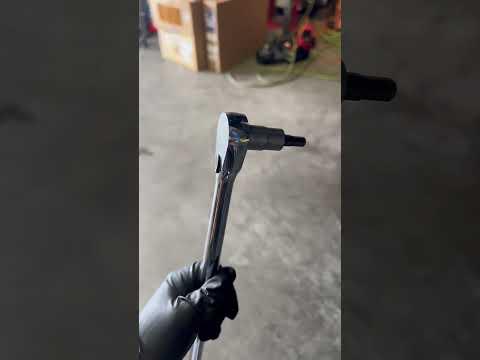
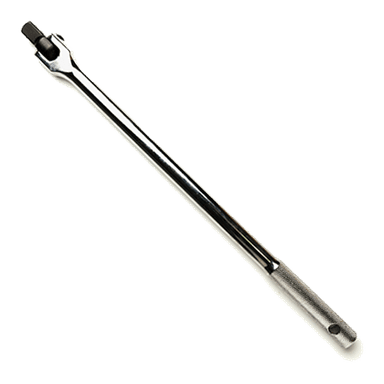
- 1/2" drive breaker bar
- 1/2" drive torque wrench (30-200 Nm range)
- External Torx socket set E10-E20
- Hex bit socket set 7mm-10mm
- Flat trim tool
- Needle-nose pliers
- Brake caliper piston compression tool (specialty)
- Wire brush
- Bungee cord
- Rubber mallet
- Impact screwdriver (specialty)
- Scan tool with Mercedes EPB service function (specialty)
- Brake cleaner spray
- Nitrile gloves
- Safety glasses
🔩 Required Parts
HowToo sells all the parts you need for this repair:
- Rear brake pad set - Qty: 1
- Rear brake rotors - Qty: 2
- Rear brake pad wear sensor - Qty: 1
- Brake caliper guide pin/boot kit - Qty: 1 (recommended if boots are torn)
- Brake lubricant (silicone/ceramic) - Qty: 1
- Medium-strength threadlocker (blue) - Qty: 1 (optional)
📋 Before You Begin
- Park on level ground, steering straight, and place wheel chocks at the front wheels.
- Make sure the EPB is fully released before lifting the vehicle.
- Open the hood and check the brake fluid reservoir level. If it’s near “MAX,” remove a small amount with a suction tool so it won’t overflow when pistons are pushed back.
- Assumption: Your rear calipers use an EPB motor and the piston compresses straight in after EPB service mode/release.
🔨 Step-by-Step Instructions
Follow these steps in order:
Step 1: Loosen wheel bolts and raise the rear
- Use a 17mm socket and breaker bar to loosen the rear wheel bolts 1/2 turn (do not remove yet).
- Lift the rear with a floor jack (rated 3-ton minimum) at the proper rear jacking point.
- Set the vehicle on jack stands (rated 3-ton minimum) and confirm it’s stable.
- Remove the wheel bolts with the 17mm socket and remove the wheels.
Step 2: Put the EPB into service mode (recommended)
- Connect a scan tool with Mercedes EPB service function (specialty).
- Run the EPB “service mode” / “open” / “retract” function for the rear brakes. This pulls the EPB motor off the piston so the piston can be pushed in safely.
- If no scan tool: do not force piston.
Step 3: Remove the wear sensor and access the caliper bolts
- Locate the pad wear sensor on one rear side (commonly the left). Use a flat trim tool to gently pry the sensor out of the pad.
- Unclip the sensor wire from its holders using a flat trim tool, then disconnect the connector.
- Remove any plastic caps over the caliper guide bolts using a flat trim tool.
Step 4: Remove the caliper
- Remove the caliper guide bolts using the correctly fitting bit: Hex bit socket set 7mm-10mm or External Torx socket set E10-E20 (use the one that fits snugly).
- Lift the caliper off the bracket.
- Hang the caliper from the suspension using a bungee cord. Never let it dangle by the hose.
Step 5: Remove old pads and compress the caliper piston
- Remove the inner/outer pads from the bracket by hand (use needle-nose pliers only if needed).
- Slowly compress the piston using a brake caliper piston compression tool (specialty) until fully seated.
- Watch the brake fluid reservoir while compressing; stop if it’s close to overflowing.
Step 6: Remove the caliper carrier (bracket)
- Remove the carrier bolts using an External Torx socket set E10-E20 and a breaker bar.
- Set bolts aside; clean the bolt heads if packed with dirt using a wire brush.
- On reassembly, tighten carrier bolts to Torque to 115 Nm (85 ft-lbs).
Step 7: Remove the rotor
- Remove the rotor retaining screw using an impact screwdriver (specialty) with the correct bit (this prevents stripping a stuck screw).
- Pull the rotor off. If stuck, tap the rotor hat with a rubber mallet until it breaks free.
- Clean the hub face with a wire brush and a quick spray of brake cleaner spray. A clean hub helps prevent rotor wobble.
Step 8: Install the new rotor
- Clean both sides of the new rotor with brake cleaner spray to remove packing oil.
- Install the rotor and the retaining screw using the correct bit and tighten to Torque to 10 Nm (7 ft-lbs).
Step 9: Reinstall the carrier and install new pads
- Reinstall the carrier and tighten bolts using a torque wrench: Torque to 115 Nm (85 ft-lbs).
- Apply a thin layer of brake lubricant (silicone/ceramic) to pad backing plate contact points and caliper/bracket contact points (do not get any on pad friction material or rotor).
- Install the new pads into the bracket.
Step 10: Reinstall the caliper
- Slide the caliper over the new pads.
- Install and tighten the guide bolts using the correct-fitting bit from Hex bit socket set 7mm-10mm or External Torx socket set E10-E20.
- Tighten guide bolts to Torque to 28 Nm (21 ft-lbs).
Step 11: Install the new wear sensor
- Plug in the new sensor connector and route the wire in the factory clips using a flat trim tool.
- Press the sensor tip into the pad until fully seated.
Step 12: Refit wheels and torque
- Install wheels and hand-thread wheel bolts.
- Lower the vehicle to the ground.
- Tighten wheel bolts in a star pattern using a torque wrench: Torque to 150 Nm (111 ft-lbs).
Step 13: Exit EPB service mode
- Use the scan tool with Mercedes EPB service function (specialty) to close/initialize the EPB.
- Cycle the EPB on/off once to confirm normal operation.
✅ After Repair
- With the engine OFF, pump the brake pedal 8–12 times until it feels firm. This seats the pads against the rotors.
- Check brake fluid level and top up only if needed.
- Test at low speed first. Confirm no grinding, pulling, or warning messages.
- Bed-in (break-in) the pads: do 6–10 moderate stops from ~40 mph to ~10 mph, allowing short cool-down between stops. Avoid hard panic stops for the first 200 miles.
💰 DIY vs Shop Cost
Shop Cost: $700-$1,200 (parts + labor)
DIY Cost: $220-$500 (parts only)
You Save: $480-$700 by doing it yourself!
Shop labor rates vary but typically run $100-$150/hour. This repair takes a shop approximately 2-3 hours.
🎯 Ready to get started?
HowToo makes it easy: same-day/2-day shipping on every part, plus all the tools and specialty tools you need! Check out the parts and tools sections below to add everything to your cart.