












How to Replace Rear Brake Pads & Rotors on a 2007-2018 GMC Sierra 1500
Step-by-step DIY guide with tools, parts list, torque specs, and parking brake rotor removal tips
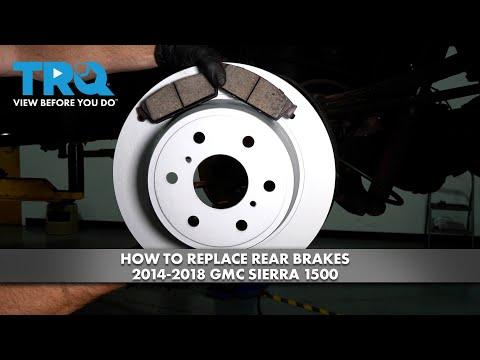
How to Replace Rear Brake Pads & Rotors on a 2007-2018 GMC Sierra 1500
Step-by-step DIY guide with tools, parts list, torque specs, and parking brake rotor removal tips for 2007, 2008, 2009, 2010, 2011, 2012, 2013, 2014, 2015, 2016, 2017, 2018


🔧 Sierra 1500 - Rear Brake Pads & Rotor Replacement
You’ll remove the rear wheels, swap the brake pads, and replace the rear rotors, then reassemble and pump the brake pedal to restore a firm pedal. On your Sierra 1500, the rear rotor also acts as a “drum” for the parking brake shoes inside the rotor hat, so a stuck rotor usually means the parking brake needs to be backed off.
Difficulty Level: Intermediate | Estimated Time: 2-4 hours
⚠️ Safety & Precautions
- 🛑 Work on level ground and chock the front wheels.
- 🛑 Release the parking brake fully before starting (the parking brake can trap the rotor).
- 🛑 Support the truck with jack stands—never rely on a floor jack alone.
- 🛑 Do not press the brake pedal with a caliper removed.
- 🛑 Brake dust is harmful—use brake cleaner, not compressed air.
- 🛑 Battery disconnect is not required for this job.
🔧 Required Tools
You'll need the following tools for this repair:
- 22mm socket
- 3/8" drive ratchet
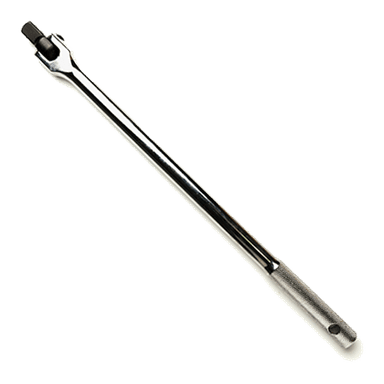
- 1/2" drive breaker bar
- 13mm socket
- 18mm socket
- Torque wrench (10-200 ft-lbs range)
- Floor jack (rated 3-ton minimum)
- Jack stands (rated 3-ton minimum)
- Wheel chocks
- C-clamp (6" minimum)
- Flat-blade screwdriver
- Rubber mallet
- Wire brush
- Bungee cord
- Shop rags
- Nitrile gloves
- Safety glasses
🔩 Required Parts
HowToo sells all the parts you need for this repair:
- Rear brake pad set - Qty: 1
- Rear brake rotors - Replace in pairs - Qty: 2
- Rear brake hardware kit (clips/shims) - Qty: 1
- Brake cleaner - Qty: 2 cans
- High-temp silicone brake grease - Qty: 1
- DOT 3 brake fluid - Qty: 1 bottle
📋 Before You Begin
- Park on flat ground, shift to P, and release the parking brake.
- Place wheel chocks at the front tires.
- Crack the rear lug nuts loose with a 22mm socket and breaker bar before lifting.
- Open the hood and loosen the brake fluid cap (just set it on top). Helps the pistons compress easier.
🔨 Step-by-Step Instructions
Follow these steps in order:
Step 1: Lift and secure the rear
- Use a floor jack to lift the rear of the truck at a solid rear jacking point.
- Set the frame/axle securely on jack stands and gently lower the truck onto them.
- Remove the rear wheels using a 22mm socket and ratchet.
Step 2: Remove the rear caliper
- Turn the steering wheel is not needed for the rear; just position yourself for access.
- Remove the caliper slide pin bolts using a 13mm socket and ratchet.
- Lift the caliper off the bracket and support it with a bungee cord (do not let it hang by the brake hose).
Step 3: Remove the old pads and bracket
- Pull the brake pads out of the bracket by hand.
- Remove the caliper bracket bolts using an 18mm socket and breaker bar.
- Set the bracket aside.
Step 4: Remove the rotor (and back off the parking brake if stuck)
- Try to pull the rotor straight off by hand.
- If it’s stuck, tap the rotor hat with a rubber mallet while pulling outward.
- If it still won’t come off, the parking brake shoes are likely holding it:
- Use a flat-blade screwdriver to remove the rubber access plug (if equipped) in the backing plate.
- Inside is a star-wheel adjuster (a small toothed wheel that tightens/loosens the parking brake shoes).
- Use a flat-blade screwdriver to rotate the star wheel to back the shoes off until the rotor slides off.
Step 5: Clean the hub and install the new rotor
- Clean the hub face with a wire brush until it’s smooth and rust-free.
- Spray the new rotor with brake cleaner and wipe with shop rags to remove packing oil.
- Install the new rotor onto the hub.
Step 6: Reinstall the bracket and hardware
- Install new pad abutment clips from the hardware kit onto the bracket (the “clips” are the stainless pieces the pad ears slide on).
- Reinstall the caliper bracket bolts using an 18mm socket.
- Torque to 129 Nm (95 ft-lbs) using a torque wrench.
Step 7: Compress the caliper piston
- Place an old brake pad against the piston face.
- Use a C-clamp to slowly push the piston fully back into the caliper.
- Watch the brake fluid reservoir under the hood; if it gets too full, use shop rags to catch overflow. Go slow to avoid mess.
Step 8: Install the new pads and reinstall the caliper
- Apply a thin layer of high-temp silicone brake grease where the pad ears touch the clips (do not get grease on pad friction material or rotor).
- Install the new inner and outer pads into the bracket by hand.
- Set the caliper over the new pads.
- Install the caliper slide pin bolts using a 13mm socket.
- Torque to 35 Nm (26 ft-lbs) using a torque wrench.
Step 9: Repeat on the other rear wheel
- Repeat Steps 2 through 8 on the other side.
- Do both sides before pumping the brake pedal.
Step 10: Reinstall wheels and torque lug nuts
- Reinstall both wheels and hand-start lug nuts.
- Lower the truck using the floor jack, remove the jack stands, then fully lower.
- Torque lug nuts in a star pattern using a torque wrench: Torque to 140 Nm (103 ft-lbs).
✅ After Repair
- Press the brake pedal slowly 10-15 times until it feels firm. This seats the pistons to the pads.
- Check brake fluid level and top off with DOT 3 brake fluid if needed.
- Make sure the parking brake applies and releases normally.
- Test drive at low speed first, then bed-in pads: make 6-10 moderate stops from 30-35 mph, allowing a little cooling time between stops.
- Listen for grinding/scraping; recheck your work if you hear anything abnormal.
💰 DIY vs Shop Cost
Shop Cost: $450-$850 (parts + labor)
DIY Cost: $180-$380 (parts only)
You Save: $270-$470 by doing it yourself!
Shop labor rates vary but typically run $100-$150/hour. This repair takes a shop approximately 2-3 hours.
🎯 Ready to get started?
HowToo makes it easy: same-day/2-day shipping on every part, plus all the tools and specialty tools you need! Check out the parts and tools sections below to add everything to your cart.
Guide for Disc Brake Pad Set replace for these GMC vehicles
| Year Make Model | Sub Model | Engine | Body Style |
|---|---|---|---|
| 2018 GMC Sierra 1500 | - | - | - |
| 2017 GMC Sierra 1500 | - | - | - |
| 2016 GMC Sierra 1500 | - | - | - |
| 2015 GMC Sierra 1500 | - | - | - |
| 2014 GMC Sierra 1500 | - | - | - |
| 2013 GMC Sierra 1500 | - | - | - |
| 2012 GMC Sierra 1500 | - | - | - |
| 2011 GMC Sierra 1500 | - | - | - |
| 2010 GMC Sierra 1500 | - | - | - |
| 2009 GMC Sierra 1500 | - | - | - |
| 2008 GMC Sierra 1500 | - | - | - |
| 2007 GMC Sierra 1500 | - | - | - |