









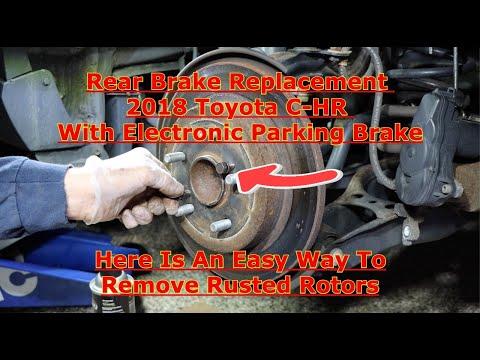






How to Replace Rear Brake Pads on a 2018 Toyota C-HR (EPB Service Mode Guide)
Step-by-step instructions with required tools/parts, EPB maintenance mode steps, and key torque specs
How to Replace Rear Brake Pads on a 2018 Toyota C-HR (EPB Service Mode Guide)
Step-by-step instructions with required tools/parts, EPB maintenance mode steps, and key torque specs


🔧 C-HR - Rear Brake Pad Replacement
You’ll remove the rear wheels, swing the rear calipers out of the way, swap the pads (and hardware), then reassemble and restore the parking brake system. On your C-HR, the rear brakes may use an electronic parking brake (EPB), which must be put into “maintenance/service mode” before compressing the caliper piston.
Difficulty Level: Intermediate | Estimated Time: 1.5-3.0 hours
⚠️ Safety & Precautions
- 🛑 Work on level ground and chock the front wheels before lifting the rear.
- 🛑 Support the vehicle with jack stands; never rely on a floor jack alone.
- 🛑 If equipped with EPB: put the system in maintenance mode before pushing the piston in, or you can damage the EPB motor/gear.
- 🛑 Brake dust is harmful—use brake cleaner, not compressed air.
- 🛑 Keep brake fluid off paint; it can damage finishes.
🔧 Required Tools
You'll need the following tools for this repair:
- Floor jack (rated 2-ton minimum)
- Jack stands (rated 2-ton minimum)
- Wheel chocks
- 21mm socket
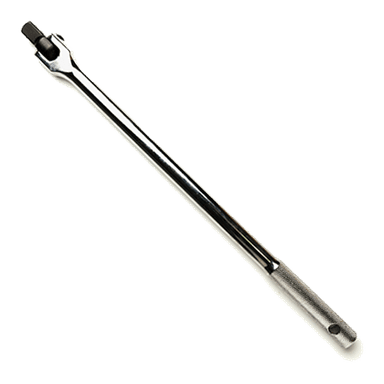
- Breaker bar (1/2")
- Torque wrench (20–150 ft-lbs range)
- Ratchet (3/8")
- 14mm socket
- 17mm socket
- Small flathead screwdriver
- C-clamp brake piston compressor
- Bungee cord
- Wire brush (small)
- Brake cleaner
- Nitrile gloves
- Safety glasses
- Scan tool with Toyota EPB maintenance mode (specialty)
🔩 Required Parts
HowToo sells all the parts you need for this repair:
- Rear brake pad set - Qty: 1
- Rear brake pad hardware kit (clips/shims) - Qty: 1
- Silicone brake lubricant - Qty: 1
- Brake cleaner - Qty: 1
📋 Before You Begin
- 🧰 Park on level ground, put the shifter in Park, and release the parking brake.
- 🧰 Chock both front wheels.
- 🧰 Open the hood and loosen the brake fluid reservoir cap (do not remove it fully); this helps fluid return when compressing pistons.
- 🧰 If your C-HR has an electronic parking brake (a button/switch): set the EPB to maintenance mode before you touch the calipers.
- 🧰 A “scan tool” is a handheld device that talks to the car’s brake computer to command EPB service mode.
🔨 Step-by-Step Instructions
Follow these steps in order:
Step 1: Put the EPB into maintenance/service mode (if equipped)
- Use a scan tool with Toyota EPB maintenance mode (specialty) and select the EPB maintenance/service function for the rear brakes.
- Follow the scan tool prompts until it confirms the parking brake is in service/maintenance mode.
- If no EPB button, skip this step.
Step 2: Loosen lug nuts and raise the rear
- Use a 21mm socket and breaker bar (1/2") to loosen the rear wheel lug nuts 1/2 turn while on the ground.
- Lift the rear using a floor jack (rated 2-ton minimum) at the correct rear lift point.
- Set the vehicle securely on jack stands (rated 2-ton minimum).
- Remove the wheels with a 21mm socket.
Step 3: Remove the rear caliper (swing it up)
- Turn the steering wheel is not needed for the rear; just make sure you have room to work.
- Locate the two caliper slide pin bolts on the back of the caliper.
- Use a 14mm socket and ratchet (3/8") to remove the caliper slide pin bolts.
- Lift the caliper off the bracket and support it using a bungee cord (do not let it hang by the hose).
Step 4: Remove old pads and hardware
- Slide the old pads out of the bracket by hand. If stuck, gently help with a small flathead screwdriver.
- Remove the pad clips/hardware from the bracket (from your hardware kit locations).
- Use brake cleaner and a wire brush (small) to clean the pad “rails” where the clips sit.
- Clean metal-to-metal contact points only.
Step 5: Compress the caliper piston
- Check brake fluid level first—compressing the piston can raise the level in the reservoir.
- Use a C-clamp brake piston compressor to press the piston straight back into the caliper slowly.
- If you feel strong resistance: stop and re-check that EPB maintenance mode is active (if equipped).
Step 6: Install new hardware and pads
- Install the new clips from the hardware kit into the bracket by hand.
- Apply a thin layer of silicone brake lubricant where pads slide on the clips (avoid pad friction material and rotor surfaces).
- Install the new pads into the bracket in the same orientation as removed.
Step 7: Reinstall caliper and torque fasteners
- Set the caliper back over the new pads.
- Reinstall the slide pin bolts using a 14mm socket and ratchet (3/8").
- Use a torque wrench to tighten: Torque to 25 Nm (18 ft-lbs).
Step 8: Repeat on the other rear side
- Repeat Steps 3–7 on the other rear wheel.
- Always replace pads in pairs.
Step 9: Reinstall wheels and lower the vehicle
- Install wheels and hand-thread all lug nuts.
- Lower the vehicle off the jack stands using the floor jack (rated 2-ton minimum).
- Tighten lug nuts in a star pattern with a torque wrench: Torque to 103 Nm (76 ft-lbs).
Step 10: Exit EPB maintenance mode (if equipped)
- Use the scan tool with Toyota EPB maintenance mode (specialty) to end/close EPB maintenance mode.
- Verify the parking brake applies and releases normally.
✅ After Repair
- 🧪 Pump the brake pedal 8–15 times until it feels firm (this seats the pistons against the new pads).
- 🧪 Check brake fluid level and top off if needed (do not overfill).
- 🧪 With the vehicle stationary, test the parking brake apply/release.
- 🧪 Do a cautious road test, then re-check for abnormal noise and confirm normal braking.
- 🧪 Pad break-in: do several gentle stops from 30–40 mph, allowing cool-down between stops.
💰 DIY vs Shop Cost
Shop Cost: $250-$450 (parts + labor)
DIY Cost: $60-$140 (parts only)
You Save: $190-$310 by doing it yourself!
Shop labor rates vary but typically run $100-$150/hour. This repair takes a shop approximately 1.0-1.5 hours.
🎯 Ready to get started?
HowToo makes it easy: same-day/2-day shipping on every part, plus all the tools and specialty tools you need! Check out the parts and tools sections below to add everything to your cart.