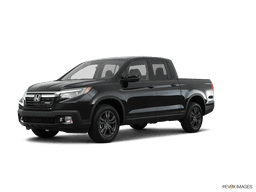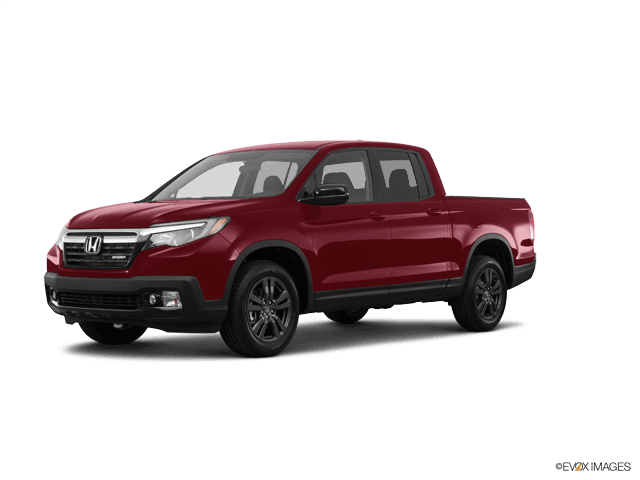















How to Replace Rear Brake Pads on a 2017-2024 Honda Ridgeline (EPB Service Mode)
Step-by-step DIY guide with required tools, parts, EPB maintenance mode steps, and torque specs
How to Replace Rear Brake Pads on a 2017-2024 Honda Ridgeline (EPB Service Mode)
Step-by-step DIY guide with required tools, parts, EPB maintenance mode steps, and torque specs for 2017, 2018, 2019, 2020, 2021, 2022, 2023, 2024


🔧 Ridgeline - Rear Brake Pad Replacement
Replacing the rear brake pads on your Ridgeline involves removing the rear calipers, swapping the pads (and usually the hardware), and compressing the caliper pistons so everything fits back together. Because your Ridgeline uses an electronic parking brake (EPB), you must put the EPB into “maintenance/service mode” before pushing the pistons in.
Difficulty Level: Intermediate | Estimated Time: 1.5-3 hours
⚠️ Safety & Precautions
- ⚠️ Work on level ground, chock the front wheels, and support the truck with jack stands (never rely on a jack alone).
- ⚠️ Do not press the brake pedal while a caliper is off the rotor.
- ⚠️ EPB warning: put the EPB in maintenance/service mode before compressing the rear caliper pistons, or you can damage the EPB system.
- ⚠️ If brake fluid is near “MAX,” compressing pistons can overflow the reservoir—watch the level.
- ⚠️ If you disconnect the battery, you may lose radio presets/settings.
🔧 Required Tools
You'll need the following tools for this repair:
- Floor jack (rated 3-ton minimum)
- Jack stands (rated 3-ton minimum)
- Wheel chocks
- 21mm socket
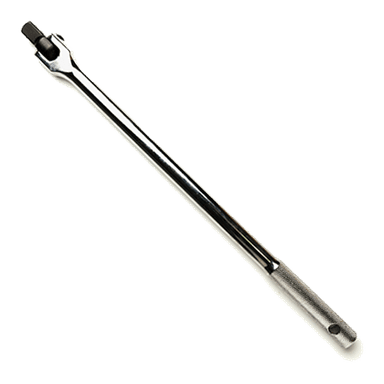
- 1/2" drive breaker bar
- 1/2" drive torque wrench (30-200 ft-lbs range)
- 3/8" drive torque wrench (10-80 ft-lbs range)
- Ratchet (3/8")
- 12mm socket
- 19mm socket
- 14mm wrench
- Flathead screwdriver
- Brake caliper piston compressor tool (specialty)
- Wire hook or bungee cord
- Micrometer or vernier caliper (specialty)
- Brake cleaner spray
- Shop rags
- Nitrile gloves
- Safety glasses
🔩 Required Parts
HowToo sells all the parts you need for this repair:
- Rear brake pad set - Qty: 1
- Rear brake pad hardware kit (clips/shims) - Qty: 1
- Brake caliper slide pin grease (silicone) - Qty: 1
- Brake parts cleaner - Qty: 1
📋 Before You Begin
- Park on level ground, shift to Park, and release the EPB.
- Loosen rear wheel lug nuts slightly before lifting the truck (use 21mm socket and breaker bar).
- Confirm you have an EPB “service/maintenance mode” method ready (see Step 1). If you have a scan tool that supports Honda EPB service mode, use it.
- Open the hood and locate the brake fluid reservoir so you can watch the fluid level during piston compression.
🔨 Step-by-Step Instructions
Follow these steps in order:
Step 1: Put the electronic parking brake (EPB) into maintenance mode
- If you have a compatible scan tool: use the scan tool’s EPB Maintenance/Service Mode function and follow the prompts.
- If you do not have a scan tool: use the EPB switch procedure (this varies by Honda system). If your dash does not clearly indicate maintenance mode, stop here and tell me what the EPB switch looks like (button style) and what message you see on the cluster.
- Maintenance mode lets the piston retract safely.
Step 2: Lift the rear and remove the wheels
- Chock the front wheels using wheel chocks.
- Lift the rear using a floor jack (rated 3-ton minimum) and support with jack stands (rated 3-ton minimum).
- Remove the rear wheels using a 21mm socket and breaker bar.
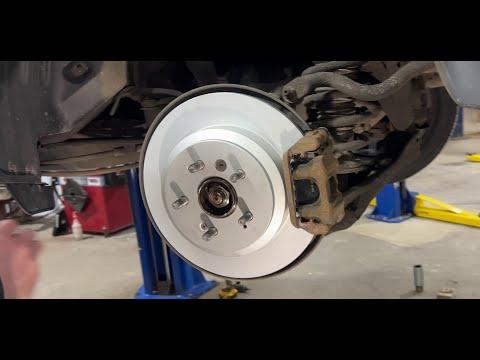
Step 3: Remove the rear caliper (leave the bracket on for now)
- Turn the steering wheel is not applicable; you’re working on the rear—position yourself for good access.
- Remove the caliper slide pin bolts using a 12mm socket while holding the slide pin flats with a 14mm wrench if the pin wants to spin.
- Lift the caliper off the bracket and hang it from the suspension using a wire hook or bungee cord.
- Do not let the caliper hang by the brake hose.
Step 4: Remove the old pads and hardware clips
- Slide the old pads out by hand. Use a flathead screwdriver gently if they’re stuck.
- Remove the pad hardware clips from the bracket (these are the stainless “slides” the pads ride on).
- Clean the bracket pad contact areas using brake cleaner spray and shop rags.
Step 5: Inspect the rotor and measure thickness
- Inspect both sides of the rotor for deep grooves, heavy rust ridges, or cracking.
- Measure rotor thickness using a micrometer or vernier caliper (specialty) at several points.
- If the rotor is below Honda’s minimum spec or heavily damaged, the rotor should be replaced (tell me what you measured and I’ll guide you).
Step 6: Compress the rear caliper piston
- Confirm EPB maintenance mode is active (Step 1). This is critical.
- Use a brake caliper piston compressor tool (specialty) to push the piston straight back into the caliper slowly.
- Watch the brake fluid reservoir while compressing; remove a little fluid if it threatens to overflow (use shop rags to protect paint).
- Go slow to avoid damaging seals.
Step 7: Install new pad hardware and grease contact points (not friction surfaces)
- Install the new hardware clips onto the bracket by hand.
- Apply a thin film of brake caliper slide pin grease (silicone) where the pad ears touch the clips.
- Do not get any grease on the pad friction material or rotor face. Clean with brake cleaner spray if you do.
Step 8: Install the new rear brake pads
- Slide the new inner and outer pads into the bracket by hand.
- Make sure the pads move smoothly in the clips (no binding).
Step 9: Reinstall the caliper and torque the bolts
- Place the caliper back over the pads.
- Install the caliper slide pin bolts using a 12mm socket.
- Torque to 34 Nm (25 ft-lbs) using a 3/8" drive torque wrench.
Step 10: Reinstall wheels and torque lug nuts
- Reinstall the wheels and hand-start all lug nuts.
- Lower the truck off the jack stands using the floor jack (rated 3-ton minimum).
- Tighten lug nuts in a star pattern using a 21mm socket and 1/2" drive torque wrench.
- Torque to 127 Nm (94 ft-lbs).
Step 11: Exit EPB maintenance mode
- If you used a scan tool: follow the scan tool prompts to return the EPB to normal mode.
- If you used a switch procedure: follow the procedure to exit maintenance mode and confirm the EPB warning/messages are cleared.
✅ After Repair
- With the truck in Park, pump the brake pedal 10–15 times until it feels firm.
- Check brake fluid level and top up only if needed (do not overfill).
- Apply and release the EPB a couple times to confirm normal operation.
- Test-drive at low speed first, and confirm there are no noises or pulling.
- Pad bedding (break-in): do 6–10 moderate stops from ~50 km/h to 15 km/h, with cooling time between stops (avoid hard panic stops for the first 200 km).
💰 DIY vs Shop Cost
Shop Cost: ₹4,000-₹9,000 (parts + labor)
DIY Cost: ₹1,800-₹4,500 (parts only)
You Save: ₹2,200-₹4,500 by doing it yourself!
Shop labor rates vary but typically run ₹800-₹1,500/hour. This repair takes a shop approximately 1.0-1.5 hours.
🎯 Ready to get started?
HowToo makes it easy: same-day/2-day shipping on every part, plus all the tools and specialty tools you need! Check out the parts and tools sections below to add everything to your cart.
Guide for Disc Brake Pad Set replace for these Honda vehicles
| Year Make Model | Sub Model | Engine | Body Style |
|---|---|---|---|
| 2024 Honda Ridgeline | - | - | - |
| 2023 Honda Ridgeline | - | - | - |
| 2022 Honda Ridgeline | - | - | - |
| 2021 Honda Ridgeline | - | - | - |
| 2020 Honda Ridgeline | - | - | - |
| 2019 Honda Ridgeline | - | - | - |
| 2018 Honda Ridgeline | - | - | - |
| 2017 Honda Ridgeline | - | - | - |