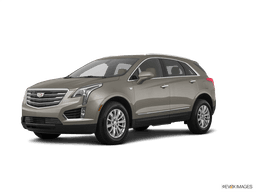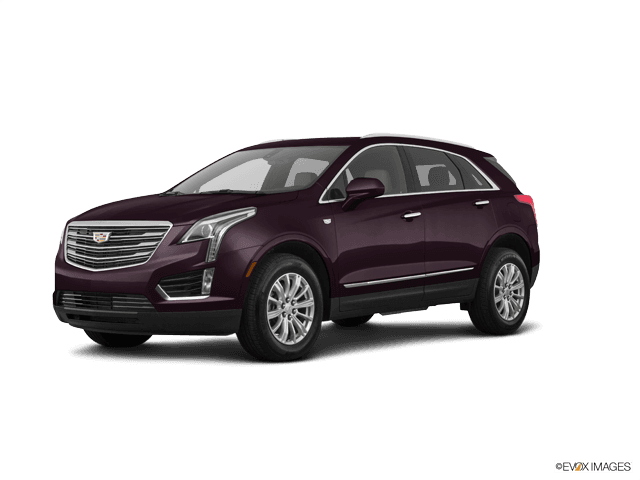















How to Replace Rear Brake Pads on a 2017-2020 Cadillac XT5 (EPB Service Mode Guide)
Step-by-step rear pad swap with required tools/parts, EPB retraction steps, and key torque specs
How to Replace Rear Brake Pads on a 2017-2020 Cadillac XT5 (EPB Service Mode Guide)
Step-by-step rear pad swap with required tools/parts, EPB retraction steps, and key torque specs for 2017, 2018, 2019, 2020


🔧 XT5 - Rear Brake Pad Replacement
You’ll remove the rear wheels, retract the electronic parking brake (EPB), compress the rear caliper, and swap the pads. New pads restore braking power and prevent rotor damage when the old pads get thin.
Difficulty Level: Intermediate | Estimated Time: 1.5-3.0 hours
⚠️ Safety & Precautions
- ⚠️ Work on level ground and chock the front wheels before lifting the rear.
- ⚠️ Your XT5 uses an electronic parking brake—do not force the rear caliper piston in without retracting EPB service mode first.
- ⚠️ Support the SUV with jack stands; never rely on a floor jack alone.
- ⚠️ Brake dust is harmful—use brake cleaner, not compressed air.
- ⚠️ Do not let the caliper hang by the brake hose.
🔧 Required Tools
You'll need the following tools for this repair:
- Floor jack (rated 3-ton minimum)
- Jack stands (rated 3-ton minimum)
- Wheel chocks
- 21mm socket
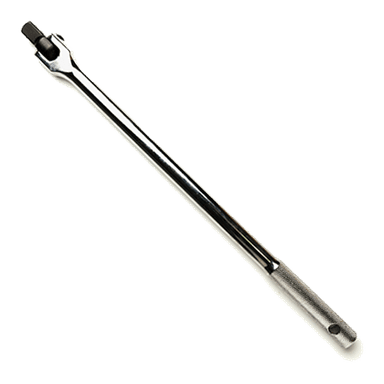
- 1/2" drive breaker bar
- 1/2" drive torque wrench (30-200 ft-lbs range)
- 3/8" drive ratchet
- 3/8" drive torque wrench (10-80 ft-lbs range)
- Socket set (10mm-18mm)
- Hex bit socket set (6mm-8mm)
- Flat trim tool
- Large C-clamp
- Brake caliper hanger hook
- Wire brush
- Shop towels
- Nitrile gloves
- Safety glasses
- Scan tool with GM EPB service function (specialty)
🔩 Required Parts
HowToo sells all the parts you need for this repair:
- Rear brake pad set - Qty: 1
- Rear brake pad hardware kit - Qty: 1
- Brake caliper grease (silicone) - Qty: 1
- Brake cleaner - Qty: 1
- Medium-strength threadlocker - Qty: 1
📋 Before You Begin
- Park on a flat surface, shift to Park, and release the parking brake.
- Chock both front wheels with wheel chocks.
- Have your scan tool ready: you’ll need the EPB “Service Mode” (retract) function before compressing the rear caliper.
- Open the hood and check the brake fluid reservoir level so it doesn’t overflow when you push pistons back.
🔨 Step-by-Step Instructions
Follow these steps in order:
Step 1: Put the electronic parking brake into Service Mode
- Connect your scan tool with GM EPB service function (specialty) to the OBD port.
- Run the EPB command to retract the rear parking brake actuators (often labeled “Rear Parking Brake Service Mode,” “Retract,” or “Pad Replacement Mode”).
- Service Mode prevents caliper motor damage.
Step 2: Loosen lug nuts and safely lift the rear
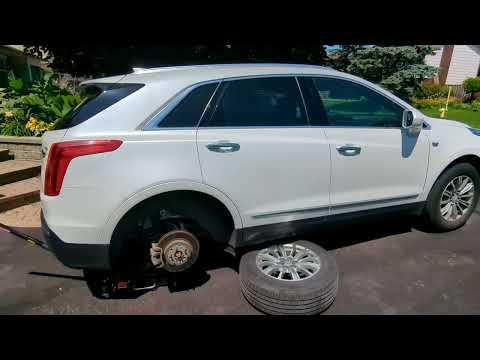
- Use a 21mm socket and 1/2" drive breaker bar to loosen the rear wheel lug nuts about 1 turn.
- Lift one rear corner using the floor jack (rated 3-ton minimum) at the approved lift point.
- Set the vehicle on jack stands (rated 3-ton minimum) and keep the wheel chocks in place.
- Remove the lug nuts with the 21mm socket and take the wheel off.
Step 3: Remove the rear caliper bolts
- Locate the rear caliper (the clamp that squeezes the brake rotor).
- Remove the caliper slide/guide pin bolts using a 3/8" drive ratchet with the correct hex bit socket (6mm-8mm) for your caliper.
- Lift the caliper off the bracket and support it using a brake caliper hanger hook.
- Torque to 35 Nm (26 ft-lbs) when reinstalling the caliper guide/slide bolts.
Step 4: Remove the old pads and hardware
- Pull the old inner and outer pads out by hand.
- Remove the old pad abutment clips (hardware) using a flat trim tool.
- Clean the bracket “pad rails” where the clips sit using brake cleaner, shop towels, and a wire brush.
- Clean rails help pads slide freely.
Step 5: Compress the caliper piston
- Place an old pad against the piston face, then use a large C-clamp to slowly press the piston back into the caliper.
- Go slowly and watch the fluid level at the reservoir (remove a little fluid if it approaches the top).
- If the piston will not compress smoothly, stop—EPB may not be fully retracted.
Step 6: Install new pad hardware and pads
- Install the new abutment clips from the rear brake pad hardware kit by hand (use the flat trim tool only if needed).
- Apply a thin film of brake caliper grease (silicone) to the pad ears where they touch the clips.
- Install the new inner and outer pads into the bracket.
Step 7: Reinstall the caliper
- Pivot the caliper back over the new pads.
- Install the caliper guide/slide bolts by hand first, then tighten with a 3/8" drive torque wrench (10-80 ft-lbs range).
- Torque to 35 Nm (26 ft-lbs).
Step 8: Reinstall wheel and torque lug nuts
- Reinstall the wheel and hand-start all lug nuts.
- Lower the vehicle off the jack stands using the floor jack (rated 3-ton minimum).
- Tighten lug nuts in a star pattern using the 1/2" drive torque wrench (30-200 ft-lbs range).
- Torque to 190 Nm (140 ft-lbs).
Step 9: Exit EPB Service Mode
- Use the scan tool with GM EPB service function (specialty) to command EPB out of service mode (often labeled “Apply,” “End Service Mode,” or “Initialize”).
- Verify there are no EPB warning messages.
✅ After Repair
- With the engine off, press the brake pedal 8-10 times until it feels firm.
- Start the engine and confirm the pedal remains firm.
- Apply and release the electronic parking brake using the switch to confirm proper operation.
- Check brake fluid level and top off only if needed (do not overfill).
- Do a careful test drive and perform a gentle pad bed-in: 6-10 moderate stops from 30-40 mph, letting brakes cool between stops.
💰 DIY vs Shop Cost
Shop Cost: $350-$650 (parts + labor)
DIY Cost: $80-$200 (parts only)
You Save: $270-$450 by doing it yourself!
Shop labor rates vary but typically run $100-$150/hour. This repair takes a shop approximately 1.5-2.5 hours.
🎯 Ready to get started?
HowToo makes it easy: same-day/2-day shipping on every part, plus all the tools and specialty tools you need! Check out the parts and tools sections below to add everything to your cart.
Guide for Disc Brake Pad Set replace for these Cadillac vehicles
| Year Make Model | Sub Model | Engine | Body Style |
|---|---|---|---|
| 2020 Cadillac XT5 | - | - | - |
| 2019 Cadillac XT5 | - | - | - |
| 2018 Cadillac XT5 | - | - | - |
| 2017 Cadillac XT5 | - | - | - |