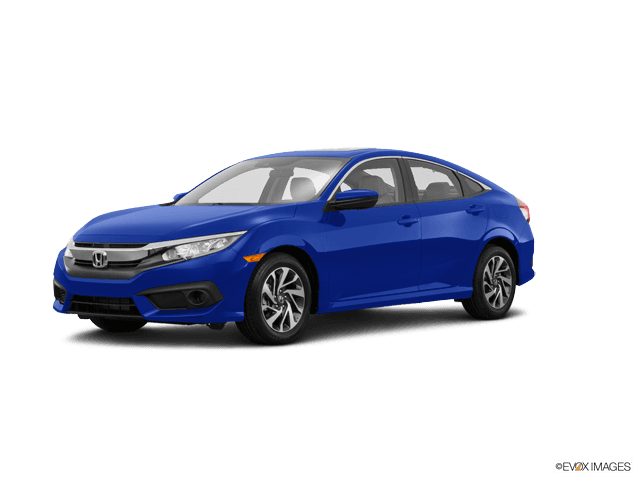















How to Replace Rear Brake Pads on a 2016-2025 Honda Civic (EPB Service Mode Guide) (Trim: EX | Body: Sedan)
Step-by-step DIY instructions with required tools/parts, EPB maintenance mode steps, and torque specs
How to Replace Rear Brake Pads on a 2016-2025 Honda Civic (EPB Service Mode Guide) (Trim: EX | Body: Sedan)
Step-by-step DIY instructions with required tools/parts, EPB maintenance mode steps, and torque specs for 2016, 2017, 2018, 2019, 2020, 2021, 2022, 2023, 2024


🔧 Civic - Rear Brake Pad Replacement
You’ll remove the rear wheels, swing the rear calipers out of the way, swap the old pads for new ones, then reassemble and verify safe brake operation. Because your Civic uses an electronic parking brake (EPB), you must put the EPB into “maintenance/service mode” before pushing the caliper piston back.
Difficulty Level: Intermediate | Estimated Time: 1.5-3 hours
⚠️ Safety & Precautions
- 🛑 Support the car with jack stands; never rely on a floor jack alone.
- Keep hands clear of pinch points when removing wheels and calipers.
- Do not press the brake pedal while a caliper is removed (the piston can pop out).
- Electronic Parking Brake: place EPB in maintenance mode before compressing the piston, or you can damage the actuator.
- Wear eye protection when using brake cleaner; brake dust and spray are irritating.
- Battery disconnect is not required for this job.
🔧 Required Tools
You'll need the following tools for this repair:
- Floor jack (rated 3-ton minimum)
- Jack stands (rated 3-ton minimum)
- Wheel chocks
- 19mm socket
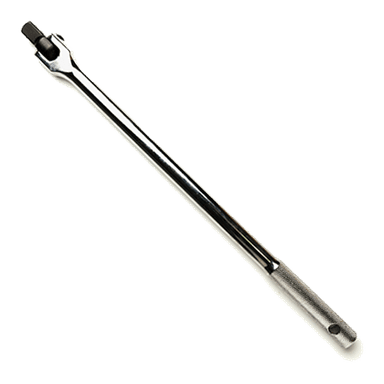
- 1/2" drive breaker bar
- 1/2" drive torque wrench (20-150 ft-lbs range)
- 3/8" drive ratchet
- 12mm socket
- 14mm socket
- Flat trim/pry tool
- C-clamp brake compressor tool
- Bungee cord
- Wire brush
- Brake parts cleaner
- Shop towels
- Nitrile gloves
- Safety glasses
🔩 Required Parts
HowToo sells all the parts you need for this repair:
- Rear brake pad set - Qty: 1
- Rear brake pad hardware kit (abutment clips) - Qty: 1
- Brake lubricant (silicone-based) - Qty: 1
- Brake parts cleaner - Qty: 1
📋 Before You Begin
- Park on level ground, set the transmission to Park, and chock the front wheels.
- Make sure the EPB is not actively clamping hard (don’t start this right after using EPB on a steep hill).
- Open the hood and locate the brake fluid reservoir; you’ll watch the fluid level when compressing pistons (it can rise).
- Assumption: Your Civic has rear disc brakes with an electronic parking brake (EPB).
🔨 Step-by-Step Instructions
Follow these steps in order:
Step 1: Loosen rear wheel lug nuts
- Use a 19mm socket with a 1/2" drive breaker bar to loosen each rear wheel lug nut about 1/2 turn (don’t remove them yet).
Step 2: Lift and support the rear
- Use a floor jack to lift the rear of the car at the correct jacking point.
- Set the car down onto jack stands and give the car a gentle shake to confirm it’s stable.
- Remove the lug nuts with the 19mm socket, then remove both rear wheels.
Step 3: Put the EPB into Maintenance/Service Mode
- Do this before pushing the piston back.
- Method A (preferred): Scan tool command
- Use a scan tool capable of EPB service mode (specialty) to command EPB Maintenance Mode / Rear Brake Pad Replacement Mode.
- Method B (manual): EPB switch sequence
- Turn ignition ON (engine off).
- Press and hold the brake pedal firmly.
- Use the EPB switch to enter maintenance mode (follow the dash prompts if they appear). If your dash does not show a maintenance-mode message, stop and use Method A to avoid damage.
Step 4: Remove the rear caliper (one side at a time)
- Turn the steering wheel is not needed for the rear; just face the caliper and locate the two slide-pin bolts.
- Use a 12mm socket and 3/8" drive ratchet to remove the caliper slide-pin bolts.
- Lift the caliper off the bracket and hang it with a bungee cord. (A bungee cord supports the caliper so the brake hose isn’t stretched.)
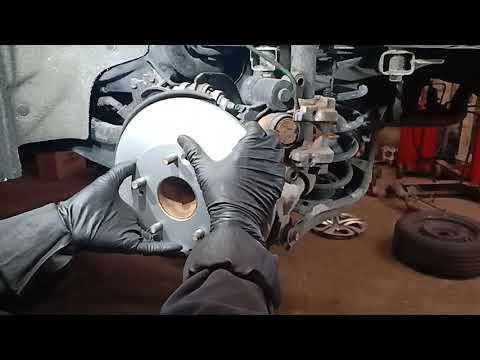
Step 5: Remove old pads and hardware
- Pull the inner and outer pads out by hand. Use a flat trim/pry tool gently if they’re stuck.
- Remove the stainless pad clips (abutment clips) from the bracket.
- Use brake parts cleaner and a wire brush to clean the pad “shelves” where the clips sit.
Step 6: Compress the caliper piston
- Check the brake fluid reservoir level under the hood before compressing the piston.
- Place the old inner pad against the piston face, then use a C-clamp brake compressor tool to push the piston straight back slowly.
- If the piston won’t go in smoothly, stop—confirm EPB maintenance mode is active.
Step 7: Install new hardware clips and pads
- Install the new abutment clips onto the caliper bracket by hand.
- Apply a thin film of brake lubricant (silicone-based) where the pad ears touch the clips (not on the friction material).
- Install the new inner and outer pads into the bracket.
Step 8: Reinstall the caliper and torque fasteners
- Lower the caliper over the new pads.
- Use a 12mm socket to install the slide-pin bolts.
- Torque to 22 Nm (16 ft-lbs) for the rear caliper slide-pin bolts.
- If you removed the caliper bracket (not always necessary), use a 14mm socket to install bracket bolts and Torque to 59 Nm (44 ft-lbs).
Step 9: Repeat on the other rear side
- Repeat Steps 4–8 on the other rear wheel.
Step 10: Reinstall wheels and torque lug nuts
- Reinstall both rear wheels and hand-thread lug nuts.
- Lower the car off the jack stands using the floor jack.
- Use a 1/2" drive torque wrench with a 19mm socket to Torque to 108 Nm (80 ft-lbs) in a star pattern.
Step 11: Exit EPB Maintenance/Service Mode
- If you used a scan tool, command EPB Close/Exit Maintenance Mode.
- Verify the EPB applies and releases normally using the EPB switch.
✅ After Repair
- With the car on the ground, pump the brake pedal 10–15 times until it feels firm.
- Check brake fluid level; top off only if needed (use the correct DOT brake fluid listed on the reservoir cap).
- Start the car and confirm no brake/EPB warning lights stay on.
- Test in a safe area: slow roll, gentle stops, then normal stops.
- Pad break-in: make 8–10 moderate stops from ~30 mph down to ~5 mph, allowing short cool-down time between stops.
💰 DIY vs Shop Cost
Shop Cost: $250-$450 (parts + labor)
DIY Cost: $60-$160 (parts only)
You Save: $190-$290 by doing it yourself!
Shop labor rates vary but typically run $100-$150/hour. This repair takes a shop approximately 1.0-1.5 hours.
🎯 Ready to get started?
HowToo makes it easy: same-day/2-day shipping on every part, plus all the tools and specialty tools you need! Check out the parts and tools sections below to add everything to your cart.
Guide for Disc Brake Pad Set replace for these Honda vehicles
| Year Make Model | Sub Model | Engine | Body Style |
|---|---|---|---|
| 2025 Honda Civic | LX | - | Sedan |
| 2025 Honda Civic | Si | - | Sedan |
| 2025 Honda Civic | Sport | - | Sedan |
| 2024 Honda Civic | EX | - | Sedan |
| 2024 Honda Civic | LX | - | Sedan |
| 2024 Honda Civic | Touring | - | Sedan |
| 2024 Honda Civic | Si | - | Sedan |
| 2024 Honda Civic | Sport | - | Sedan |
| 2023 Honda Civic | EX | - | Sedan |
| 2023 Honda Civic | LX | - | Sedan |
| 2023 Honda Civic | Touring | - | Sedan |
| 2023 Honda Civic | Si | - | Sedan |
| 2023 Honda Civic | Sport | - | Sedan |
| 2022 Honda Civic | EX | - | Sedan |
| 2022 Honda Civic | LX | - | Sedan |
| 2022 Honda Civic | Touring | - | Sedan |
| 2022 Honda Civic | Si | - | Sedan |
| 2022 Honda Civic | Sport | - | Sedan |
| 2021 Honda Civic | EX | - | Sedan |
| 2021 Honda Civic | EX-L | - | Sedan |
| 2021 Honda Civic | LX | - | Sedan |
| 2021 Honda Civic | Touring | - | Sedan |
| 2021 Honda Civic | Sport | - | Sedan |
| 2020 Honda Civic | EX | - | Sedan |
| 2020 Honda Civic | EX-L | - | Sedan |
| 2020 Honda Civic | LX | - | Sedan |
| 2020 Honda Civic | LX | - | Coupe |
| 2020 Honda Civic | Touring | - | Coupe |
| 2020 Honda Civic | Touring | - | Sedan |
| 2020 Honda Civic | Si | - | Coupe |
| 2020 Honda Civic | Si | - | Sedan |
| 2020 Honda Civic | EX | - | Coupe |
| 2020 Honda Civic | Sport | - | Sedan |
| 2020 Honda Civic | Sport | - | Coupe |
| 2019 Honda Civic | EX | - | Sedan |
| 2019 Honda Civic | EX-L | - | Sedan |
| 2019 Honda Civic | EX-L | - | Coupe |
| 2019 Honda Civic | LX | - | Sedan |
| 2019 Honda Civic | LX | - | Coupe |
| 2019 Honda Civic | Touring | - | Coupe |
| 2019 Honda Civic | Touring | - | Sedan |
| 2019 Honda Civic | Si | - | Coupe |
| 2019 Honda Civic | Si | - | Sedan |
| 2019 Honda Civic | EX | - | Coupe |
| 2019 Honda Civic | Sport | - | Sedan |
| 2019 Honda Civic | Sport | - | Coupe |
| 2018 Honda Civic | EX | - | Sedan |
| 2018 Honda Civic | EX-L | - | Sedan |
| 2018 Honda Civic | EX-L | - | Coupe |
| 2018 Honda Civic | EX-T | - | Coupe |
| 2018 Honda Civic | EX-T | - | Sedan |
| 2018 Honda Civic | LX | - | Sedan |
| 2018 Honda Civic | LX | - | Coupe |
| 2018 Honda Civic | LX-P | - | Coupe |
| 2018 Honda Civic | Touring | - | Coupe |
| 2018 Honda Civic | Touring | - | Sedan |
| 2018 Honda Civic | Si | - | Coupe |
| 2018 Honda Civic | Si | - | Sedan |
| 2017 Honda Civic | EX | - | Sedan |
| 2017 Honda Civic | EX-L | - | Sedan |
| 2017 Honda Civic | EX-L | - | Coupe |
| 2017 Honda Civic | EX-T | - | Coupe |
| 2017 Honda Civic | EX-T | - | Sedan |
| 2017 Honda Civic | LX | - | Sedan |
| 2017 Honda Civic | LX | - | Coupe |
| 2017 Honda Civic | LX-P | - | Coupe |
| 2017 Honda Civic | Touring | - | Coupe |
| 2017 Honda Civic | Touring | - | Sedan |
| 2017 Honda Civic | Si | - | Coupe |
| 2017 Honda Civic | Si | - | Sedan |
| 2016 Honda Civic | EX | - | Sedan |
| 2016 Honda Civic | EX-L | - | Sedan |
| 2016 Honda Civic | EX-L | - | Coupe |
| 2016 Honda Civic | EX-T | - | Coupe |
| 2016 Honda Civic | EX-T | - | Sedan |
| 2016 Honda Civic | LX | - | Sedan |
| 2016 Honda Civic | LX | - | Coupe |
| 2016 Honda Civic | LX-P | - | Coupe |
| 2016 Honda Civic | Touring | - | Coupe |
| 2016 Honda Civic | Touring | - | Sedan |