



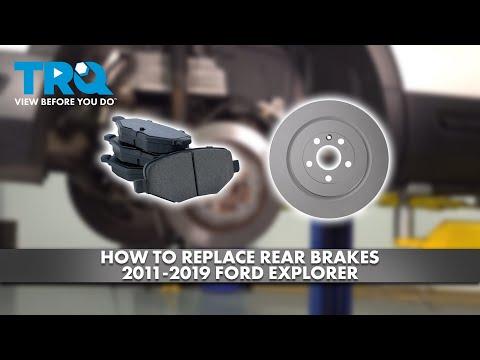
How to Replace Rear Brake Pads on a 2011-2019 Ford Explorer
Step-by-step instructions with tools, parts, torque specs, and safety tips
How to Replace Rear Brake Pads on a 2011-2019 Ford Explorer
Step-by-step instructions with tools, parts, torque specs, and safety tips for 2011, 2012, 2013, 2014, 2015, 2016, 2017, 2018, 2019


🔧 Rear Brake Pads - Pad Replacement
Your rear pads wear out as the caliper squeezes the rotor every time you stop. On your Explorer, the rear brakes use a caliper and bracket setup, so the job is mostly remove, compress, install, and torque back down correctly.
Difficulty Level: Intermediate | Estimated Time: 1.5-2.5 hours
⚠️ Safety & Precautions
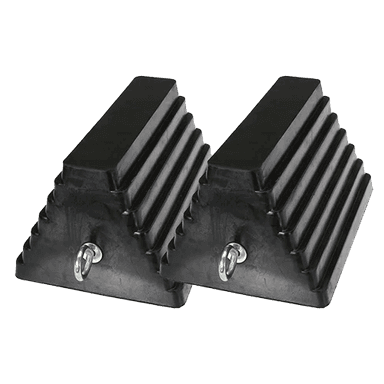
- Work on a level surface and chock the front wheels before lifting the rear.
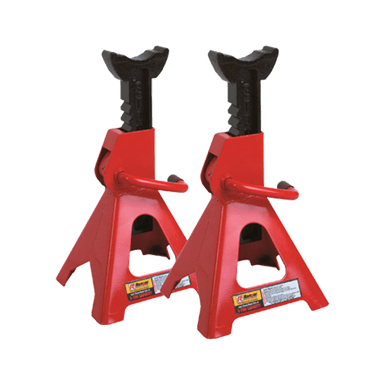
- Use jack stands. Never rely on the floor jack alone.
- Let the brakes cool if the vehicle was just driven.
- Release the parking brake before removing the rear caliper.
- Do not press the brake pedal with a caliper removed.
- If your brake fluid is near the top of the reservoir, watch for overflow when pushing the pistons back.
🔧 Required Tools
You'll need the following tools for this repair:
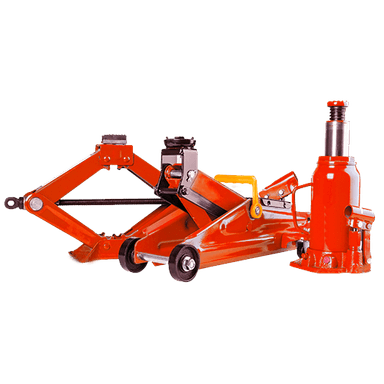
- Floor jack (rated 3-ton minimum)
- Jack stands (rated 3-ton minimum)
- Wheel chocks
- 21mm lug wrench or socket
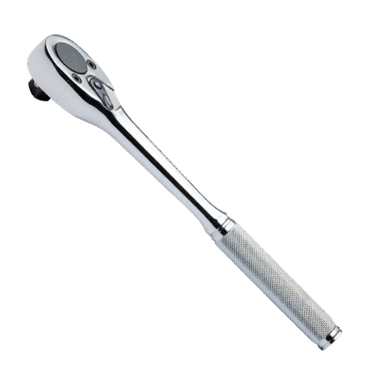
- Ratchet
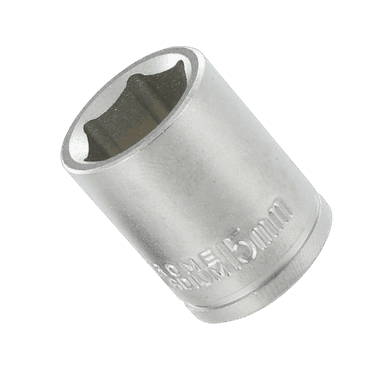
- 13mm socket
- 18mm socket
- Torque wrench
- C-clamp or brake caliper compression tool (specialty)
- Flat-blade screwdriver
- Wire brush
- Bungee cord or mechanic's hook
- Brake cleaner
- Gloves
- Safety glasses
🔩 Required Parts
HowToo sells all the parts you need for this repair:
- Rear brake pad set - Qty: 1
- Brake hardware kit - Qty: 1
- Brake lubricant - Qty: 1
- Brake cleaner - Qty: 1
📋 Before You Begin
- Park on level ground and set the parking brake release before lifting.
- Loosen the rear lug nuts slightly before raising the vehicle.
- Raise the rear and support both sides with jack stands.
- Keep the key away from the vehicle.
🔨 Step-by-Step Instructions
Follow these steps in order:
Step 1: Remove the rear wheel
- Use a 21mm lug wrench or socket to loosen and remove the lug nuts.
- Take off the wheel and set it aside.
Step 2: Inspect the brake assembly
- Look at the caliper, pads, rotor, and rubber brake hose for damage or leaks.
- Take a quick photo first.
Step 3: Remove the caliper
- Use a 13mm socket and ratchet to remove the caliper slide pin bolts.
- Lift the caliper off the bracket.
- Hang the caliper with a bungee cord or mechanic's hook. Do not let it hang by the hose.
Step 4: Remove the old pads and hardware
- Slide the old brake pads out of the bracket.
- Remove the stainless steel pad clips if your new hardware kit includes them.
- Use a flat-blade screwdriver if the pads are stuck.
Step 5: Clean and prep the bracket
- Use a wire brush and brake cleaner to clean rust and brake dust from the bracket.
- Install the new pad hardware clips from the brake hardware kit.
- Apply a thin layer of brake lubricant to the pad contact points only.
Step 6: Compress the caliper piston
- Use a C-clamp or brake caliper compression tool (specialty) to slowly push the piston back into the caliper.
- Watch the brake fluid reservoir while compressing the piston.
- Go slow to avoid damaging the seals.
Step 7: Install the new pads
- Place the new inner and outer pads into the bracket.
- Make sure the wear tabs are positioned the same way as the old pads.
- If the pads have shims, install them exactly as supplied.
Step 8: Reinstall the caliper
- Set the caliper back over the new pads.
- Use a 13mm socket to install the slide pin bolts.
- Torque to 34 Nm (25 ft-lbs).
Step 9: Reinstall the wheel
- Put the wheel back on and hand-start the lug nuts.
- Use a 21mm lug wrench or socket to snug them in a star pattern.
- Lower the vehicle and torque to 204 Nm (150 ft-lbs).
Step 10: Repeat on the other side
- Replace the pads on the opposite rear wheel too.
- Replace pads in pairs.
✅ After Repair
- Press the brake pedal several times before driving to seat the calipers.
- Check brake fluid level and top off if needed.
- Test the brakes at low speed in a safe area.
- Listen for noise and recheck lug nut torque after a short drive.
- Expect a short brake break-in period for best performance.
💰 DIY vs Shop Cost
Shop Cost: $250-$450 (parts + labor)
DIY Cost: $60-$140 (parts only)
You Save: $190-$310 by doing it yourself!
Shop labor rates vary but typically run $100-$150/hour. This repair takes a shop approximately 1.5-2.5 hours.
🎯 Ready to get started?
HowToo makes it easy: same-day/2-day shipping on every part, plus all the tools and specialty tools you need! Check out the parts and tools sections below to add everything to your cart.
Guide for Disc Brake Pad Set replace for these Ford vehicles
| Year Make Model | Sub Model | Engine | Body Style |
|---|---|---|---|
| 2019 Ford Explorer | - | - | - |
| 2018 Ford Explorer | - | - | - |
| 2017 Ford Explorer | - | - | - |
| 2016 Ford Explorer | - | - | - |
| 2015 Ford Explorer | - | - | - |
| 2014 Ford Explorer | - | - | - |
| 2013 Ford Explorer | - | - | - |
| 2012 Ford Explorer | - | - | - |
| 2011 Ford Explorer | - | - | - |