









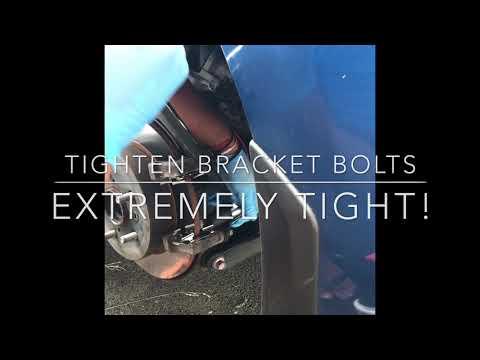






How to Replace Rear Brake Pads on a 2007-2024 Toyota Camry Hybrid (Trim: Hybrid SE)
Step-by-step instructions with tools, parts, torque specs, and parking brake service mode tips
How to Replace Rear Brake Pads on a 2007-2024 Toyota Camry Hybrid (Trim: Hybrid SE)
Step-by-step instructions with tools, parts, torque specs, and parking brake service mode tips for 2007, 2008, 2009, 2010, 2011, 2012, 2013, 2014, 2015, 2016, 2017, 2018, 2019, 2020, 2021, 2022, 2023, 2024


🔧 Rear Brake Pads - Pad Replacement
This job replaces the rear brake pads and resets the rear caliper so the new pads fit correctly. On your Camry Hybrid, the rear brakes are low-drag and must be handled carefully to avoid damaging the caliper, rotor, or parking brake system.
Difficulty Level: Beginner | Estimated Time: 1.5-2.5 hours
⚠️ Safety & Precautions
- Support the car securely on jack stands before removing any wheel.
- Brake parts may be hot after driving. Let everything cool first.
- Use Parking Brake Service Mode if your rear calipers are electronically actuated.
- Do not press the brake pedal with a caliper removed.
- Hybrid systems can start the vehicle without warning. Keep the car OFF and the key away from the vehicle.
- Battery disconnect is not usually required for pad replacement, but follow parking brake service mode instructions first if needed.
🔧 Required Tools
You'll need the following tools for this repair:
- Floor jack (rated 3-ton minimum)
- Jack stands
- Wheel chocks
- 21mm lug wrench or socket
- 14mm socket
- 17mm socket
- Torque wrench
- Ratchet
- Bungee cord or caliper hanger
- Brake pad spreader tool
- Electronic parking brake scan tool (specialty)
- Brake cleaner
- Shop towels
- Brake grease
- Safety glasses
- Nitrile gloves
🔩 Required Parts
HowToo sells all the parts you need for this repair:
- Rear brake pad set - Qty: 1
- Brake pad hardware kit - Qty: 1
- Brake cleaner - Qty: 1 can
- Brake grease - Qty: 1 tube
📋 Before You Begin
- Park on level ground and set the parking brake only if the brake system is not being placed into service mode yet.
- Put the transmission in Park and turn the ignition OFF.
- If your car has an electronic parking brake, use the scan tool to place it in service mode before opening the rear calipers.
- Loosen the rear wheel lug nuts before lifting the car.
- Raise the rear of the car and support it securely on jack stands.
🔨 Step-by-Step Instructions
Follow these steps in order:
Step 1: Remove the rear wheel
- Use a 21mm lug wrench or socket to loosen and remove the wheel lug nuts.
- Remove the wheel and set it aside.
- Keep lug nuts together in one safe spot.
Step 2: Put the parking brake in service mode
- Use the electronic parking brake scan tool (specialty) to place the rear parking brake system into service mode.
- Follow the scan tool prompts until the rear calipers fully retract.
- Do not force the piston if EPB is active.
Step 3: Remove the caliper
- Use a 14mm socket and ratchet to remove the caliper slide pin bolts.
- Lift the caliper off the bracket and hang it with a bungee cord or caliper hanger.
- Do not let the caliper hang from the brake hose.
Step 4: Remove the old brake pads and hardware
- Pull the old pads out of the bracket.
- Remove the pad clips and hardware.
- Use brake cleaner and shop towels to clean the bracket and contact points.
- Clean metal contact points matter.
Step 5: Service the caliper and piston
- Inspect the caliper slide pins for smooth movement.
- Use brake grease on the slide pins if needed.
- If the piston needs to be pushed back, use a brake pad spreader tool slowly and evenly.
- Make sure the piston face is straight and not twisted.
Step 6: Install the new hardware and pads
- Install the new pad clips from the brake pad hardware kit.
- Apply a thin layer of brake grease to the pad ears and contact points only.
- Install the new pads in the bracket.
- Make sure the inner and outer pads are in the correct positions.
Step 7: Reinstall the caliper
- Lower the caliper over the new pads.
- Use a 14mm socket to reinstall the slide pin bolts.
- Torque to 34 Nm (25 ft-lbs).
Step 8: Reinstall the wheel
- Put the wheel back on and start the lug nuts by hand.
- Use a 21mm lug wrench or socket to snug the lug nuts evenly.
- Lower the car and torque the lug nuts to 103 Nm (76 ft-lbs).
Step 9: Exit service mode
- Use the electronic parking brake scan tool (specialty) to exit service mode.
- Confirm the parking brake operates normally.
✅ After Repair
- Press the brake pedal several times before driving to seat the pads against the rotors.
- Check that the brake pedal feels firm.
- Test the parking brake at low speed in a safe area.
- Listen for rubbing, grinding, or clicking noises.
- Recheck lug nut torque after the first short drive.
- New pads need a short break-in period. Use gentle stops for the first 200 miles.
💰 DIY vs Shop Cost
Shop Cost: $220-$420 (parts + labor)
DIY Cost: $60-$140 (parts only)
You Save: $160-$280 by doing it yourself!
Shop labor rates vary but typically run $100-$150/hour. This repair takes a shop approximately 1.5-2.0 hours.
🎯 Ready to get started?
HowToo makes it easy: same-day/2-day shipping on every part, plus all the tools and specialty tools you need! Check out the parts and tools sections below to add everything to your cart.
Guide for Disc Brake Pad Set replace for these Toyota vehicles
| Year Make Model | Sub Model | Engine | Body Style |
|---|---|---|---|
| 2024 Toyota Camry | LE | - | - |
| 2024 Toyota Camry | SE | - | - |
| 2024 Toyota Camry | SE Nightshade | - | - |
| 2023 Toyota Camry | LE | - | - |
| 2023 Toyota Camry | SE | - | - |
| 2023 Toyota Camry | SE Nightshade | - | - |
| 2022 Toyota Camry | LE | - | - |
| 2022 Toyota Camry | SE | - | - |
| 2022 Toyota Camry | SE Nightshade | - | - |
| 2021 Toyota Camry | LE | - | - |
| 2021 Toyota Camry | SE | - | - |
| 2021 Toyota Camry | SE Nightshade | - | - |
| 2020 Toyota Camry | LE | - | - |
| 2020 Toyota Camry | SE | - | - |
| 2020 Toyota Camry | L | - | - |
| 2020 Toyota Camry | SE Nightshade | - | - |
| 2019 Toyota Camry | LE | - | - |
| 2019 Toyota Camry | SE | - | - |
| 2019 Toyota Camry | L | - | - |
| 2018 Toyota Camry | LE | - | - |
| 2018 Toyota Camry | SE | - | - |
| 2018 Toyota Camry | L | - | - |
| 2017 Toyota Camry | LE | - | - |
| 2017 Toyota Camry | SE | - | - |
| 2016 Toyota Camry | LE | - | - |
| 2016 Toyota Camry | SE | - | - |
| 2015 Toyota Camry | LE | - | - |
| 2015 Toyota Camry | SE | - | - |
| 2014 Toyota Camry | LE | - | - |
| 2014 Toyota Camry | SE | - | - |
| 2014 Toyota Camry | L | - | - |
| 2013 Toyota Camry | LE | - | - |
| 2013 Toyota Camry | SE | - | - |
| 2013 Toyota Camry | L | - | - |
| 2012 Toyota Camry | LE | - | - |
| 2012 Toyota Camry | SE | - | - |
| 2012 Toyota Camry | L | - | - |
| 2011 Toyota Camry | LE | - | - |
| 2011 Toyota Camry | SE | - | - |
| 2010 Toyota Camry | LE | - | - |
| 2010 Toyota Camry | SE | - | - |
| 2009 Toyota Camry | LE | - | - |
| 2009 Toyota Camry | SE | - | - |
| 2008 Toyota Camry | LE | - | - |
| 2008 Toyota Camry | SE | - | - |
| 2007 Toyota Camry | LE | - | - |
| 2007 Toyota Camry | SE | - | - |