














How to Replace Rear Brake Pads on a 2007-2018 Chevrolet Silverado 1500
Step-by-step DIY instructions with tools list, parts, safety tips, and key torque specs
How to Replace Rear Brake Pads on a 2007-2018 Chevrolet Silverado 1500
Step-by-step DIY instructions with tools list, parts, safety tips, and key torque specs for 2007, 2008, 2009, 2010, 2011, 2012, 2013, 2014, 2015, 2016, 2017, 2018


🔧 Silverado 1500 - Rear Brake Pad Replacement
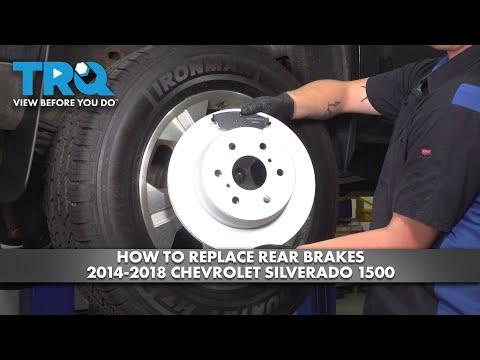
You’ll be removing the rear calipers, swapping the old pads for new ones, and compressing the caliper pistons so everything fits back over the rotor. Worn rear pads can reduce braking power and can damage the rotors if ignored.
Difficulty Level: Intermediate | Estimated Time: 1.5-3.0 hours
⚠️ Safety & Precautions
- 🛑 Support the truck with jack stands; never rely on a floor jack.
- 🛑 Chock the front wheels and keep the transmission in PARK.
- 🛑 Keep the parking brake released while servicing rear brakes (this truck uses a separate parking brake inside the rear rotor “hat”).
- 🛑 Do not press the brake pedal with a caliper removed.
- 🛑 Avoid breathing brake dust; use brake cleaner, not compressed air.
🔧 Required Tools
You'll need the following tools for this repair:
- Floor jack (rated 3-ton minimum)
- Jack stands (rated 3-ton minimum)
- Wheel chocks
- 22mm socket
- 13mm socket
- 18mm socket
- 3/8" drive ratchet
- 1/2" drive breaker bar
- Torque wrench (30–200 ft-lbs range)
- C-clamp (6" minimum)
- Flathead screwdriver
- Bungee cord
- Wire brush
- Brake parts cleaner
- Shop rags
- Nitrile gloves
- Safety glasses
🔩 Required Parts
HowToo sells all the parts you need for this repair:
- Rear brake pad set - Qty: 1
- Rear brake pad hardware kit (clips) - Qty: 1
- Brake caliper grease (silicone) - Qty: 1
- Medium-strength threadlocker - Qty: 1
- Brake cleaner - Qty: 1
📋 Before You Begin
- Park on level ground, set the transmission to PARK, and chock both front wheels.
- Release the parking brake (rear pads/rotors won’t come off smoothly if it’s applied).
- Crack the rear lug nuts loose 1/2 turn using a 22mm socket and breaker bar before lifting.
- Open the hood and locate the brake fluid reservoir; you may need to remove a little fluid if it rises when compressing pistons. Don’t let it overflow.
🔨 Step-by-Step Instructions
Follow these steps in order:
Step 1: Lift and remove the rear wheels
- Lift the rear with a floor jack (rated 3-ton minimum) at the approved lift point, then support the frame with jack stands (rated 3-ton minimum).
- Remove the lug nuts using a 22mm socket and ratchet, then remove both rear wheels.
Step 2: Inspect the rear brake assembly
- Look at the rotor surface and pad thickness. If the rotor is deeply grooved or heavily rust-lipped, consider replacing rotors too.
- Verify the parking brake is not dragging (rotor should rotate by hand with light pad contact only).
Step 3: Remove the rear caliper (slide pins)
- Locate the two caliper guide/slide pin bolts (these are the smaller bolts that hold the caliper to the bracket). Use a 13mm socket and ratchet to remove them.
- Carefully lift the caliper off the bracket. Hang it from the suspension using a bungee cord. Never let it hang by the hose.
- Torque on install: Torque to 38 Nm (28 ft-lbs)
Step 4: Remove the old pads and hardware
- Slide the old inner and outer pads out of the bracket by hand. If stuck, use a flathead screwdriver gently.
- Remove the stainless pad clips (hardware) from the bracket.
Step 5: Compress the caliper piston
- Place an old pad against the piston face, then slowly compress the piston using a C-clamp (6" minimum).
- Go slowly and watch the brake fluid reservoir under the hood so it doesn’t overflow.
- Slow compression helps protect seals.
Step 6: Clean and prep the bracket
- Clean the bracket pad lands (where the clips sit) using brake parts cleaner and a wire brush.
- Install the new pad hardware clips.
- Apply a thin film of brake caliper grease (silicone) to the pad ears (the ends that slide in the clips). Do not get grease on pad friction material or rotor.
Step 7: Install the new rear pads
- Install the new inner and outer pads into the bracket by hand.
- If one pad has a wear indicator tab, match it to the same position as the original pad came off.
Step 8: Reinstall the caliper
- Lower the caliper back over the new pads.
- Install the caliper guide/slide pin bolts using a 13mm socket and ratchet.
- Torque: Torque to 38 Nm (28 ft-lbs)
Step 9: If removing the bracket (only if needed)
- If you are replacing the rotor or the bracket must come off, remove the bracket bolts using an 18mm socket and breaker bar.
- Apply medium-strength threadlocker and reinstall the bracket bolts.
- Torque: Torque to 200 Nm (148 ft-lbs)
Step 10: Reinstall wheels
- Reinstall the wheels and hand-thread the lug nuts.
- Lower the truck to the ground and torque lug nuts in a star pattern using a torque wrench.
- Torque: Torque to 190 Nm (140 ft-lbs)
✅ After Repair
- With the engine off, pump the brake pedal 8–12 times until it feels firm. This seats the pads.
- Check the brake fluid level and top off only if needed (use the correct DOT 3 brake fluid specified on the reservoir cap).
- Do a slow test drive in a safe area and confirm normal stopping and no pulling/noises.
- Bed-in the pads: make 6–10 moderate stops from 30–40 mph, allowing a little cool-down between stops (avoid hard panic stops for the first 200 miles).
💰 DIY vs Shop Cost
Shop Cost: $250-$450 (parts + labor)
DIY Cost: $50-$150 (parts only)
You Save: $200-$300 by doing it yourself!
Shop labor rates vary but typically run $100-$150/hour. This repair takes a shop approximately 1.5-2.0 hours.
🎯 Ready to get started?
HowToo makes it easy: same-day/2-day shipping on every part, plus all the tools and specialty tools you need! Check out the parts and tools sections below to add everything to your cart.