














How to Replace Front Windshield Wiper Blades on a 2022 Ford Explorer
Step-by-step DIY wiper blade replacement with tools, parts list, safety tips, and testing checklist
How to Replace Front Windshield Wiper Blades on a 2022 Ford Explorer
Step-by-step DIY wiper blade replacement with tools, parts list, safety tips, and testing checklist


🔧 Explorer - Front Wiper Blade Replacement
You’ll be replacing both front wiper blades on your Explorer so they clear the windshield properly and don’t streak or chatter. This is a simple job and a great first DIY task.
Difficulty Level: Beginner | Estimated Time: 10–20 minutes
⚠️ Safety & Precautions
- ⚠️ Turn the ignition off and keep the key/fob away from the vehicle so the wipers cannot move while your hands are near them.
- ⚠️ Always move the wipers into Service Position before changing blades so the arms are up and away from the hood.
- ⚠️ Never let a bare metal wiper arm snap back onto the glass; it can crack the windshield.
- ⚠️ Work on stable, level ground and avoid doing this in very high wind or heavy rain.
🔧 Required Tools
You'll need the following tools for this repair:
- Step stool or small folding ladder
- Clean microfiber towel
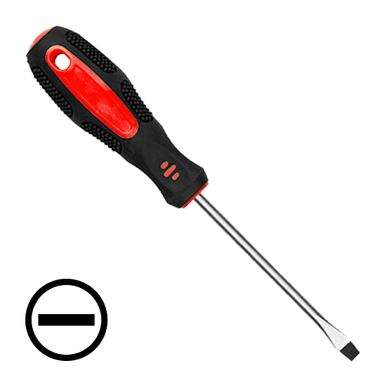
- Small flathead screwdriver (4 mm)
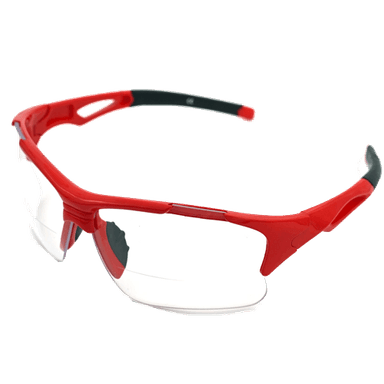
- Safety glasses
- Mechanic gloves
🔩 Required Parts
HowToo sells all the parts you need for this repair:
- 🧩 Front wiper blade set (driver and passenger, correct Explorer fit) - Qty: 2
- 🧩 Windshield washer fluid (pre-mixed) - Qty: 1
- 🧩 Small packet of glass cleaner wipes - Qty: 1
📋 Before You Begin
- 📍 Park the Explorer on level ground, set the parking brake, and turn the ignition off.
- 🔑 Remove the key or keep the key fob at least a few meters away from the vehicle.
- 🧽 Wipe the lower edge of the windshield with a clean microfiber towel to remove grit.
- 📱 If your replacement blades are “universal,” identify the correct adapter in their instructions before starting.
🔨 Step-by-Step Instructions
Follow these steps in order:
Step 1: Put the wipers into Service Position
- Press the brake pedal and start the Explorer as normal, then switch the wipers off if they are on any setting.
- Turn the ignition off using the start/stop button.
- Within 3 seconds of turning it off, push the wiper stalk (the lever on the right of the steering wheel) down to the single wipe position and release.
- The wipers should move up to a vertical “service” position on the glass and stop there. Try again if they don’t move.
Step 2: Lift the wiper arm away from the windshield
- Use your hand (with mechanic gloves) to gently lift the driver-side wiper arm straight away from the glass until it locks in a raised position.
- Place a clean microfiber towel on the glass under the arm as a cushion in case the arm springs back.
Step 3: Identify the wiper arm connection type
- The 2022 Explorer normally uses a top-lock / pinch-tab style connection (a small plastic tab you squeeze to release).
- If your new blade kit includes several adapters, match the adapter that looks like the one already on your wiper arm.
Step 4: Release the old wiper blade
- Find the small plastic release tab where the blade meets the arm.
- Use your thumb to press the tab inward; if it’s stiff, gently help it with a small flathead screwdriver (4 mm), taking care not to pry too hard.
- While holding the tab, slide the blade assembly downward (toward the base of the arm) and off the hook/connector.
- Carefully lower the bare arm onto the microfiber towel on the glass so it doesn’t snap directly onto the windshield.
Step 5: Prepare the new wiper blade
- Remove any shipping covers or plastic protectors from the new blade’s rubber edge.
- If the blade came with multiple adapters, install the one that matches your original connector (usually already pre-installed for this vehicle).
- Make sure the blade is not twisted.
Step 6: Attach the new driver-side blade
- Lift the wiper arm back up off the windshield and support it with your free hand.
- Align the new blade’s connector with the wiper arm’s fitting.
- Slide the blade upward into the arm until it clicks firmly into place. You should feel and often hear a clear “click.”
- Gently tug on the blade to confirm it is securely locked to the arm.
- Lower the arm and new blade carefully back onto the windshield.
Step 7: Repeat for the passenger-side blade
- Lift the passenger-side wiper arm up from the windshield and place the microfiber towel beneath it.
- Repeat the same removal process: press the release tab, slide the old blade off the arm, and carefully rest the arm on the towel.
- Install the matching passenger-side new blade using the same method as the driver side, ensuring it clicks and locks fully.
- Gently lower the arm with the new blade onto the windshield.
Step 8: Return the wipers from Service Position
- Enter the vehicle, press the brake pedal, and start the Explorer.
- Operate the wipers once using the wiper stalk to let them sweep and return to their normal parked position at the bottom of the windshield.
Step 9: Clean the blades and glass
- Use glass cleaner wipes or a microfiber towel with glass cleaner to wipe the area of the windshield where the wipers run.
- Lightly wipe the new rubber edges too; this removes any manufacturing residue and improves first-use performance.
✅ After Repair
- ✅ Test the wipers with washer fluid: turn the wipers on low speed and spray washer fluid to confirm smooth, quiet wiping with no streaks or skipping.
- ✅ Check from both inside and outside that both blades sit flat against the glass across their full length.
- ✅ Make sure there are no loose pieces of packaging or old blade parts left in the cowl area near the base of the windshield.
- ✅ Top off washer fluid if it’s low so you’re ready for bad weather.
💰 DIY vs Shop Cost
Shop Cost: $60–$110 (parts + labor)
DIY Cost: $25–$50 (parts only)
You Save: $35–$60 by doing it yourself!
Shop labor rates vary but typically run $100–$150/hour. This repair takes a shop approximately 0.3–0.5 hours.
🎯 Ready to get started?
HowToo makes it easy: same-day/2-day shipping on every part, plus all the tools and specialty tools you need! Check out the parts and tools sections above to add everything to your cart.