













How to Replace Front Windshield Wiper Blades on a 2015-2022 Chevrolet Trax
Step-by-step DIY wiper blade install with tools list, sizing tips, safety precautions, and test checks
How to Replace Front Windshield Wiper Blades on a 2015-2022 Chevrolet Trax
Step-by-step DIY wiper blade install with tools list, sizing tips, safety precautions, and test checks for 2015, 2016, 2017, 2018, 2019, 2020, 2021, 2022


🔧 Trax - Front Wiper Blade Replacement
Replacing the front wiper blades on your Trax is a quick maintenance job that restores clear visibility in rain. You’ll remove the old blades from the wiper arms and snap the new blades onto the same attachment style.
Difficulty Level: Beginner | Estimated Time: 0.2-0.5 hours
⚠️ Safety & Precautions
- 🧤 Turn the ignition OFF and remove the key/fob from the vehicle.
- 🧤 Keep a firm hold of the wiper arm—if it snaps back, it can crack the windshield.
- 🧤 Place a towel on the windshield under the wiper arm while working.
- 🧤 No battery disconnect is required.
🔧 Required Tools
You'll need the following tools for this repair:
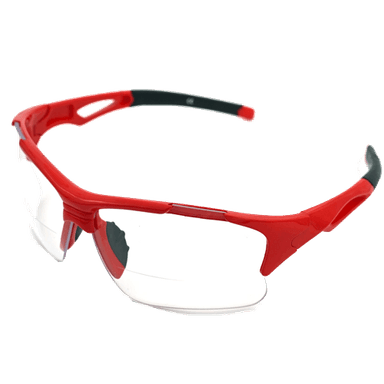
- Safety glasses
- Nitrile gloves
- Clean shop towel
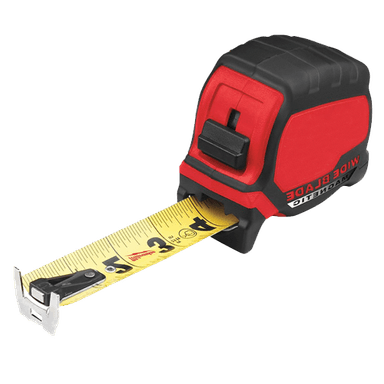
- Tape measure (inch markings)
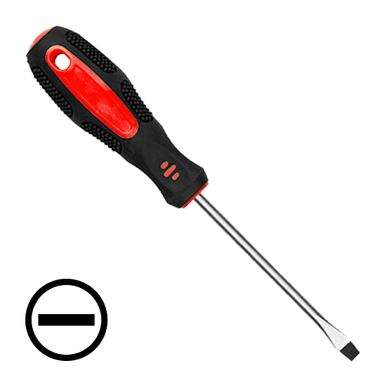
- Small flat-blade screwdriver
🔩 Required Parts
HowToo sells all the parts you need for this repair:
- Front wiper blades - Match the lengths to your current blades (measure in inches) - Qty: 2
📋 Before You Begin
- 🅿️ Park on level ground and turn the ignition OFF.
- 🧼 Use a clean shop towel to wipe the windshield where the blades rest.
- 📏 Use a tape measure (inch markings) to measure each old blade end-to-end so you buy the correct sizes.
🔨 Step-by-Step Instructions
Follow these steps in order:
Step 1: Protect the windshield
- Lay a clean shop towel on the windshield under the wiper you’re working on.
- This helps prevent glass damage if it snaps back.
Step 2: Lift the wiper arm
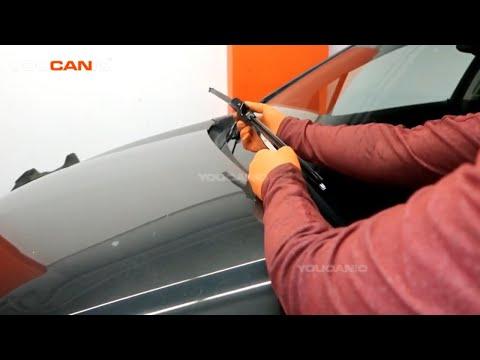
- Carefully lift the wiper arm away from the windshield until it stays up on its own.
- Keep one hand on the arm the whole time so it can’t spring back.
Step 3: Identify the blade attachment
- Look where the blade connects to the arm and find the small release tab/clip.
- If the tab is hard to press, use a small flat-blade screwdriver to gently help press the release. (Don’t pry against the windshield.)
Step 4: Remove the old blade
- Press the release tab with your fingers (or the small flat-blade screwdriver gently) while sliding the blade down and off the end of the wiper arm.
- Once it’s free, set the old blade aside.
Step 5: Install the new blade
- Compare the new blade to the old one (length and connector style).
- Slide the new blade onto the arm until you hear/feel a solid “click.”
- Gently tug on the blade to confirm it’s locked in place.
Step 6: Lower the arm safely
- Remove the clean shop towel.
- Lower the wiper arm back onto the windshield slowly and gently—don’t let it drop.
Step 7: Repeat for the other side
- Repeat Steps 1–6 for the other front wiper blade.
✅ After Repair
- 🧪 Turn the ignition ON and run the wipers on low speed with washer fluid.
- 🔎 Verify both blades wipe cleanly without streaks, chatter, or missing spots.
- 🔧 If a blade doesn’t wipe evenly, re-check that it fully “clicked” onto the arm.
💰 DIY vs Shop Cost
Shop Cost: $40-$90 (parts + labor)
DIY Cost: $20-$60 (parts only)
You Save: $20-$40 by doing it yourself!
Shop labor rates vary but typically run $100-$150/hour. This repair takes a shop approximately 0.2-0.4 hours.
🎯 Ready to get started?
HowToo makes it easy: same-day/2-day shipping on every part, plus all the tools and specialty tools you need! Check out the parts and tools sections below to add everything to your cart.
Guide for Windshield Wiper Blade replace for these Chevrolet vehicles
| Year Make Model | Sub Model | Engine | Body Style |
|---|---|---|---|
| 2022 Chevrolet Trax | - | - | - |
| 2021 Chevrolet Trax | - | - | - |
| 2020 Chevrolet Trax | - | - | - |
| 2019 Chevrolet Trax | - | - | - |
| 2018 Chevrolet Trax | - | - | - |
| 2017 Chevrolet Trax | - | - | - |
| 2016 Chevrolet Trax | - | - | - |
| 2015 Chevrolet Trax | - | - | - |