








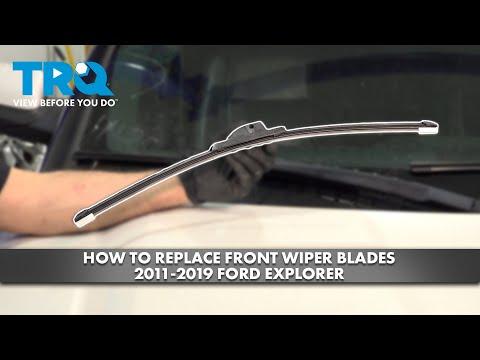




How to Replace Front Windshield Wiper Blades on a 2011-2019 Ford Explorer
Step-by-step J-hook removal and install with blade sizes (26"/22"), tools, and safety tips
How to Replace Front Windshield Wiper Blades on a 2011-2019 Ford Explorer
Step-by-step J-hook removal and install with blade sizes (26"/22"), tools, and safety tips for 2011, 2012, 2013, 2014, 2015, 2016, 2017, 2018, 2019


🔧 Explorer - Front Wiper Blade Replacement
Replacing the front wiper blades on your Explorer is a quick maintenance job that restores clear visibility in rain. You’ll remove each old blade from the wiper arm and click the new blade into the same connector.
Difficulty Level: Beginner | Estimated Time: 0.25-0.5 hours
⚠️ Safety & Precautions
- 🛑 Turn ignition OFF and keep hands clear of the wiper linkage.
- 🛑 Hold the wiper arm firmly; it’s spring-loaded and can snap back.
- 🛑 Lay a towel on the windshield so the metal arm can’t hit the glass.
- 🛑 No battery disconnect required.
🔧 Required Tools
You'll need the following tools for this repair:
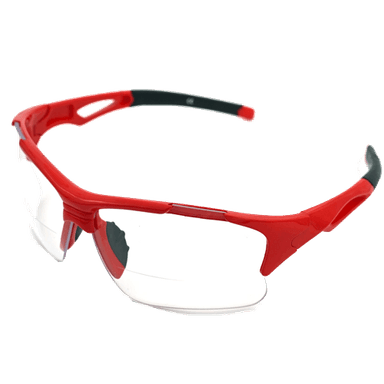
- Safety glasses
- Mechanic gloves
- Clean towel
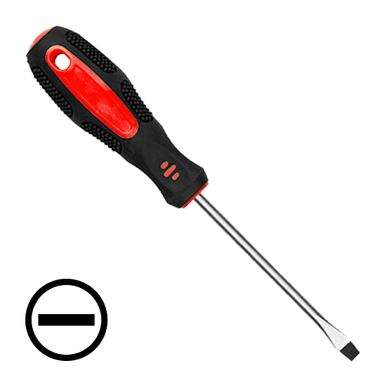
- Flathead screwdriver (small)
🔩 Required Parts
HowToo sells all the parts you need for this repair:
- Front wiper blades - Driver: 26", Passenger: 22" - Qty: 2
📋 Before You Begin
- 🅿️ Park on level ground and turn the ignition OFF.
- 🧼 Clean the lower windshield edge so you don’t grind dirt into the glass.
- 🧽 Place a clean towel on the windshield under each wiper arm.
🔨 Step-by-Step Instructions
Follow these steps in order:
Step 1: Put the wipers in a safe position
- Lift the driver-side wiper arm away from the glass slowly by hand.
- If the arm won’t lift far enough due to the hood, turn the ignition ON, run the wipers once, then turn ignition OFF while they are mid-sweep so you can lift them. Don’t start the engine.
Step 2: Remove the old driver-side blade
- Rotate the wiper blade so it’s perpendicular to the wiper arm.
- Find the small locking tab on the connector where the blade meets the arm.
- Press the tab with your fingers; if it’s stuck, use a flathead screwdriver (small) gently to help push the tab.
- While holding the tab, slide the blade downward (toward the base of the arm) to unhook it from the J-hook.
- Keep one hand on the arm spring.
Step 3: Install the new driver-side blade
- Hook the new 26" blade onto the J-hook at the end of the arm.
- Pull the blade upward until you hear/feel it click into the locked position.
- Gently tug on the blade to confirm it’s locked.
Step 4: Repeat on the passenger side
- Lift the passenger wiper arm carefully and keep the clean towel under it.
- Remove the old blade using the same tab-and-slide method.
- Install the new 22" blade and confirm it clicks and locks.
Step 5: Lower the arms back onto the windshield
- Lower each arm slowly onto the glass by hand.
- Remove the clean towel.
✅ After Repair
- 🧪 Turn ignition ON and run the front wipers on low speed for 10–20 seconds.
- 💧 Use windshield washer fluid to confirm the blades wipe clean with no skipping.
- 🔎 If you see streaks, clean the windshield and re-check that each blade is fully clicked in.
💰 DIY vs Shop Cost
Shop Cost: $40-$90 (parts + labor)
DIY Cost: $20-$50 (parts only)
You Save: $20-$40 by doing it yourself!
Shop labor rates vary but typically run $100-$150/hour. This repair takes a shop approximately 0.2-0.4 hours.
🎯 Ready to get started?
HowToo makes it easy: same-day/2-day shipping on every part, plus all the tools and specialty tools you need! Check out the parts and tools sections below to add everything to your cart.
Guide for Windshield Wiper Blade replace for these Ford vehicles
| Year Make Model | Sub Model | Engine | Body Style |
|---|---|---|---|
| 2019 Ford Explorer | - | - | - |
| 2018 Ford Explorer | - | - | - |
| 2017 Ford Explorer | - | - | - |
| 2016 Ford Explorer | - | - | - |
| 2015 Ford Explorer | - | - | - |
| 2014 Ford Explorer | - | - | - |
| 2013 Ford Explorer | - | - | - |
| 2012 Ford Explorer | - | - | - |
| 2011 Ford Explorer | - | - | - |