








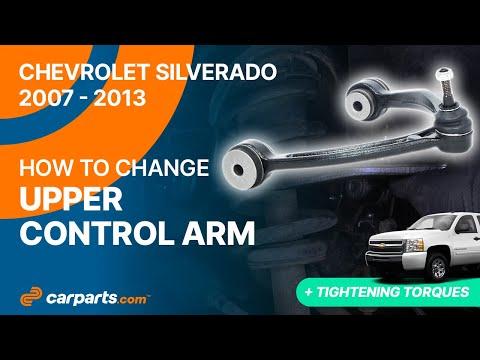





How to Replace Front Control Arms on a 2007-2016 Chevrolet Silverado 1500
Step-by-step instructions with tools, parts, safety tips, torque guidance, and alignment notes
How to Replace Front Control Arms on a 2007-2016 Chevrolet Silverado 1500
Step-by-step instructions with tools, parts, safety tips, torque guidance, and alignment notes for 2007, 2008, 2009, 2010, 2011, 2012, 2013, 2014, 2015, 2016


🔧 Control Arms - Replacement
Assumption: this is for the front control arms on your Silverado and you’re replacing the affected arm(s) on one side or both sides as needed. Control arms locate the front wheels and keep alignment stable, so worn bushings or ball joints can cause clunks, loose steering, and uneven tire wear.
Difficulty Level: Advanced | Estimated Time: 4-8 hours
⚠️ Safety & Precautions
- Support the truck with jack stands on solid ground. Do not work under a vehicle held only by a jack.
- Use wheel chocks on the rear wheels before lifting.
- If your Silverado has a suspension sensor or brake line bracket attached near the arm, disconnect it carefully before lowering the control arm.
- The front coil spring is under heavy load. Keep hands clear when separating the arm from the steering knuckle. A loaded spring can move suddenly.
- Mark cam bolt positions before removal if equipped. Final alignment is required after this repair.
- Battery disconnect is not required for this job.
🔧 Required Tools
You'll need the following tools for this repair:
- Floor jack (rated 3-ton minimum)
- Jack stands (rated 3-ton minimum)
- Wheel chocks
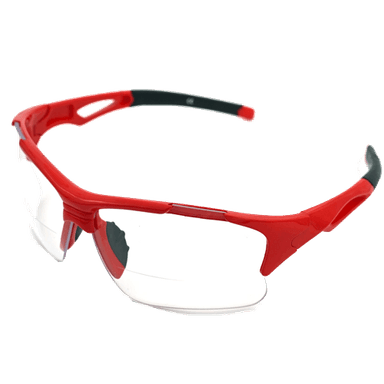
- Safety glasses
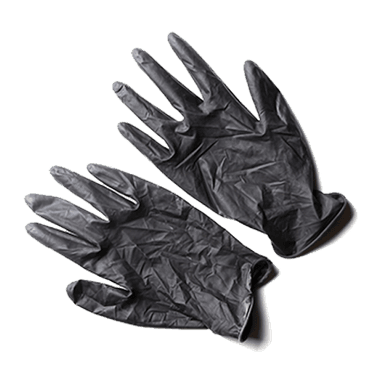
- Mechanic gloves
- Socket set 10mm-24mm
- Breaker bar
- Torque wrench
- Ratchet
- Combination wrench set 10mm-24mm
- Ball joint separator (specialty)
- Hammer
- Penetrating oil
- Pry bar
- Paint marker
🔩 Required Parts
HowToo sells all the parts you need for this repair:
- Front upper control arm - Qty: 1 or 2
- Front lower control arm - Qty: 1 or 2
- Front upper ball joint nut - Qty: 1 or 2
- Front lower ball joint nut - Qty: 1 or 2
- Control arm bushing hardware - Qty: 1 set
- Cam bolt kit - Qty: 1 set if needed
📋 Before You Begin
- Park on level ground and set the parking brake.
- Loosen the front lug nuts slightly before lifting.
- Raise the front of the truck and support it with jack stands under the frame.
- Remove the front wheel for better access.
- Spray penetrating oil on control arm bolts, cam bolts, and ball joint nuts before removal.
- Mark cam bolt positions first.
🔨 Step-by-Step Instructions
Follow these steps in order:
Step 1: Lift and secure the truck
- Use a floor jack to lift the front of the Silverado at the frame.
- Set the truck on jack stands and make sure it is stable before going underneath.
- Remove the front wheel with a socket set.
Step 2: Loosen the suspension for access
- Use a socket set 10mm-24mm and combination wrench set 10mm-24mm to remove any brake hose brackets, ABS wire brackets, or splash shields attached near the control arm.
- If equipped, disconnect the sway bar end link from the lower arm using the correct socket and wrench.
- Keep track of every bracket and bolt.
Step 3: Support the steering knuckle
- Place the floor jack under the lower control arm or knuckle area to support the suspension.
- This keeps the knuckle from dropping when the ball joint is separated.
Step 4: Separate the ball joint
- Use the correct socket and breaker bar to remove the ball joint nut from the upper or lower arm, depending on which arm you are replacing.
- Use a ball joint separator (specialty) to pop the ball joint stud loose from the knuckle.
- If needed, tap the knuckle lightly with a hammer to help release it.
- Torque for reassembly varies by arm and fastener; tighten to GM factory spec for the exact control arm and ball joint hardware.
Step 5: Remove the control arm bolts
- Use a socket set 10mm-24mm and breaker bar to remove the frame-side control arm bolts.
- If your truck has cam bolts, mark their position with a paint marker before removal.
- Remove the arm from the truck.
- Do one side at a time.
Step 6: Install the new control arm
- Position the new arm in the frame mounts by hand first.
- Start all bolts by hand before tightening.
- Reinsert the ball joint stud into the knuckle.
- Install the new nut and snug it with a socket.
Step 7: Reconnect and torque the hardware
- Use a torque wrench to tighten the frame bolts and cam bolts to the GM factory specification for your Silverado.
- Tighten suspension pivot bolts at normal ride height. Lower the truck so the suspension is loaded before final torque on bushing bolts, if the design requires it.
- Torque the ball joint nut to GM spec for the exact arm you installed.
- Reinstall sway bar links, brake line brackets, and ABS wire brackets using the correct socket and wrench.
Step 8: Repeat on the other side if needed
- If you are replacing both sides, repeat the same process on the opposite arm.
- Replace control arms in pairs when wear is on both sides.
Step 9: Reinstall the wheel and lower the truck
- Install the wheel and hand-tighten the lug nuts with a socket.
- Lower the truck and torque the lug nuts with a torque wrench in a star pattern to factory spec.
✅ After Repair
- Check that all fasteners are tight and all brackets are back in place.
- Start the truck and turn the steering wheel lock-to-lock while parked. Listen for clunks.
- Test drive slowly first, then recheck for looseness or noise.
- Get a professional front-end alignment immediately after the repair.
💰 DIY vs Shop Cost
Shop Cost: $700-$1,500 (parts + labor)
DIY Cost: $180-$650 (parts only)
You Save: $520-$850 by doing it yourself!
Shop labor rates vary but typically run $100-$150/hour. This repair takes a shop approximately 4-8 hours.
🎯 Ready to get started?
HowToo makes it easy: same-day/2-day shipping on every part, plus all the tools and specialty tools you need! Check out the parts and tools sections below to add everything to your cart.
Guide for Alignment Cam Bolt Kit replace for these Chevrolet vehicles
| Year Make Model | Sub Model | Engine | Body Style |
|---|---|---|---|
| 2016 Chevrolet Silverado 1500 | - | - | - |
| 2015 Chevrolet Silverado 1500 | - | - | - |
| 2014 Chevrolet Silverado 1500 | - | - | - |
| 2013 Chevrolet Silverado 1500 | - | - | - |
| 2012 Chevrolet Silverado 1500 | - | - | - |
| 2011 Chevrolet Silverado 1500 | - | - | - |
| 2010 Chevrolet Silverado 1500 | - | - | - |
| 2009 Chevrolet Silverado 1500 | - | - | - |
| 2008 Chevrolet Silverado 1500 | - | - | - |
| 2007 Chevrolet Silverado 1500 | - | - | - |