









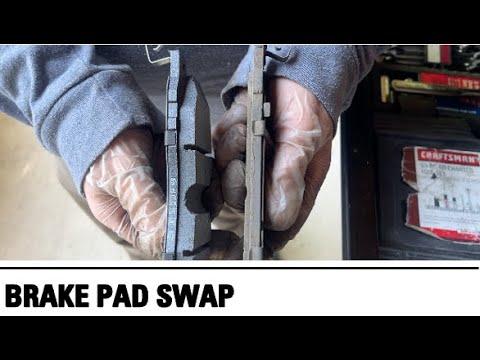





How to Replace Front Brake Pads on a 2020-2026 Ford Explorer
Step-by-step DIY front brake pad change with tools, parts list, torque specs, safety tips, and cost savings
How to Replace Front Brake Pads on a 2020-2026 Ford Explorer
Step-by-step DIY front brake pad change with tools, parts list, torque specs, safety tips, and cost savings for 2020, 2021, 2022, 2023, 2024, 2025, 2026


🔧 Explorer - Front Brake Pad Replacement
You’ll be removing the front wheels, pulling off the brake calipers, swapping the pads, and reassembling everything with the correct torque. This restores braking performance and stops squealing or grinding before it damages the rotors.
Difficulty Level: Beginner | Estimated Time: 2–3 hours
⚠️ Safety & Precautions
- 🛑 Always work on a cool brake system; hot brakes can burn skin.
- 🧱 Park the Explorer on level ground, shift to P, and set the parking brake.
- 🧱 Chock (block) the rear wheels so the vehicle cannot roll.
- 🔺 Always support the vehicle with jack stands; never rely only on the floor jack.
- 😷 Wear safety glasses and a dust mask; brake dust is harmful to breathe or get in eyes.
- 💧 Do not let the brake caliper hang by its rubber hose; support it with a hook or wire.
- 🧪 Avoid getting oil or grease on the friction surface of pads or rotors.
- 🔋 Battery disconnection is not required for this job.
🔧 Required Tools
You'll need the following tools for this repair:
- 🧰 Floor jack (rated 3-ton minimum)
- 🧰 Jack stands (rated 3-ton minimum, Qty: 2)
- 🧰 Wheel chocks
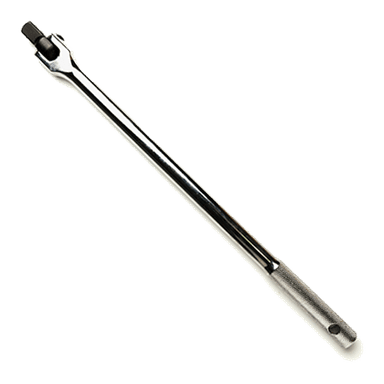
- 🧰 Breaker bar 1/2"
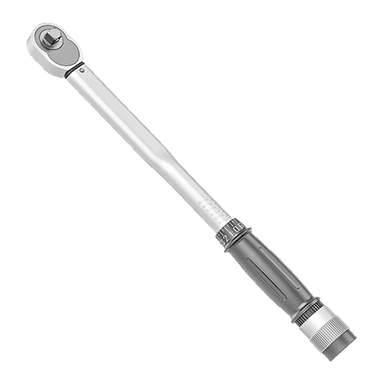
- 🧰 Torque wrench 1/2" drive (10–200 ft-lbs range)
- 🧰 Torque wrench 3/8" drive (10–80 ft-lbs range)
- 🧰 Socket 19mm (lug nuts)
- 🧰 Socket 13mm (caliper slide pin bolts)
- 🧰 Socket 21mm (caliper bracket bolts)
- 🧰 Ratchet 3/8" drive
- 🧰 Ratchet 1/2" drive
- 🧰 Combination wrench 13mm
- 🧰 C-clamp 6" or disc brake piston tool
- 🧰 Flat-blade screwdriver medium
- 🧰 Wire brush small
- 🧰 Bungee cord or wire hanger
- 🧰 Shop rags
- 🧰 Safety glasses
- 🧰 Nitrile gloves
- 🧰 Dust mask or respirator
- 🧰 Drip pan
🔩 Required Parts
HowToo sells all the parts you need for this repair:
- 🧱 Front brake pad set - Qty: 1 (serves both front wheels, replace in pairs)
- 🧱 Front brake hardware kit (pad clips/shims) - Qty: 1 (recommended)
- 🧱 Brake cleaner spray - Qty: 1–2 cans
- 🧱 High-temperature silicone brake grease - Qty: 1 tube
- 🧱 Anti-seize compound - Qty: 1 small tube (optional for hub/wheel mating surfaces)
- 🧱 Shop towels - Qty: 1 pack
📋 Before You Begin
- 🚗 Park the Explorer on level ground, shift to P, engage the parking brake, and chock the rear wheels.
- 📦 Lay out all tools and parts so you don’t have to search mid-job.
- 🧴 Loosen the brake fluid reservoir cap slightly so pressure can relax when you push the pistons back (do not remove it fully).
- 🧼 Clean around the reservoir cap with a rag first so dirt cannot fall inside.
🔨 Step-by-Step Instructions
Follow these steps in order:
Step 1: Loosen front wheel lug nuts
- Use the 19mm socket and breaker bar to crack loose (¼ turn) each front wheel lug nut while the Explorer is still on the ground.
- Do not remove the lug nuts yet; just loosen them so the wheels will come off easily later.
- Loosen in a star pattern around the wheel.
Step 2: Raise and support the front of the Explorer
- Position the floor jack under the front center jacking point or under the front subframe as specified in your owner’s manual.
- Pump the jack handle until both front wheels are off the ground.
- Place jack stands under the reinforced pinch welds or frame rails on both sides, then slowly lower the vehicle onto the stands using the floor jack.
- Give the Explorer a firm shake to confirm it is stable on the stands.
Step 3: Remove the front wheels
- Use the 19mm socket and ratchet or breaker bar to remove the lug nuts completely from one front wheel.
- Pull the wheel straight off the hub and set it aside out of your way.
- Repeat on the other front wheel.
- Lay wheels flat to avoid them tipping over.
Step 4: Inspect the brake assembly and hardware
- Look at the caliper (the “clamp”) over the rotor (the “disc”). Make note of how the pads and clips are installed; take a photo with your phone for reference.
- Check the rubber caliper slide pin boots for cracks or damage.
Step 5: Remove the caliper slide pin bolts
- On one front brake, locate the two caliper slide pin bolts on the back of the caliper.
- Use the 13mm socket and 3/8" ratchet to remove the upper and lower slide pin bolts.
- Set the bolts aside in a clean spot; you will reuse them.
Step 6: Lift and support the caliper
- Use the flat-blade screwdriver to gently pry the caliper away from the rotor if it feels stuck.
- Lift the caliper off the pads and rotor, then support it using a bungee cord or wire hanger hooked to the suspension spring. Do not let it hang from the hose.
Step 7: Remove the old brake pads and clips
- Slide the inner and outer pads out of the caliper bracket by hand or with the flat-blade screwdriver.
- Remove the metal pad clips (also called abutment clips) from the caliper bracket.
- Note which side of each clip faces outward for installing the new ones.
Step 8: (Optional) Remove caliper bracket for better cleaning
- If you want more room to work, remove the caliper bracket.
- Use the 21mm socket and 1/2" breaker bar to remove the two large caliper bracket bolts on the back of the steering knuckle.
- Set the bracket on your work area.
- This is optional but makes cleaning easier.
Step 9: Compress the caliper piston
- Place one of the old pads against the piston face inside the caliper.
- Use the C-clamp between the back of the caliper body and the old pad to slowly push the piston back into the caliper.
- Tighten the C-clamp a little at a time until the piston is fully seated and flush with the caliper housing.
- Check the brake fluid reservoir under the hood; if the fluid rises close to the top, use a shop rag and drip pan to remove a small amount with a clean syringe or turkey baster.
- Go slow to avoid stressing seals.
Step 10: Clean the bracket and install new pad clips
- Spray the caliper bracket (or the in-place bracket if you didn’t remove it) with brake cleaner over the drip pan to catch runoff.
- Use the wire brush to clean the pad “rails” where the pad ears sit, removing rust and debris.
- Wipe clean with shop rags.
- Snap the new pad clips from your brake hardware kit onto the bracket, matching the orientation of the originals.
Step 11: Lubricate slide points and pins
- Apply a very thin layer of high-temperature silicone brake grease to the metal surfaces of the pad clips where the pad “ears” will slide.
- Remove each caliper slide pin one at a time by pulling it out of the bracket.
- Wipe it clean with shop rags, then coat the pin lightly with brake grease and reinstall it into its rubber boot, making sure it moves freely.
- Do not get grease on pad friction surfaces.
Step 12: Reinstall caliper bracket (if removed)
- Position the caliper bracket back over the rotor and align bolt holes.
- Install the two large bracket bolts by hand to avoid cross-threading.
- Use the 21mm socket and 1/2" torque wrench to tighten the caliper bracket bolts to 150 Nm (111 ft-lbs).
Step 13: Install the new brake pads
- Identify the inner and outer pads (inner often has a spring clip or wear indicator).
- Apply a thin layer of brake grease only to the pad backing plates and ears where they contact the clips; do not grease the friction surface.
- Slide the new pads into the caliper bracket on both sides of the rotor, making sure they sit fully in the clips and are straight.
Step 14: Reinstall the caliper over the new pads
- Lower the caliper over the new pads and onto the caliper bracket, ensuring the slide pin boots are properly aligned with the caliper ears.
- Install the 13mm slide pin bolts by hand first.
- Use the 13mm socket and 3/8" torque wrench to tighten the caliper slide pin bolts to 30 Nm (22 ft-lbs).
Step 15: Repeat on the other front side
- Repeat Steps 5–14 on the other front brake.
- Do one side at a time as a reference.
Step 16: Reinstall wheels and lower the Explorer
- Place the wheel back onto the hub and hand-thread all lug nuts using the 19mm socket by hand.
- Snug the lug nuts lightly in a star pattern with the 19mm socket and ratchet.
- Use the floor jack to raise the Explorer slightly, remove the jack stands, then lower the vehicle fully to the ground.
Step 17: Torque the lug nuts
- Use the 1/2" torque wrench and 19mm socket to torque each front lug nut in a star pattern to 200 Nm (148 ft-lbs).
- Recheck each lug nut once again in the same pattern.
Step 18: Final checks and pedal pump
- Tighten the brake fluid reservoir cap fully if you loosened it earlier, after confirming the fluid level is between MIN and MAX.
- With the engine off, sit in the driver’s seat and slowly press the brake pedal 5–10 times until it becomes firm. This seats the pads against the rotors.
- Visually inspect around each caliper and hose for any leaks or issues.
✅ After Repair
- 🧪 Start the engine and gently press the brake pedal; it should feel firm and consistent, not spongy or sinking.
- 🚗 Perform a short test drive in a safe area: make several gentle stops from low speeds to confirm normal braking, no pulling to one side, and no unusual noises.
- 🛠️ Bed-in (break in) the new pads: make 8–10 moderate stops from about 30–40 km/h to near stop, allowing the brakes to cool slightly between stops. Avoid hard panic stops for the first 200–300 km if possible.
- 🔁 After your test drive, recheck lug nut torque with the torque wrench and look again at the calipers and hoses for any signs of rubbing or leaks.
💰 DIY vs Shop Cost
Shop Cost: $350–$550 (parts + labor) for front pads on your Explorer
DIY Cost: $80–$160 (parts only, depending on pad type)
You Save: $190–$470 by doing it yourself!
Shop labor rates vary but typically run $100–$150/hour. This repair takes a shop approximately 1.5–2.0 hours.
🎯 Ready to get started?
HowToo makes it easy: same-day/2-day shipping on every part, plus all the tools and specialty tools you need! Check out the parts and tools sections above to add everything to your cart.
Guide for Disc Brake Pad Set replace for these Ford vehicles
| Year Make Model | Sub Model | Engine | Body Style |
|---|---|---|---|
| 2026 Ford Explorer | - | - | - |
| 2025 Ford Explorer | - | - | - |
| 2024 Ford Explorer | - | - | - |
| 2023 Ford Explorer | - | - | - |
| 2022 Ford Explorer | - | - | - |
| 2021 Ford Explorer | - | - | - |
| 2020 Ford Explorer | - | - | - |