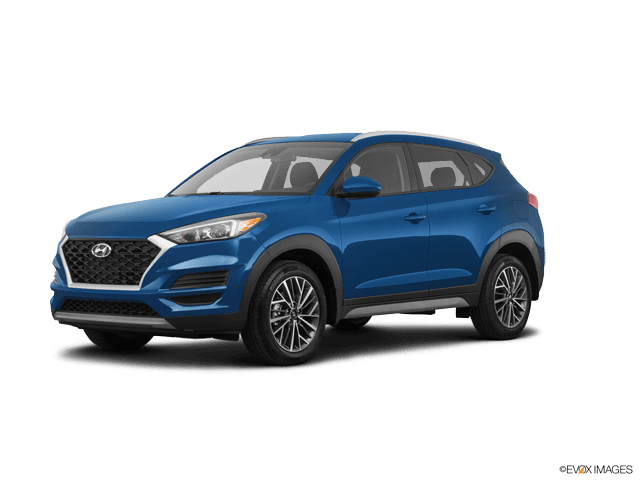
















How to Replace Front Brake Pads and Rotors on a 2016-2021 Hyundai Tucson (Trim: Value Edition)
Step-by-step DIY guide with tools, parts list, safety tips, and torque spec notes
How to Replace Front Brake Pads and Rotors on a 2016-2021 Hyundai Tucson (Trim: Value Edition)
Step-by-step DIY guide with tools, parts list, safety tips, and torque spec notes for 2016, 2017


🔧 Tucson - Front Brake Pads & Rotor Replacement
Replacing the front brake pads and rotors on your Tucson means removing the wheel, unbolting the caliper and bracket, swapping the rotor, and installing new pads with proper lubrication and torque. Doing it right prevents noise, vibration, and uneven braking.
Difficulty Level: Intermediate | Estimated Time: 2-3 hours
⚠️ Safety & Precautions
- 🛑 Support the vehicle with jack stands; never rely on a jack.
- 🧤 Wear gloves and safety glasses; brake dust is irritating.
- 🔥 Brakes can be hot; let them cool before starting.
- 🪝 Do not let the caliper hang by the brake hose; support it with a hanger.
- ⚠️ Keep grease off pad/rotor friction surfaces.
🔧 Required Tools
You'll need the following tools for this repair:
- Floor jack (rated 3-ton minimum)
- Jack stands (rated 3-ton minimum)
- Wheel chocks
- 21mm socket
- Ratchet
- Breaker bar
- Torque wrench (20–200 ft-lbs range)
- 14mm socket
- 17mm socket
- 19mm socket
- Flat trim tool
- Phillips screwdriver #3
- C-clamp (6-inch)
- Brake caliper hanger hook
- Wire brush
- Rubber mallet
- Micrometer or digital caliper (specialty)
- Safety glasses
- Nitrile gloves
🔩 Required Parts
HowToo sells all the parts you need for this repair:
- Front brake pad set - Qty: 1
- Front brake rotors - Replace in pairs - Qty: 2
- Brake pad hardware kit (clips/shims) - Qty: 1
- Brake caliper slide pin grease (silicone) - Qty: 1
- Brake cleaner - Qty: 2 cans
- Medium-strength threadlocker - Qty: 1
📋 Before You Begin
- Park on level ground, set the parking brake, and place wheel chocks behind the rear wheels.
- Loosen the front lug nuts slightly before lifting the vehicle.
- Open the hood and check the brake fluid level; it may rise when compressing the caliper piston.
🔨 Step-by-Step Instructions
Follow these steps in order:
Step 1: Confirm one quick detail (so torque/tools match)
- Reply with your wheel size: 17-inch or 18-inch.
- Also tell me if you see a small retaining screw in the rotor face (a big Phillips screw) after the wheel is off: Yes or No.
Step 2: Lift and secure the front of the vehicle
- Use a breaker bar with a 21mm socket to loosen lug nuts 1/2 turn.
- Lift with the floor jack (rated 3-ton minimum) at the proper front jack point, then set the vehicle onto jack stands (rated 3-ton minimum).
- Remove the lug nuts with the 21mm socket and take the wheel off.
Step 3: Remove the front brake caliper
- Turn the steering wheel to give yourself room on the side you’re working on.
- Remove the caliper slide pin bolts using a 14mm socket and ratchet.
- Lift the caliper off the bracket and support it with a brake caliper hanger hook. A caliper hanger is a hook that holds the caliper so the hose isn’t strained.
Step 4: Remove pads and caliper bracket
- Slide the old pads out of the bracket.
- Remove the caliper bracket bolts using a 17mm socket or 19mm socket with a breaker bar (your Tucson may use either head size).
- Set the bracket aside.
Step 5: Remove the rotor
- If equipped, remove the rotor retaining screw using a Phillips screwdriver #3.
- Pull the rotor off. If it’s stuck, tap around the rotor hat with a rubber mallet.
- Clean the hub face with a wire brush and spray with brake cleaner so the new rotor sits flat. Flat hub prevents pedal pulsation.
Step 6: Install the new rotor
- Clean both sides of the new rotor with brake cleaner to remove protective oil.
- Install the rotor onto the hub.
- If equipped, reinstall the retaining screw using the Phillips screwdriver #3.
Step 7: Reinstall the caliper bracket (torque will follow after you answer Step 1)
- Apply medium-strength threadlocker to the bracket bolts.
- Reinstall the bracket bolts using a 17mm socket or 19mm socket and ratchet, then finish with a torque wrench.
- Torque to the correct spec for your brake package once you confirm your wheel size/rotor screw (Step 1).
Step 8: Install new hardware and pads
- Remove old pad clips from the bracket using a flat trim tool.
- Install the new clips from the hardware kit.
- Apply a thin layer of brake caliper slide pin grease (silicone) to pad ears where they contact the clips.
- Slide the new pads into place.
Step 9: Compress the caliper piston and reinstall the caliper
- Use a C-clamp (6-inch) to slowly press the caliper piston back in.
- Watch the brake fluid reservoir as you compress; remove a little fluid if it gets near the top.
- Reinstall the caliper over the pads and install the slide pin bolts using a 14mm socket, then tighten with a torque wrench.
- Torque to the correct spec for your brake package once you confirm Step 1.
Step 10: Reinstall wheel and lower the vehicle
- Put the wheel back on and hand-thread lug nuts.
- Lower the vehicle, then tighten lug nuts in a star pattern using a torque wrench.
- Torque will be provided once you confirm Step 1.
✅ After Repair
- Before driving, pump the brake pedal 10–15 times until it feels firm.
- Check brake fluid level and top off only if needed.
- Do a slow test drive and confirm no pulling, grinding, or warning lights.
- Bed-in (break-in) the pads: make 6–8 medium stops from 40 mph to 10 mph, leaving room to cool between stops.
💰 DIY vs Shop Cost
Shop Cost: $450-$900 (parts + labor)
DIY Cost: $180-$450 (parts only)
You Save: $270-$450 by doing it yourself!
Shop labor rates vary but typically run $100-$150/hour. This repair takes a shop approximately 2-3 hours.
🎯 Ready to get started?
HowToo makes it easy: same-day/2-day shipping on every part, plus all the tools and specialty tools you need! Check out the parts and tools sections below to add everything to your cart.
Guide for Disc Brake Pad Set replace for these Hyundai vehicles
| Year Make Model | Sub Model | Engine | Body Style |
|---|---|---|---|
| 2021 Hyundai Tucson | Limited | - | - |
| 2021 Hyundai Tucson | SE | - | - |
| 2021 Hyundai Tucson | Sport | - | - |
| 2021 Hyundai Tucson | Ultimate | - | - |
| 2020 Hyundai Tucson | Limited | - | - |
| 2020 Hyundai Tucson | SE | - | - |
| 2020 Hyundai Tucson | Sport | - | - |
| 2020 Hyundai Tucson | Ultimate | - | - |
| 2019 Hyundai Tucson | Limited | - | - |
| 2019 Hyundai Tucson | SE | - | - |
| 2019 Hyundai Tucson | Sport | - | - |
| 2019 Hyundai Tucson | Ultimate | - | - |
| 2018 Hyundai Tucson | Limited | - | - |
| 2018 Hyundai Tucson | SE | - | - |
| 2018 Hyundai Tucson | Sport | - | - |
| 2017 Hyundai Tucson | Eco | - | - |
| 2017 Hyundai Tucson | Limited | - | - |
| 2017 Hyundai Tucson | SE | - | - |
| 2017 Hyundai Tucson | Sport | - | - |
| 2017 Hyundai Tucson | Value | - | - |
| 2016 Hyundai Tucson | Eco | - | - |
| 2016 Hyundai Tucson | Limited | - | - |
| 2016 Hyundai Tucson | SE | - | - |
| 2016 Hyundai Tucson | Sport | - | - |