















How to Replace and Register the Battery on a 2016 Audi A4 (Trunk-Mounted)
Step-by-step DIY guide with tools, parts, safety tips, torque specs, and VCDS/OBD11 battery coding
How to Replace and Register the Battery on a 2016 Audi A4 (Trunk-Mounted)
Step-by-step DIY guide with tools, parts, safety tips, torque specs, and VCDS/OBD11 battery coding


🔧 A4 - Battery Replacement
Your A4’s battery is located in the trunk area and can be replaced with basic hand tools. The big “gotcha” is that Audi’s battery energy management may need the new battery to be registered (coded) so charging and start/stop behavior stay correct.
Difficulty Level: Intermediate | Estimated Time: 0.5-1.0 hours
⚠️ Safety & Precautions
- ⚠️ Keep the trunk open and a window down before disconnecting the battery to avoid getting locked out.
- ⚠️ Do not let tools bridge battery terminals; it can cause sparks and damage.
- ⚠️ Disconnect the negative terminal first and reconnect it last.
- ⚠️ Use the same battery type (AGM vs non-AGM) as originally equipped.
- ⚠️ Battery is heavy; lift with both hands and keep it upright.
🔧 Required Tools
You'll need the following tools for this repair:
- 10mm socket
- 13mm socket
- 3/8" ratchet
- 6" socket extension
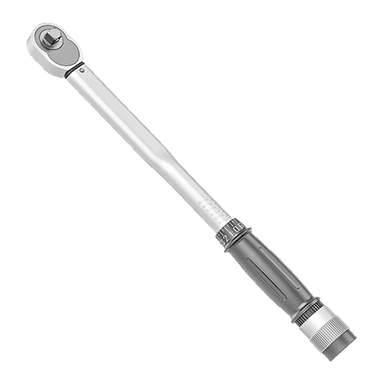
- Torque wrench (5-60 Nm range)
- Trim removal tool
- Work gloves
- Safety glasses
- Battery terminal brush
- 12V memory saver (OBD-II type) (specialty)
- Scan tool with Audi battery adaptation (VCDS or OBD11) (specialty)
🔩 Required Parts
HowToo sells all the parts you need for this repair:
- 12V battery (correct group size and type) - Qty: 1
- Battery vent elbow/tube (if damaged or missing) - Qty: 1
- Battery terminal anti-corrosion protectant - Qty: 1
📋 Before You Begin
- Park on level ground, shift to Park, and set the parking brake.
- Turn the ignition off, remove the key, and wait 5 minutes for modules to go to sleep.
- If using a 12V memory saver (OBD-II type), plug it in now (it keeps settings powered while the battery is out).
- Open the trunk and keep it open (or latch it with a towel so it can’t fully close).
🔨 Step-by-Step Instructions
Follow these steps in order:
Step 1: Access the battery in the trunk
- Use a trim removal tool to remove the right-side trunk liner fasteners/covering as needed.
- Lift off the battery cover/insulation so you can see the battery, terminals, and hold-down.
- Tip: Take a quick photo of everything first.
Step 2: Disconnect the negative terminal (first)
- Use a 10mm socket with a 3/8" ratchet to loosen the negative terminal clamp nut.
- Wiggle the clamp up and off the negative post, then tuck it aside so it cannot spring back.
- Tip: Don’t pry on the battery post.
Step 3: Disconnect the positive terminal (second)
- Use a 10mm socket with a 3/8" ratchet to loosen the positive terminal clamp nut.
- Remove the positive clamp from the battery post and position it safely aside.
- If there’s a positive terminal cover, open it carefully by hand.
Step 4: Remove the battery hold-down
- Locate the battery hold-down bracket at the base of the battery.
- Use a 13mm socket, 6" socket extension, and 3/8" ratchet to remove the hold-down bolt.
- Remove the bracket and set it aside.
Step 5: Disconnect the battery vent tube
- Find the small vent tube on the side of the battery (it lets battery gases exit the car safely).
- Pull the tube/elbow off by hand. If it’s stuck, use a trim removal tool gently to help.
Step 6: Remove the old battery
- Wear work gloves and use both hands to lift the battery straight up and out.
- Keep it upright to prevent any acid residue from spilling (even AGM batteries can be messy on the outside).
Step 7: Prep the tray and terminals
- Use a battery terminal brush to clean the inside of the terminal clamps if they’re crusty.
- Wipe the battery tray area clean (no standing water or loose debris).
- Apply a light coat of battery terminal anti-corrosion protectant to the clamps.
Step 8: Install the new battery
- Place the new battery into the tray in the same orientation as the old one.
- Reconnect the vent tube/elbow by hand so it is fully seated.
- Reinstall the hold-down bracket and bolt using a 13mm socket, 6" socket extension, and 3/8" ratchet.
- Torque to 20 Nm (15 ft-lbs)
Step 9: Reconnect terminals (positive first, negative last)
- Install the positive terminal clamp first and tighten using a 10mm socket and 3/8" ratchet.
- Torque to 6 Nm (53 in-lbs)
- Install the negative terminal clamp last and tighten using a 10mm socket and 3/8" ratchet.
- Torque to 6 Nm (53 in-lbs)
- Tip: Snug is enough—over-tightening cracks clamps.
Step 10: Refit trunk trim and covers
- Reinstall the battery cover/insulation.
- Reinstall the trunk liner/fasteners using the trim removal tool.
Step 11: Register (code) the new battery in the energy management system
- Connect a scan tool with Audi battery adaptation (VCDS or OBD11) (specialty).
- Perform Battery Adaptation / Battery Replacement registration (wording varies by tool).
- Enter the new battery details (type AGM/non-AGM, capacity Ah, and serial/BEM if prompted).
- Tip: If capacity/type changes, coding is important.
✅ After Repair
- Start the engine and confirm normal cranking and no warning chimes beyond initial resets.
- Reset clock/date and one-touch windows if needed (hold window switch up for 2-3 seconds after fully closed).
- Turn the steering wheel lock-to-lock once while rolling slowly to help steering angle systems re-learn.
- If you see warning lights after replacement, scan and clear faults with the scan tool after battery registration.
💰 DIY vs Shop Cost
Shop Cost: $300-$550 (parts + labor)
DIY Cost: $180-$320 (parts only)
You Save: $120-$230 by doing it yourself!
Shop labor rates vary but typically run $100-$150/hour. This repair takes a shop approximately 0.5-1.0 hours.
🎯 Ready to get started?
HowToo makes it easy: same-day/2-day shipping on every part, plus all the tools and specialty tools you need! Check out the parts and tools sections below to add everything to your cart.